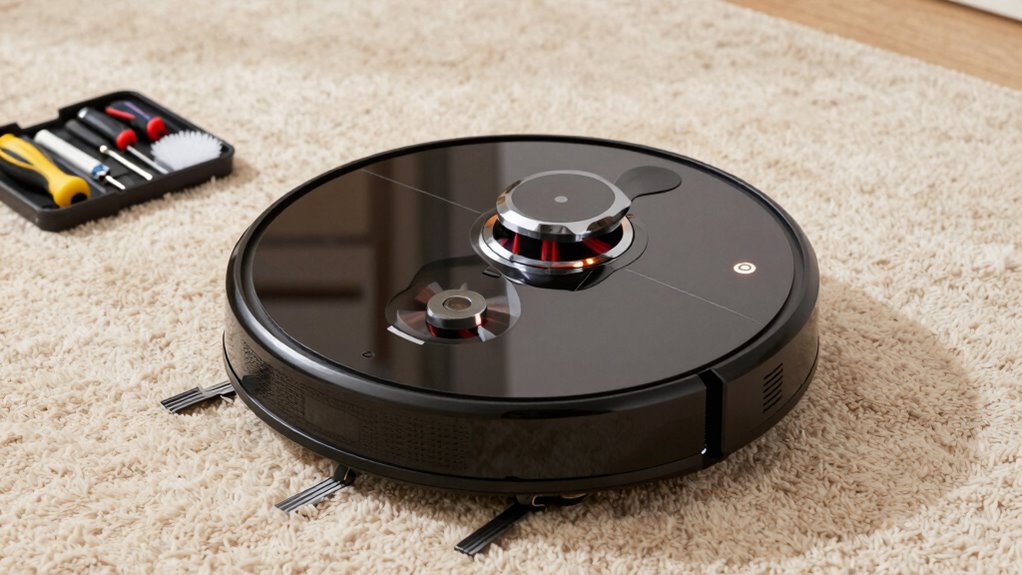

To keep your robot vacuum’s suction strong, regularly clean filters, brushes, and sensors, and clear any clogs from the intake. Properly maintain the battery and avoid complete drainage, while inspecting and emptying the dustbin before it’s full. Check for debris buildup on wheels and in the brush area, and update firmware to prevent software issues. If you want detailed tips on maintaining peak performance, keep going to learn more.
Key Takeaways
- Regularly clean filters, brush rolls, and suction inlet to prevent debris buildup and maintain airflow.
- Inspect and clear clogs in the brush, intake, and wheels to ensure strong suction and smooth navigation.
- Follow manufacturer guidelines for battery charging and avoid complete drains to prolong device lifespan.
- Perform routine maintenance on sensors, wheels, and dustbin to prevent obstructions and optimize performance.
- Keep firmware and app updated, and troubleshoot software issues promptly for consistent operation.

Replacement Parts for MAMNV BR151, for ZCWA BR151, for MANVINS G20, for Kilgone G20, for ONSON BR151, for MANVN BR151, for ZC WAS BR151, for iMartine BR151 Robot Vacuum,6 Side Brush,4 Mop Pad,4 Filter
Compatible Models: These accessories compatible for MAMNV BR151, for ZCWA BR151, for MANVINS G20, for Kilgone G20, for…
As an affiliate, we earn on qualifying purchases.
As an affiliate, we earn on qualifying purchases.
How to Maintain Your Robot Vacuum’s Suction Power
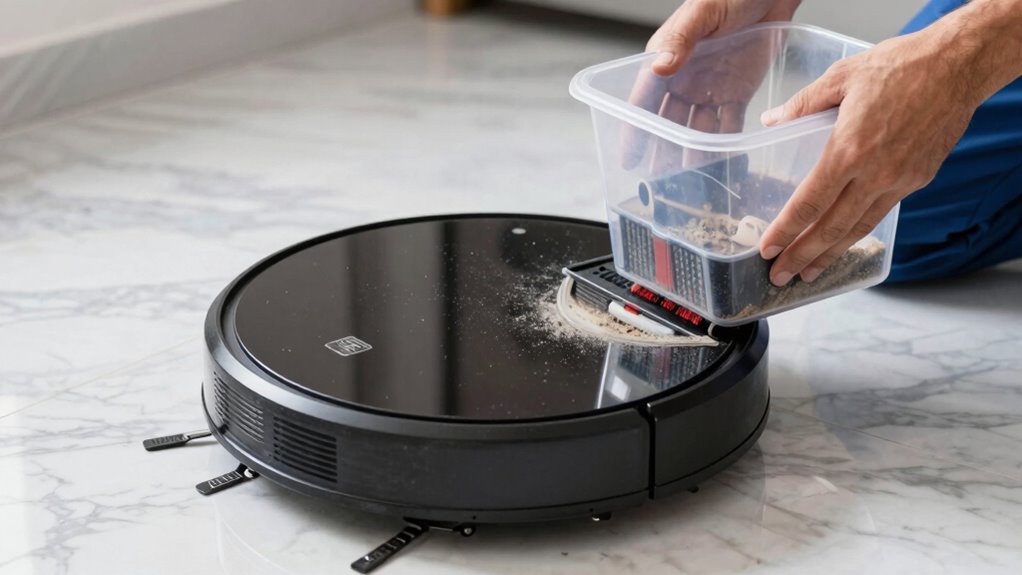
To keep your robot vacuum’s suction power at its best, regular maintenance is essential. Start by ensuring the battery stays healthy; a well-maintained battery boosts overall performance and extends battery longevity, keeping your vacuum running efficiently for longer periods. Avoid letting the battery drain completely, and follow manufacturer recommendations for charging. Additionally, check for any debris or dust buildup in the vacuum’s brush roll or suction inlet, as blockages can diminish suction power. Maintaining a clean, unobstructed pathway helps reduce noise as well, since a clogged system can cause the motor to work harder, increasing noise levels. Regularly inspecting these components keeps your vacuum operating quietly and effectively, ensuring you get the most out of your device’s suction capabilities over time. Proper battery care is crucial to maintaining optimal suction and prolonging your vacuum’s lifespan. Additionally, routinely cleaning the filters according to manufacturer guidelines can significantly improve suction performance. Incorporating regular maintenance routines can further help sustain the device’s efficiency and suction strength over its lifespan. Implementing a comprehensive cleaning schedule ensures all key parts are maintained properly to optimize performance. Regularly checking for debris buildup in the motor or fan area can also prevent performance drops and prolong the life of your vacuum.

Midukit Vacuum Attachments Accessories for Robot Vacuum Cleaner,Cleaning Brush roll Cleaning Tool Replacement Parts, Part kit Tool for Vacuums Cleaner Replacement Include Vacuum Cleaning Cloth
Midukit vacuum cleaning kit for robot, dyson. Vacuum cleaning tool includes Cleaning Brush, tweezers, screwdriver (Phillips, Slotted), double-end…
As an affiliate, we earn on qualifying purchases.
As an affiliate, we earn on qualifying purchases.
How to Clean and Replace Filters for Better Performance
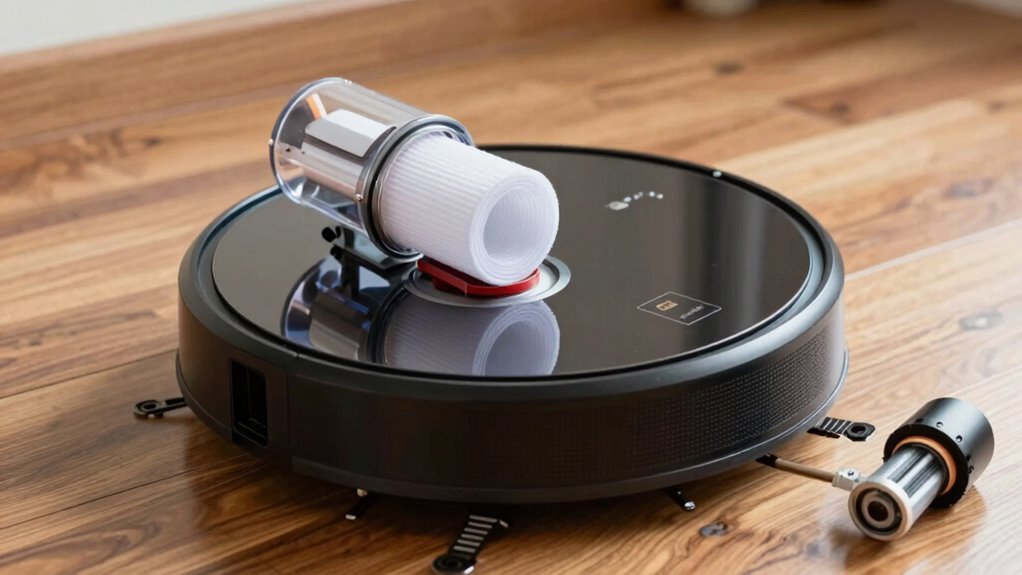
Understanding your vacuum’s filter types and functions helps you choose the right maintenance steps. Regularly cleaning the filters keeps your robot working efficiently, while timely replacements prevent buildup. Properly handling filters guarantees your vacuum maintains its suction power and extends its lifespan. Additionally, selecting appropriate tracking gear can help monitor your device’s performance and ensure optimal operation. Being aware of pump and dump schemes in crypto markets highlights the importance of careful observation and regular maintenance, which can be analogously applied to keeping your vacuum in top shape. Recognizing the chemical properties of filter materials can also guide you in selecting the best cleaning methods and replacements for your device. Understanding the filter lifespan ensures you replace filters at the right time to maintain effectiveness. Incorporating a philosophical perspective on the importance of authenticity and self-awareness can inspire more mindful maintenance routines, ensuring your vacuum remains reliable over time.
Filter Types and Functions
Different robot vacuums come equipped with various filter types, such as HEPA, foam, or sponge filters, each serving a specific purpose in trapping dust, allergens, and debris. The filter material directly influences the filter’s effectiveness and lifespan; HEPA filters, for example, are excellent for allergens, while foam filters are more economical. Knowing the filter lifespan helps you plan replacements before performance drops. Some filters need replacing every few months, while others can last longer with proper maintenance. Regularly checking the filter material for wear or clogging guarantees your vacuum maintains peak suction. Using the right filter type for your needs keeps your home cleaner and your vacuum operating efficiently, preventing debris buildup that can compromise performance over time.
Cleaning Filter Regularly
Regularly cleaning and replacing your robot vacuum’s filters helps maintain ideal suction and prolongs the device’s lifespan. Over time, dust and debris clog the filter material, reducing airflow and efficiency. To keep your vacuum performing well, remove the filter according to your manufacturer’s instructions and gently tap or rinse it with water if it’s washable. Make sure it’s completely dry before reinstalling. For non-washable filters, replace them once they become visibly dirty or after the filter’s recommended lifespan. Proper maintenance prevents the buildup of allergens and ensures consistent suction power. Additionally, using high-quality filters can enhance filter durability and performance, supporting overall device efficiency. Remember, the quality of the filter material directly impacts its durability and filtering ability, so handling it carefully and replacing it when necessary keeps your robot vacuum operating at peak performance. Regular filter maintenance is an important part of connected home fitness that supports overall device longevity and efficiency.
Replacing Filters Properly
Ever wondered how to guarantee your robot vacuum maintains peak cleaning performance? Replacing filters properly is key. When you swap out filters, you support battery longevity by reducing motor strain and assure your device works effectively on carpets. To do this, follow these steps:
- Check the filter type and compatibility with your model
- Remove the old filter gently without damaging the housing
- Clean or replace filters according to manufacturer instructions
- Reinstall the filter securely to prevent air leaks
- Incorporate Free Floating features in your cleaning routine to optimize coverage and efficiency
Using fresh filters keeps suction strong and prevents debris buildup, which can hinder performance. Regularly replacing filters also helps maintain carpet compatibility, ensuring your vacuum cleans thoroughly. Proper filter maintenance is a simple yet vital step to extend your robot’s lifespan and keep it operating at its best, especially considering the importance of filter type and compatibility in overall device health. Additionally, choosing the right electric motor power can significantly impact your vacuum’s effectiveness and efficiency. Maintaining filter quality is essential for optimal performance and longevity of your robot vacuum.
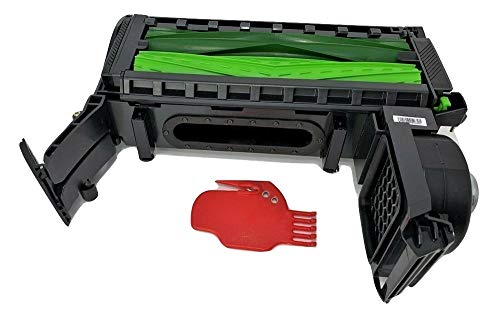
caSino187 Authentic OEM Cleaning Head Module with Extractors for Roomba e/i/j Series e5 e6 i1 i3 i4 i6 i7 i8 J7 J8 with Cleaning Tool
Cleaning Head Module for Roomba E and I series. Including e6 i6 i1 i3 i4 i6 i7 i7+…
As an affiliate, we earn on qualifying purchases.
As an affiliate, we earn on qualifying purchases.
How to Clear Clogs From the Brush and Intake
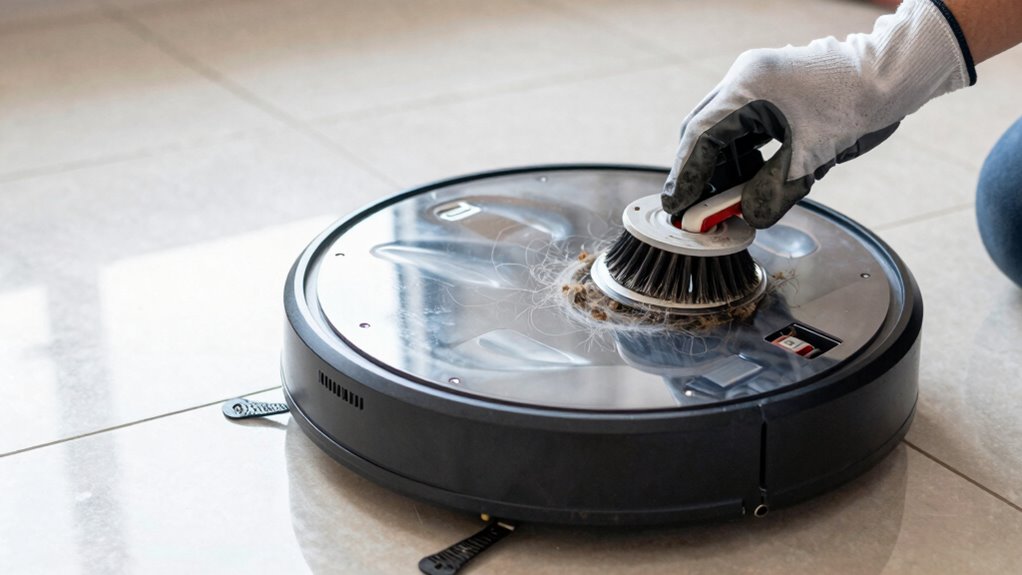
Start by inspecting the brush for tangled hair or debris that could block its rotation. Next, check the intake for any obstructions and clear them out carefully. Use appropriate tools like tweezers or brushes to remove stubborn clogs and keep your vacuum running smoothly. Regular maintenance helps prevent loss of suction and prolongs the life of your robot vacuum maintenance routines.
Inspect Brush for Debris
When inspecting the brush for debris, it’s important to remove any hair, threads, or dust that may be tangled around the bristles or lodged in the intake. This process helps prevent clogs and maintains maximum suction. During your brush inspection, look carefully for signs of accumulated brush debris, which can hinder performance. Additionally, inspecting the commercial kitchen equipment can help identify any potential issues that might affect cleaning efficiency. Remove tangled hair and threads with scissors or tweezers. Check for dust buildup on the bristles. Clear any lodged debris from the central brush area. Inspect for signs of wear or damage to the bristles. Regularly performing a thorough brush inspection ensures your robot vacuum operates efficiently, and it prevents debris buildup from affecting suction power. Keeping the suction system clean is a simple but essential step in your maintenance routine. Also, inspecting the brush bearings can help ensure smooth rotation and optimal cleaning performance. Remember that positive mindset and regular care are key to maintaining your device’s longevity and performance. For optimal results, consider checking the filter system periodically to ensure proper airflow and filtration.
Clear Blockages in Intake
Blockages in the intake can considerably reduce your robot vacuum’s cleaning efficiency. To restore ideal airflow, start by turning off the vacuum and removing the dustbin and brush. Check the intake port for debris or tangled hair, and carefully clear any obstructions. Ensure the brush is properly aligned and spins freely, as misalignment can hinder airflow and cause clogs. Use your fingers or a soft tool to gently dislodge debris from the intake pathway. Regularly inspecting and clearing blockages keeps airflow maximized, which maintains strong suction and cleaning performance. Remember, a clear intake prevents strain on the motor and extends your vacuum’s lifespan. Performing routine maintenance checks and cleaning can prevent future clogs and ensure optimal operation. Taking these steps helps your robot operate at peak efficiency, delivering thorough cleaning every time.
Use Appropriate Cleaning Tools
Using the right cleaning tools is essential for effectively clearing clogs from your robot vacuum’s brush and intake. Proper tools help prevent damage, guarantee sensor calibration remains accurate, and support battery longevity by reducing strain on components. Use tools like a small brush or brush cleaning tool to dislodge debris from bristles and rollers. A pair of tweezers can remove hair or fibers tangled in tight spots, while a soft cloth or microfiber cloth is ideal for wiping sensors and intake areas. Additionally, compressed air can clear dust from vents and sensors without disassembly. Regularly inspecting and cleaning these parts with appropriate tools keeps your vacuum performing at its best, maintains proper sensor calibration, and extends the lifespan of the battery and motor components.
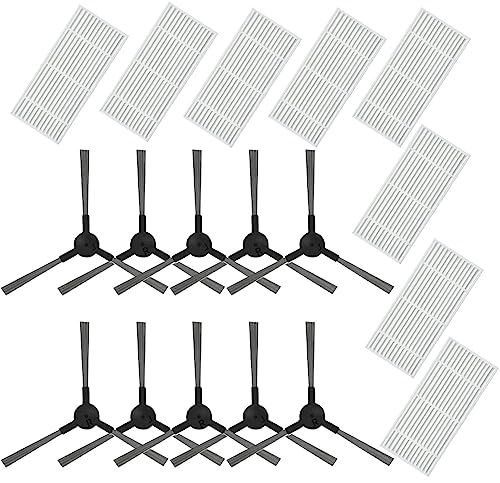
JJ Neumann Replacement Parts for MAMNV BR150/BR151, for Kilgone G20, ZCWA BR150/BR151, for MANVINS G20, for ONSON BR150/BR151, for GTTVO BR150/BR151 Robot Vacuum Cleaner Accessories
【Compatibility】- Compatible with MAMNV BR150/BR151, for Kilgone G20, ZCWA BR150/BR151, for MANVINS G20, for ONSON BR150/BR151, for GTTVO…
As an affiliate, we earn on qualifying purchases.
As an affiliate, we earn on qualifying purchases.
How to Keep Wheels and Sensors in Top Shape
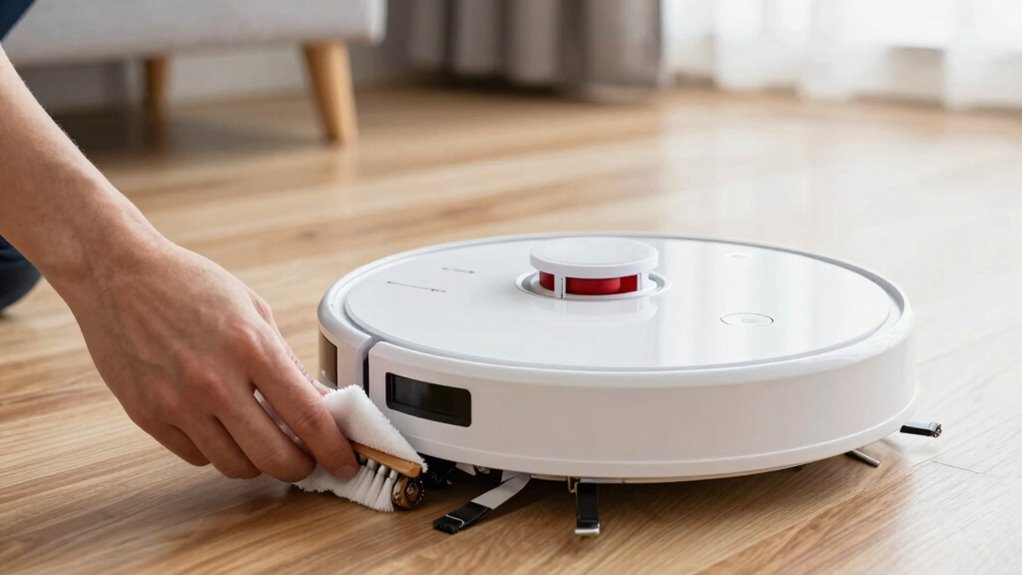
Ever wondered how to keep your robot vacuum’s wheels and sensors functioning smoothly? Regularly clean the wheels and sensors with a soft cloth or brush to remove dust and hair buildup. This prevents obstructions that can hinder movement or sensing abilities. Make sure the sensors stay clear for accurate navigation, especially after cleaning. Check your charging station for dust or debris, as a clean station supports consistent charging, which in turn helps maintain your vacuum’s battery lifespan. Proper upkeep of the charging station guarantees your device charges efficiently, reducing wear on the battery. Keeping wheels and sensors in top shape minimizes navigation errors and prolongs overall performance. Regular maintenance like this helps your robot vacuum operate at peak efficiency, ensuring thorough cleaning every time.
How Often to Empty and Inspect the Dustbin
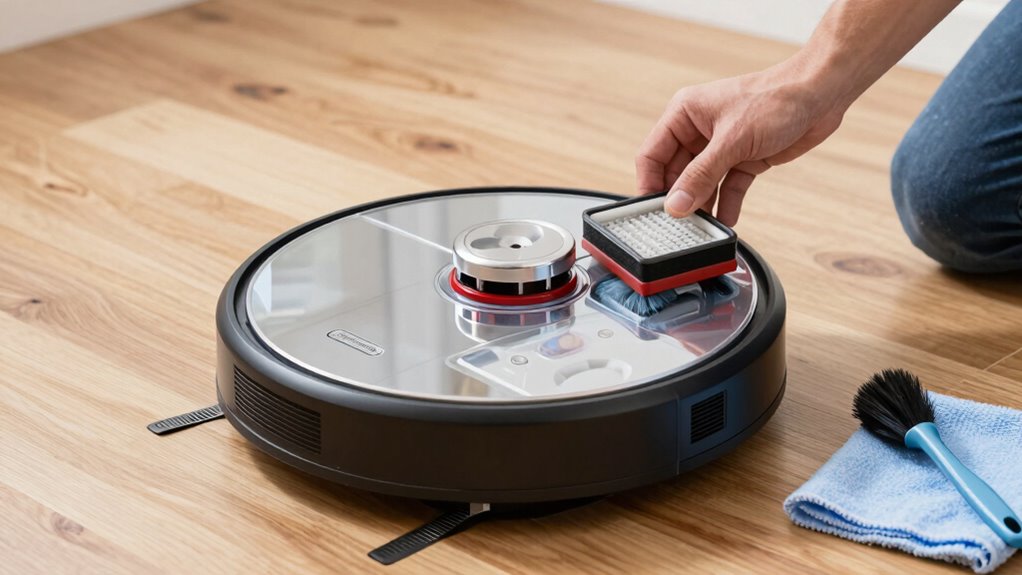
To keep your robot vacuum working efficiently, you should empty and inspect the dustbin regularly. Proper dustbin maintenance prevents clogging and maintains suction power. Follow an inspection schedule based on your usage; daily if you vacuum heavily, weekly for lighter use. When inspecting, check for debris buildup, tears, or cracks. Empty the dustbin before it’s full to avoid motor strain. Additionally, guarantee the filter is clean for top airflow. Regular inspection should include:
- Clearing out dust and debris
- Checking for damage or wear
- Cleaning filters and vents
- Ensuring proper lid closure
This routine helps prevent clogs and extends your vacuum’s lifespan, guaranteeing consistent cleaning performance. Remember, staying on top of your dustbin maintenance is key to keeping suction strong and your device functioning smoothly.
How to Update Firmware and Troubleshoot Software Issues
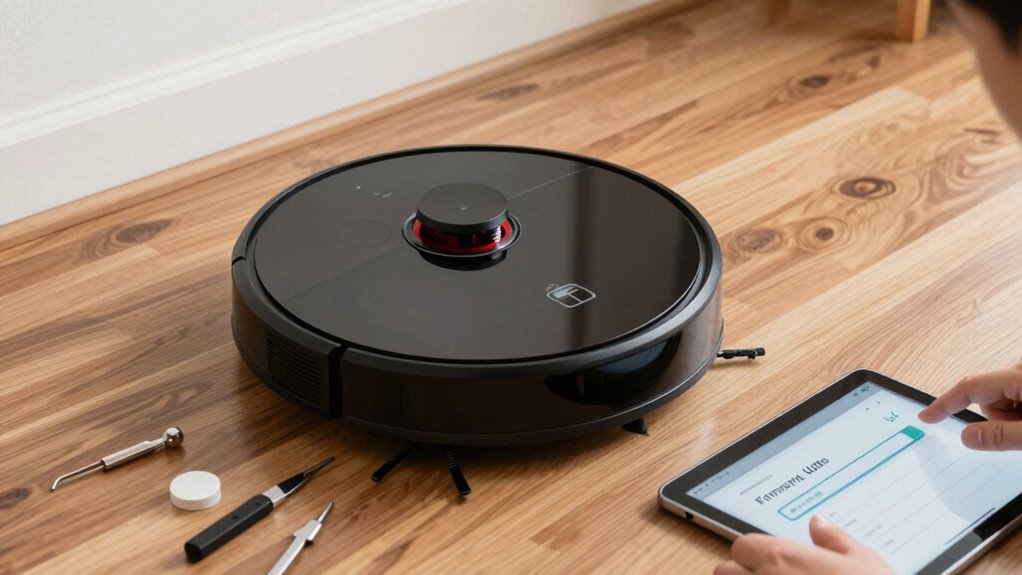
Keeping your robot vacuum running smoothly requires staying up-to-date with its firmware. Regular software updates ensure your device operates efficiently and fixes bugs that could affect suction. To update firmware, open the app connected to your vacuum, check for available updates, and follow prompts to install them. Firmware troubleshooting often involves restarting the device or reconnecting it to your Wi-Fi network if issues occur. If the vacuum isn’t responding after an update, try resetting it or reinstalling the app. Always keep the app updated as well, since software issues can stem from outdated versions. Staying proactive with firmware troubleshooting helps prevent performance drops and keeps your vacuum’s suction strong. Regular updates are essential to maintaining peak function and resolving potential software glitches quickly.
Routine Maintenance Tips to Keep Your Robot Vacuum Performing Its Best
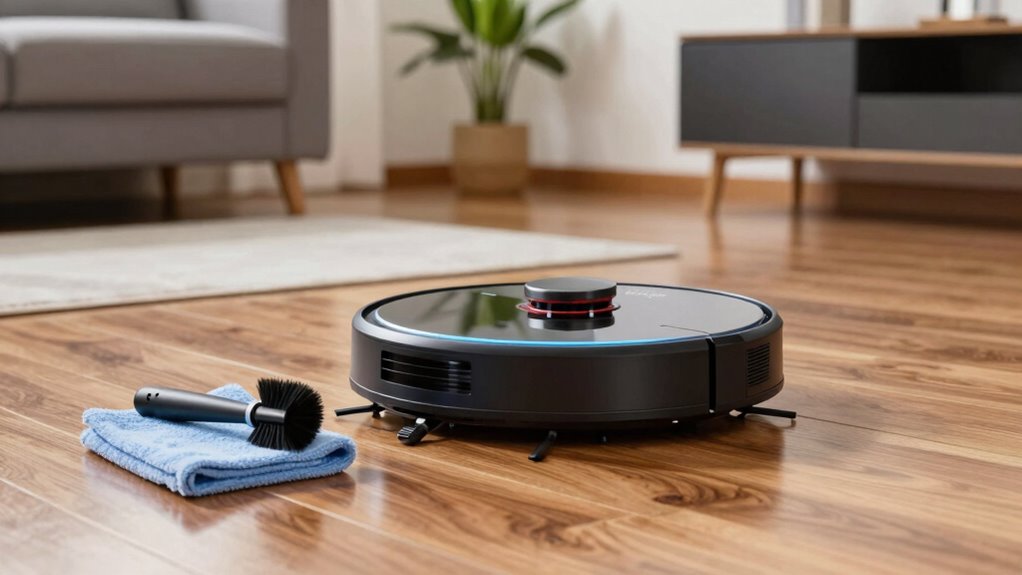
Regular firmware updates help your robot vacuum run smoothly, but routine maintenance is equally important for peak performance. To keep suction strong, focus on battery maintenance by regularly charging and avoiding complete drains. Keep brushes and filters clean to prevent clogs and debris buildup. Check for tangled hair or fibers around the brushes, and replace filters as recommended by the manufacturer. Additionally, schedule professional service if you notice persistent issues, like reduced suction or unusual noises. Regularly inspect the wheels and sensors to ensure proper navigation. By staying proactive with these maintenance tasks, you’ll extend your vacuum’s lifespan and maintain maximum cleaning power. Consistent care minimizes downtime and helps your device perform at its best day after day.
Frequently Asked Questions
How Often Should I Replace the Robot Vacuum’s Battery?
You should replace your robot vacuum’s battery every 1 to 2 years, depending on the battery lifespan and how often you use it. If you notice a significant drop in cleaning performance or shorter run times, it’s time for a replacement. Regularly check the battery’s condition, and don’t wait too long—upgrading guarantees your vacuum maintains strong suction and continues to clean effectively.
Can I Use Cleaning Solutions on the Vacuum’s Components?
You shouldn’t use cleaning solutions on your vacuum components, as they can damage delicate parts. Instead, use a damp cloth or a soft brush to clean the components gently. Avoid harsh chemicals or liquids that could cause corrosion or affect the vacuum’s performance. Regularly wiping down the filters, brushes, and sensors helps maintain strong suction and keeps your robot vacuum running smoothly. Always follow your manufacturer’s cleaning instructions for best results.
What Are Signs That My Vacuum Needs Professional Repairs?
If your robot vacuum struggles with battery lifespan, runs less effectively, or misses spots, it might need professional repairs. Also, if the sensors aren’t calibrated properly, it could misjudge obstacles or fail to clean thoroughly. Pay attention to unusual noises or error messages. These signs indicate that a technician can check the motor, clean or replace sensors, and verify your vacuum’s components are functioning correctly.
How Do I Reset My Robot Vacuum to Factory Settings?
You can easily reset your robot vacuum to factory settings by following some troubleshooting steps. First, locate the reset button or check your user manual for instructions. Usually, holding the power button or reset button for 10-15 seconds does the trick. Confirm the reset by observing the device’s lights or sounds. Doing a factory reset can resolve issues and restore your vacuum’s peak performance, ensuring strong suction and proper functioning.
Is It Safe to Leave My Vacuum Charging Overnight?
Yes, it’s generally safe to leave your robot vacuum charging overnight, but you should consider charging safety and overnight risks. Most modern vacuums are designed with safety features to prevent overheating or fire hazards. However, verify your device and charger are in good condition, and avoid covering vents or blocking airflow. Regularly check for damage, and follow the manufacturer’s guidelines to minimize any potential risks.
Conclusion
Keeping up with your robot vacuum’s maintenance isn’t rocket science; it’s about staying on top of small tasks that make a big difference. Regularly cleaning filters, clearing clogs, and inspecting parts make certain your device runs smoothly and cleans effectively. Don’t let small issues pile up—nip problems in the bud before they become costly repairs. With consistent care, your vacuum will perform like a champ, saving you time and hassle in the long run.