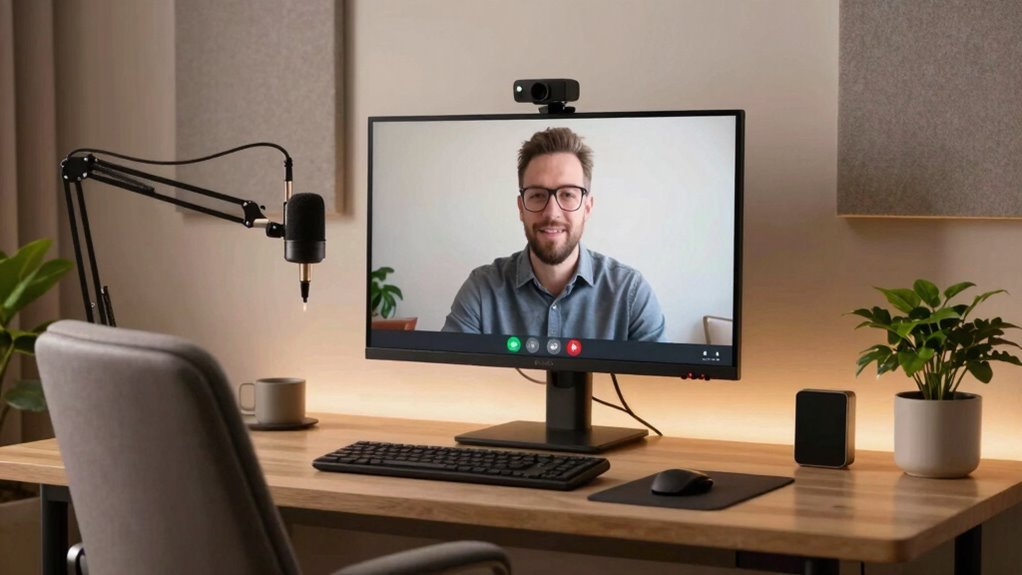

To improve your video meeting space, focus on good lighting by facing a window or using soft, diffused lights. Keep your background tidy and include simple, professional elements like plants or artwork for a polished look. Use high-quality microphones for clear sound and eliminate noise by choosing a quiet space. Position your camera at eye level for natural engagement. Small setup tweaks can make a big difference—keep exploring to discover even more ways to enhance your meetings.
Key Takeaways
- Use natural, soft lighting facing the face to evenly illuminate and reduce shadows.
- Keep the background neat with minimal clutter, adding personal or natural decor for visual interest.
- Use high-quality microphones or headsets and test audio to ensure clear, noise-free sound.
- Position the camera at eye level and tidy your workspace for a professional appearance.
- Regularly check and optimize lighting, background, and sound setup for consistent quality.
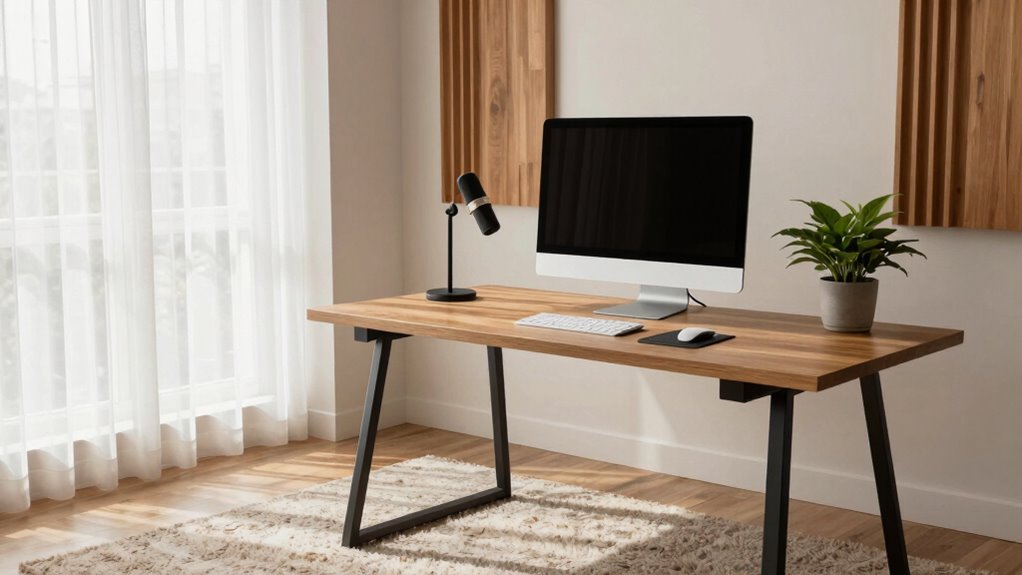
With remote work becoming a regular part of many routines, guaranteeing your video meeting space looks and sounds professional is more important than ever. The way you present yourself on camera can influence how colleagues and clients perceive you, and a well-thought-out setup makes a significant difference. Start by focusing on your lighting setup; natural light is ideal, so position yourself facing a window if possible, but if not, invest in soft, diffused lighting to illuminate your face evenly. Avoid harsh overhead lights or backlighting, which can create shadows or make your face appear dark. A ring light or a pair of adjustable LED panels can help you achieve balanced, flattering illumination, making your expressions clear and your appearance consistent.
Ensure your video meetings look professional with proper lighting—prefer natural light or soft, diffused sources.
Next, pay attention to your background decor. Your surroundings should be neat and free of clutter, but adding personal touches can make your space inviting without being distracting. Choose a background that’s simple and professional—shelves with a few well-placed books, plants, or artwork can add visual interest without overwhelming the viewer. Avoid busy or chaotic backgrounds that draw attention away from you. If your environment isn’t ideal, consider using a virtual background, but make certain it’s high quality and relevant to your professional image. Incorporating biodiversity into your background, such as small indoor plants or natural-themed artwork, can also create a calming and engaging atmosphere. Creating a professional appearance with your background setup helps reinforce your credibility.
Sound quality is equally important. Poor audio can frustrate your meeting participants and undermine your credibility, no matter how good your video looks. Use a good-quality microphone or headset to capture clear sound and minimize background noise. Before each meeting, test your audio to confirm everything is functioning properly. Find a quiet space, close windows to block outside noise, and turn off notifications or any devices that might cause interruptions. If you’re in a noisy environment, consider using soundproofing materials like foam panels or even placing a soft cloth or curtains around your workspace to dampen echo. Additionally, selecting the right audio equipment can make a noticeable difference in your sound clarity. Ensuring your audio setup is optimized can significantly improve your overall meeting experience.
Finally, make a habit of tidying your space before each call. Remove distractions from the immediate area, and position your camera at eye level for a natural, engaging appearance. Consistency is key—by paying attention to lighting setup, background decor, and sound quality, you’ll project professionalism and confidence that leaves a positive impression. These small but impactful adjustments help assure your video meetings are smooth, engaging, and truly reflect your best self.
ring light for video conferencing
As an affiliate, we earn on qualifying purchases.
As an affiliate, we earn on qualifying purchases.
Frequently Asked Questions
What Are the Best Budget-Friendly Lighting Options for Video Meetings?
You can enhance your video meetings with affordable LED lights, which are budget-friendly and provide bright, even lighting. Position these lights at eye level to reduce shadows and improve clarity. Additionally, utilize natural lighting by setting up near windows, but avoid direct sunlight that can cause glare. Combining affordable LED options with natural lighting creates a well-lit, professional look without breaking the bank, making your video presence more engaging and clear.
How Can I Reduce Background Noise During Virtual Meetings?
To reduce background noise during virtual meetings, you can use soundproofing techniques like sealing gaps around doors and windows or adding thick curtains and rugs to absorb sound. Investing in noise canceling devices, such as microphones with noise suppression features or headphones with active noise cancellation, can also help. These methods create a quieter environment, making your audio clearer and more professional during meetings.
What Camera Settings Improve Video Quality in Low-Light Environments?
Did you know low-light environments can reduce video quality by up to 50%? To improve it, increase your camera’s exposure and ISO settings, but avoid overdoing it to prevent graininess. Use camera angles and framing techniques that maximize available light and position yourself facing a light source. Adjusting these settings and angles helps brighten your image naturally, ensuring you look clear and professional during virtual meetings.
How Do I Choose the Right Microphone for Clear Audio?
To choose the right microphone for clear audio, consider your microphone placement—position it close to your mouth for better clarity and to reduce background noise. Opt for a microphone with noise-canceling features if you face audio feedback issues. A good quality condenser or cardioid mic can improve sound quality considerably. Test different placements to find what minimizes feedback and maximizes clarity, ensuring your voice comes through crisp and professional.
What Are Some Effective Ways to Minimize Distractions in My Meeting Space?
To minimize distractions, you can set up decorative screens to block out background clutter and create a focused environment. Keep your space organized with essential tools within reach, reducing the chance of searching during meetings. Make sure your background is tidy, and use organizational tools like shelves or containers to keep your area neat. These strategies help you stay focused, look professional, and eliminate visual distractions during your video calls.
As an affiliate, we earn on qualifying purchases.
Conclusion
By tweaking your space, you turn your video meetings into a well-orchestrated symphony—where visuals shine like a spotlight and sound flows smoothly like a gentle stream. Clear lighting and tidy backgrounds become your stage, while good audio acts as the conductor, guiding conversations effortlessly. When your space feels inviting and professional, it’s like opening a window to the world—inviting connection, clarity, and confidence to flourish with every meeting.
As an affiliate, we earn on qualifying purchases.
As an affiliate, we earn on qualifying purchases.