
To build a better receipt system for home and business, choose reliable digital storage solutions like cloud apps or dedicated software. Immediately upload receipts with clear labels including date, vendor, and purpose, then organize them into categorized folders such as Expenses or Travel. Regularly back up your files and update records to prevent clutter. Following these steps helps keep everything accessible, secure, and compliant—plus, you’ll discover even more tips to optimize your system as you continue.
Open a free Amazon Business account
Business pricing, bulk buying and tax-exempt orders.
As an affiliate, we earn on qualifying purchases.
Key Takeaways
- Choose reliable digital storage solutions like cloud apps or dedicated software for easy access and security.
- Categorize receipts into clear folders such as Business Expenses or Personal, using descriptive labels.
- Upload receipts immediately after purchase, labeling them with date, vendor, and purpose for organized tracking.
- Regularly back up records to prevent data loss and ensure compliance with tax regulations.
- Maintain a scalable system that is easy to update, archive, and adapt to changing needs.
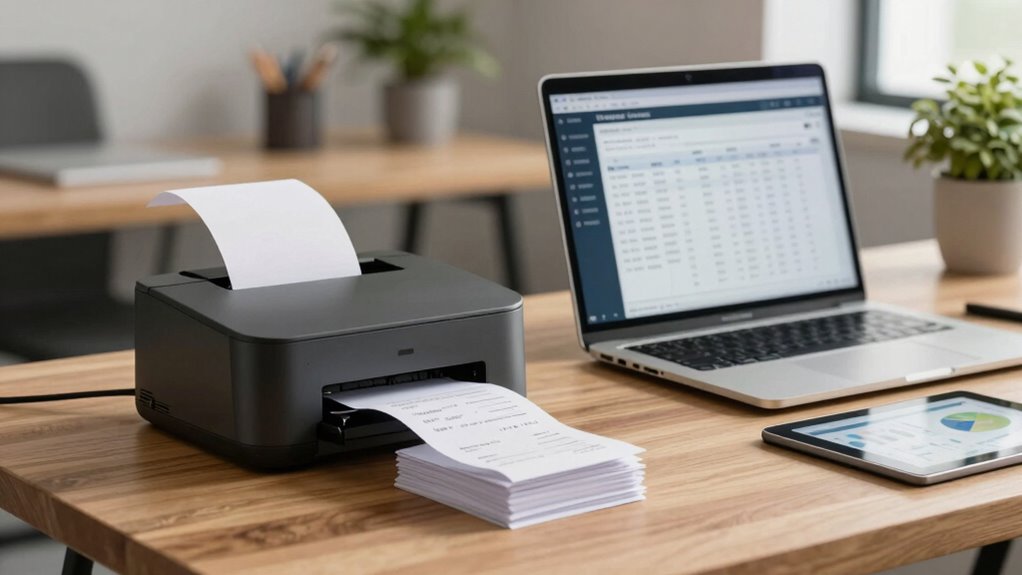
Are your receipts cluttering your workflow or causing confusion? If so, it’s time to streamline your process and build a better receipt system. A well-organized system not only saves you time but also reduces stress during tax season. The key lies in digital storage, which allows you to keep track of receipts without drowning in paper. Digital storage makes it easy to categorize, search, and retrieve receipts when needed, preventing lost documents and minimizing clutter. Plus, it helps you stay compliant with tax regulations since organized digital records are often required for audits and deductions. When you digitize your receipts, you eliminate the risk of losing important information, and you can access your records anytime from your computer or mobile device. Incorporating digital recordkeeping into your workflow ensures your system remains efficient and reliable over time.
Digitizing receipts streamlines organization, reduces clutter, and ensures easy access for tax compliance and record-keeping.
To start, choose a reliable digital storage solution that suits your needs. Options include cloud-based apps, dedicated receipt management software, or even simple folder structures on your computer. The important thing is consistency—upload your receipts immediately after a purchase, and label them clearly with details like date, vendor, and purpose. This proactive approach ensures your records are always current and easy to find. Use descriptive file names and categorize receipts into folders such as “Business Expenses,” “Travel,” or “Office Supplies.” This organization makes it simple to locate specific receipts during tax filing or expense reviews, saving you hours of searching through paper stacks or scanned images. Additionally, understanding the importance of digital organization can help you develop a cohesive structure that adapts to your evolving needs, ensuring your records remain accessible and manageable. Incorporating appropriate technology can further streamline this process and reduce manual effort.
Another essential aspect is understanding tax compliance. Digital storage helps you meet legal requirements by maintaining accurate, accessible records. Many tax authorities prefer or require digital copies of receipts, especially if you’re audited. Having a digital system in place ensures you’re prepared for such situations, reducing the risk of penalties or disallowed deductions. It’s smart to back up your digital receipts regularly—use cloud backups or external drives—to prevent data loss. Also, consider implementing a consistent process for updating and archiving old receipts, so your system remains manageable and compliant over time. Staying informed about tax regulations related to recordkeeping can further protect you and streamline your filing process. Properly organized digital records can also facilitate quick responses during audits, ensuring compliance is maintained with minimal stress.
digital receipt management software
As an affiliate, we earn on qualifying purchases.
As an affiliate, we earn on qualifying purchases.
Frequently Asked Questions
How Secure Is the New Receipt System Against Data Breaches?
Your new receipt system is quite secure against data breaches, thanks to robust data encryption methods that protect your sensitive information. Additionally, breach prevention measures like regular security updates, access controls, and monitoring help keep your data safe. While no system is completely immune, these protocols markedly reduce risks, giving you peace of mind that your receipts and customer data stay protected from unauthorized access.
Can the System Integrate With Existing Accounting Software?
Yes, your receipt system can integrate with existing accounting software, but you might face some integration challenges. Ensuring software compatibility is key; check if the receipt system supports your accounting platform’s APIs or data formats. You may need to customize or use middleware to facilitate smooth data transfer, reducing manual input, and maintaining accuracy. Proper planning and technical support can help overcome these hurdles effectively.
What Is the Cost of Implementing This Receipt System?
Investing in this receipt system is a wise decision that aligns with your budget considerations, though it does necessitate some initial cost analysis. The overall implementation costs vary based on features and scale, but many find that the efficiency gains outweigh the expenses. By carefully evaluating your needs and budget, you can guarantee a smooth setup that saves you time and reduces errors, ultimately boosting your financial clarity.
How User-Friendly Is the New System for Staff?
You’ll find the new system highly user-friendly, thanks to its intuitive user interface designed for quick learning. Staff can efficiently navigate the features, reducing training time and increasing staff efficiency. The streamlined layout minimizes errors and simplifies receipt management, allowing your team to focus on other tasks. Overall, the system’s ease of use enhances productivity and guarantees smooth daily operations, making it a valuable upgrade for both home and business settings.
Is Training Required to Use the New Receipt System?
Training is typically required to guarantee smooth user adoption of the new receipt system. You’ll find that some training requirements are minimal, especially if the system is user-friendly, but thorough sessions help staff and users become confident. Investing in proper training accelerates user adoption, reduces errors, and maximizes the system’s benefits. So, plan for initial training to make sure everyone can efficiently use the system from the start.
As an affiliate, we earn on qualifying purchases.
Conclusion
Now that you’ve revealed the secrets to building an unbeatable receipt system, your home and business will run smoother than a rocket blasting through the stratosphere! Say goodbye to lost receipts, misplaced expenses, and chaotic bookkeeping forever. With your new system, you’ll be the master of organization, saving hours each week and impressing everyone with your efficiency. Get ready to conquer your finances like a superhero on a mission—nothing can stop you now!
As an affiliate, we earn on qualifying purchases.
expense tracking software for small business
As an affiliate, we earn on qualifying purchases.
As an affiliate, we earn on qualifying purchases.
Flea & tick season Picks
flea and tick prevention
As an affiliate, we earn on qualifying purchases.