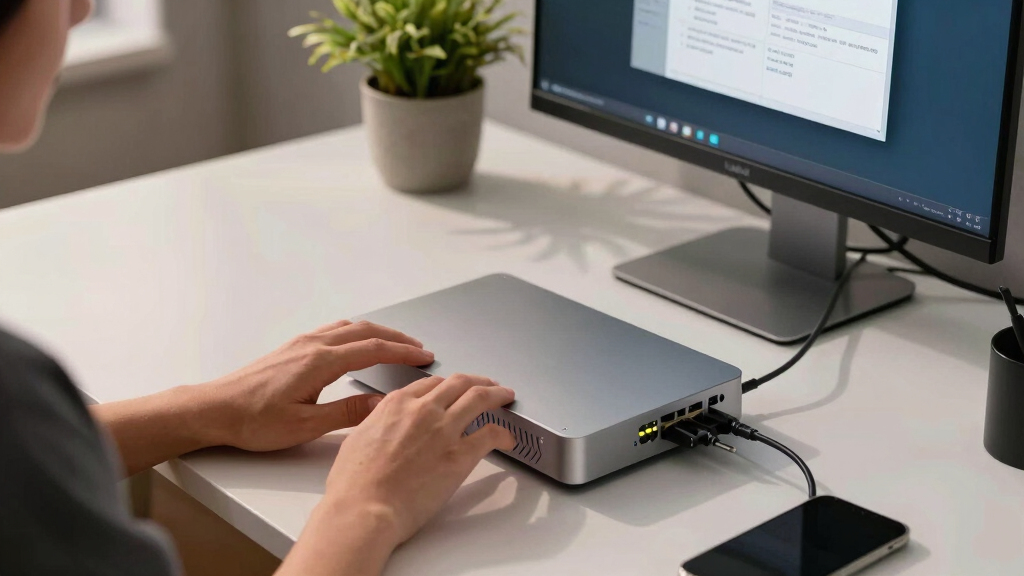

Choosing the best NAS storage device for family files involves balancing capacity, ease of use, and reliability. The Synology BeeStation stands out as the overall best for its user-friendly interface and solid performance. For those needing higher capacity, the UGREEN NAS DXP8800 Plus offers extensive bays and powerful specs, but at a higher price. Conversely, budget options like the BUFFALO LinkStation 210 provide basic storage with minimal fuss. The main tradeoffs involve capacity versus complexity and upfront cost versus long-term value. Continue reading for a detailed breakdown to find your ideal match.
Key Takeaways
- Higher-bay NAS devices like the UGREEN DXP8800 Plus deliver more capacity and expandability, suitable for larger families or future growth.
- Ease of setup and user interface are critical for families with minimal tech experience, making brands like Synology top contenders.
- Price often correlates with capacity and features—budget models work for basic storage, but more advanced models provide better longevity and performance.
- Network speed, especially 2.5GbE or 10GbE ports, significantly improves file transfer times across family devices.
- Pre-installed drives simplify initial setup but limit customization; diskless models offer flexibility at the expense of extra setup steps.



More Details on Our Top Picks
LincStation N2 6-Bay NAS Storage – Intel N100 4-Core Processor, 10GbE, 16GB LPDDR5 RAM, 128G eMMC, 2×2.5 SATA HDD + 4xM.2 NVMe Slots, 2-Year Warranty, 4K HDMI | Network Attached Storage (Diskless)
The LincStation N2 stands out as the most versatile option thanks to its powerful Intel Alder Lake-N N100 processor and massive 16GB LPDDR5 RAM, making it ideal for families with demanding media needs or multiple users. Unlike simpler NAS devices like the BUFFALO LinkStation 210, it offers 4 M.2 NVMe slots and dual SATA bays, enabling high-speed SSD caching and large-capacity storage, perfect for multimedia libraries or backups. Its 10GbE port ensures lightning-fast transfers, a clear upgrade over standard gigabit models. However, this added performance and expandability come with higher complexity and cost, which might overwhelm casual users. The included Unraid OS license offers advanced flexibility but requires some technical familiarity. Overall, this device is best for families seeking a future-proof, high-performance hub that can handle intensive tasks but might be overkill for simple backups.
Pros:- Powerful Intel N100 quad-core processor for demanding multitasking
- Massive 16GB LPDDR5 RAM supports heavy media streaming and virtualization
- Flexible storage options with 2 SATA bays and 4 NVMe slots
Cons:- Higher price and complexity may be intimidating for casual users
- No included drives, requiring additional purchase and setup
Best for: Tech-savvy families or small households with high data throughput needs and multimedia streaming requirements.
Not ideal for: Families seeking a simple plug-and-play solution or with limited technical skills, due to its setup complexity and higher price point.
- Processor:Intel N100 4-core
- Memory:16GB LPDDR5
- Drive Bays:2×2.5″ SATA + 4x M.2 NVMe
- Network:10GbE port
- Output:4K HDMI
- Warranty:2 years
Bottom line: This NAS is best suited for families who need a high-performance, expandable storage hub capable of handling multiple demanding media and backup tasks.
BUFFALO LinkStation 710 8TB 1-Bay NAS Network Attached Storage with HDD Hard Drives Included NAS Storage that Works as Home Cloud or Network Storage Device for Home
The BUFFALO LinkStation 710 offers a straightforward, cost-effective solution for families wanting centralized storage without the fuss. With its single 8TB HDD included, it provides enough space for typical media collections and backups, making it a good choice for users upgrading from external drives or minimal cloud use. Compared to the Ugreen NAS DH4300 Plus, it lacks advanced features like AI photo management or 4K HDMI output but compensates with simplicity and reliability. Its compatibility with Windows and MacOS 26 ensures broad usability, and Buffalo’s US-based support adds peace of mind. However, being a single-bay device, it can’t support RAID configurations, limiting redundancy options. Its slower performance compared to multi-bay or higher-end models makes it more suitable for straightforward backups and media sharing rather than heavy multi-user use.
Pros:- Simple setup and reliable performance for everyday use
- Includes 8TB HDD, ready to use out of the box
- Compatible with Windows and macOS 26
Cons:- No RAID support, limiting redundancy
- Slower transfer speeds compared to multi-bay or higher-end units
Best for: Families seeking a reliable, budget-friendly network storage solution for basic backups and media sharing.
Not ideal for: Households needing redundancy or faster data transfer speeds, due to its single drive and basic performance profile.
- Drive Capacity:8TB HDD
- Drive Bays:1
- Connectivity:Gigabit Ethernet
- Supported OS:Windows, macOS 26
- Warranty:Not specified
- Included Drives:Yes
Bottom line: This NAS is ideal for families wanting an easy, affordable way to centralize and access their files with minimal fuss.
BUFFALO LinkStation 210 2TB 1-Bay NAS Network Attached Storage with HDD Hard Drives Included NAS Storage that Works as Home Cloud or Network Storage Device for Home
The BUFFALO LinkStation 210 provides a compact, economical option for families just starting to centralize their data. With 2TB of storage, it’s perfect for light media and document backups, especially for those transitioning from external drives. While it offers basic network sharing, it falls short of more advanced models like the LinkStation 710 in capacity and speed. Its single drive configuration means no RAID, so redundancy isn’t an option, making it less suitable for critical data. Its simple setup and included HDD make it accessible for non-technical users, but it’s best for light use rather than large media libraries or multi-user environments. This device’s main strength is affordability, but that comes at the expense of scalability and speed.
Pros:- Affordable, easy to set up and use
- Includes 2TB HDD ready to go
- Compact, space-saving design
Cons:- Limited capacity suitable for light use only
- No RAID support or high-speed features
Best for: Families just beginning to build a home media library or needing basic backup for small amounts of data.
Not ideal for: Households with large media collections or those requiring high-speed transfers and redundancy, due to its limited capacity and single drive design.
- Drive Capacity:2TB HDD
- Drive Bays:1
- Connectivity:Gigabit Ethernet
- Supported OS:Windows, macOS 15 and earlier
- Included Drives:Yes
- Size:Compact
Bottom line: This NAS makes the most sense for families needing a simple, budget-friendly storage device for light backups and small media collections.
Synology BeeStation 4TB Personal Cloud Storage Device (BST150-4T)
The Synology BeeStation offers a user-friendly experience with its QR code setup, making it accessible for families without technical expertise. It excels in remote access and sharing, allowing multiple users to access files securely over the web or local network. Unlike the Buffalo options, it emphasizes cloud-like flexibility with easy desktop editing and syncing across devices. Its built-in AI photo management helps families organize large photo libraries effortlessly. However, it’s limited in storage capacity at 4TB and lacks hardware transcoding for high-resolution media, making it less suitable for large media libraries or heavy multi-user workloads. This device is perfect for families seeking a straightforward, secure, and cloud-connected storage solution, especially if ease of use is a priority.
Pros:- Very easy setup with QR code and user-friendly app
- Supports remote access and sharing with family and friends
- Includes AI photo management for smart organization
Cons:- Limited storage capacity at 4TB
- No HDMI output or advanced multimedia features
Best for: Families looking for simple, cloud-enabled storage with minimal setup and easy sharing among members.
Not ideal for: Users with large media libraries or needing extensive local storage, due to its modest 4TB capacity and limited performance for heavy media tasks.
- Storage Capacity:4TB
- Connectivity:Network, remote access
- AI Features:Photo organization and recognition
- Setup:QR code guided
- Supported Platforms:Desktop, mobile
- Ease of Use:Very high
Bottom line: This NAS is ideal for families wanting a simple, secure, cloud-friendly storage device without complex setup or large capacity needs.
UGREEN NAS DH4300 Plus 4-Bay Desktop NASync, Support Capacity 128TB (Diskless), Remote Access, AI Photo Album, Beginner Friendly, 8GB LPDDR4X RAM, 2.5GbE, 4K HDMI, Network Attached Storage (Diskless)
The UGREEN DH4300 Plus offers a compelling mix of capacity, user-friendliness, and performance. Its support for up to 128TB makes it appealing for families with extensive media collections or large backup needs. Compared with the Synology BeeStation, it provides more flexibility with a 4-bay design, enabling RAID configurations for redundancy. Its 8GB RAM and 2.5GbE port provide faster transfers and smooth multitasking, and the 4K HDMI output supports direct media playback. While it’s considered beginner-friendly, some setup and configuration still demand basic technical understanding, especially for RAID management. Its AI photo management and remote access features make it ideal for families who want both ease of use and scalability, but it’s a bit more complex and costly than entry-level models.
Pros:- Supports up to 128TB capacity with RAID options
- User-friendly interface with beginner features
- Supports 4K HDMI for direct media playback
- Fast data transfer with 2.5GbE and 8GB RAM
Cons:- More expensive and complex than basic models
- Requires some technical knowledge for optimal setup
Best for: Families with substantial storage needs who want a user-friendly NAS that supports RAID and multimedia output.
Not ideal for: Those seeking a simple, plug-and-play device with minimal configuration, or on a tight budget, as this model involves setup and higher cost.
- Capacity Support:Up to 128TB
- Drive Bays:4
- RAM:8GB
- Network:2.5GbE
- Output:4K HDMI
- Setup:Beginner-friendly
Bottom line: This NAS is suitable for families needing high capacity, redundancy, and multimedia features without sacrificing ease of use.
BUFFALO LinkStation 210 4TB 1-Bay NAS Network Attached Storage with HDD Hard Drives Included NAS Storage that Works as Home Cloud or Network Storage Device for Home
This NAS stands out for its straightforward setup, making it ideal for families seeking a reliable, hassle-free storage solution. Unlike the more advanced UGREEN NAS DXP2800, it offers a single bay with pre-installed drives, which simplifies initial installation but limits expandability. Its durability and native RAID support provide excellent data security, yet it lacks the high-speed connectivity and multi-drive options of more robust models. The software is intuitive, and Buffalo’s US-based support ensures help is readily available, but the system’s limited capacity and basic features may fall short for large media libraries or heavy multi-user access. This pick makes the most sense for families wanting a dependable, easy-to-manage device without the need for future expansion or advanced performance.
Pros:- Simple plug-and-play setup with HDD included
- Reliable data security with RAID support
- 24/7 US-based support and 2-year warranty
Cons:- Limited to 4TB capacity, not ideal for large media collections
- Single bay restricts expandability and redundancy options
Best for: Families who prioritize straightforward, secure, centralized storage with minimal setup fuss.
Not ideal for: Power users or tech-savvy households needing multi-drive configurations, faster data transfer, or extensive multimedia features.
- Storage Capacity:4TB
- Drive Bays:1
- Connectivity:Ethernet
- Included Drives:HDD included
- RAID Support:Yes
- Manufacturer:BUFFALO
Bottom line: This is a solid choice for families wanting reliable, basic network storage that’s easy to set up and maintain.
UGREEN NAS DXP2800 2-Bay Desktop All-Round Ideal for Content Creators and Enthusiasts, Intel N100 Quad-core CPU, 8GB DDR5 RAM, 2.5GbE, 2X M.2 NVMe Slots, 4K HDMI, Network Attached Storage (Diskless)
This model offers a notable step up in performance and capacity, with dual bays supporting up to 80TB of storage and a powerful 12th Gen Intel N100 processor. Compared to the BUFFALO LinkStation 210, it provides greater flexibility, faster data transfer, and compatibility with multiple device types through its user-friendly app. The inclusion of M.2 NVMe slots and 4K HDMI output caters to families who want multimedia streaming or light editing within their network. However, the setup is more complex, and the lack of included drives means families must purchase compatible HDDs or SSDs separately. Its higher price point and advanced features might be overkill for purely basic storage needs, but it’s perfect for households that want a mix of ease, speed, and room to grow.
Pros:- Supports up to 80TB of storage with RAID options
- Fast transfer speeds and user-friendly app
- Multimedia capabilities with HDMI output and M.2 slots
Cons:- Requires separate purchase of hard drives
- More complex setup compared to single-bay models
Best for: Families with moderate media needs or small creative projects who want an expandable, high-performance NAS.
Not ideal for: Users seeking a simple, budget-friendly device or those uncomfortable with a slightly more complex setup process.
- Max Storage Capacity:80TB
- Drive Bays:2
- Processor:Intel N100 Quad-core
- RAM:8GB DDR5
- Network Speed:2.5GbE
- Additional Features:4K HDMI, M.2 NVMe slots
Bottom line: Ideal for families seeking a flexible, powerful NAS capable of multimedia and moderate data storage needs.
BUFFALO TeraStation Essentials 2025 4-Bay Value Desktop NAS 8TB (4x2TB) with Hard Drives Included
This NAS combines affordability with decent performance, featuring four pre-installed drives in RAID 5, which offers a good balance of storage capacity and data protection. Compared to the BUFFALO LinkStation 210, it provides higher capacity and more redundancy options, making it suitable for families with larger data needs or those who want peace of mind on data safety. Its native 2.5GbE port enables faster transfers, but it doesn’t support the high-speed multi-gigabit networking of more premium models. Setup is straightforward, and the included drives remove initial hassle, but the system’s interface is somewhat basic, lacking the advanced multimedia or virtualization features of higher-end units. This makes it a smart pick for families wanting reliable storage without unnecessary complexity or expense.
Pros:- Pre-installed drives with RAID 5 for redundancy
- Easy setup with out-of-the-box protection
- Native 2.5GbE port for faster transfers
Cons:- Limited to 8TB total capacity
- Basic interface lacks advanced multimedia features
Best for: Budget-minded families requiring ample, protected storage with easy setup and RAID redundancy.
Not ideal for: Tech enthusiasts or users needing high-speed multimedia streaming or virtual machine support.
- Storage Capacity:8TB
- Drive Bays:4
- RAID Support:RAID 5
- Network Speed:2.5GbE
- Included Drives:4 x 2TB
- Manufacturer:BUFFALO
Bottom line: A cost-effective, secure storage solution ideal for families seeking reliable, protected data storage without extra frills.
BUFFALO TeraStation Essentials 2025 4-Bay Value Desktop NAS 8TB (4x2TB) with Hard Drives Included
This model offers a compelling balance of affordability and protection, with four drives pre-configured in RAID 5, providing a safe environment for family data. Compared to the Buffalo LinkStation 210, it offers greater redundancy and capacity, suitable for larger households. Its native 2.5GbE port supports reasonable transfer speeds, and setup is quick thanks to pre-installed drives, but it lacks the advanced multimedia or virtualization features present in higher-tier NAS units. The interface is basic, and it may not handle simultaneous high-bandwidth activities well. Nevertheless, it’s a strong choice for families who need dependable, protected storage without complex configurations or high costs.
Pros:- Pre-installed drives with RAID 5 for data safety
- Simple setup with out-of-the-box protection
- Affordable price point for family use
Cons:- Limited to 8TB storage, not suitable for large media libraries
- Basic features lack advanced multimedia options
Best for: Budget-conscious families requiring reliable, protected storage with easy setup.
Not ideal for: Households needing high-speed streaming or complex multimedia features.
- Storage Capacity:8TB
- Drive Bays:4
- RAID Support:RAID 5
- Network Speed:2.5GbE
- Included Drives:4 x 2TB
- Manufacturer:BUFFALO
Bottom line: A practical, budget-friendly NAS that provides reliable data protection for families with moderate storage needs.
How We Picked
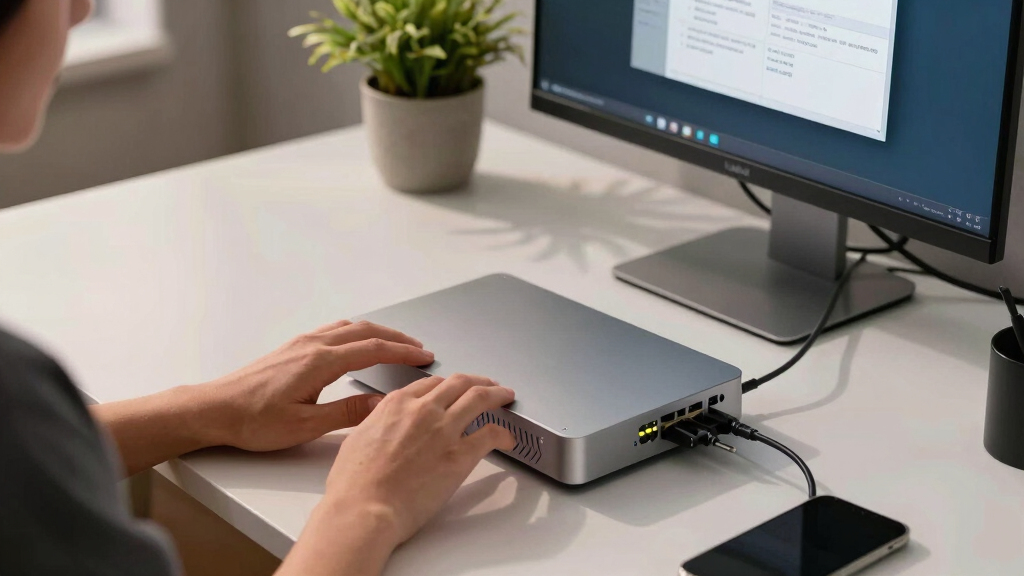
The products in this lineup were evaluated based on a combination of factors that matter most for family file storage. Performance benchmarks such as transfer speeds, processor power, and RAM capacity influence how well the NAS handles multiple users and large media libraries. Usability was prioritized—models with intuitive interfaces and straightforward setup procedures tend to be more suitable for non-technical families. Build quality and reliability, including warranty and support, were also considered, along with value for the price. The ranking reflects a mix of capacity, expandability, ease of use, and overall performance to match different family needs.Factors to Consider When Choosing Best NAS Storage Device For Family Files
When selecting a NAS storage device for family files, it’s essential to consider several key factors. Capacity determines how much data you can store now and in the future, so think about your current needs and growth potential. Ease of setup and daily use are vital, especially if family members have varying tech skills. Network connectivity, particularly 2.5GbE or 10GbE ports, can dramatically reduce file transfer times across multiple devices. Additionally, consider expandability options like multiple bays or M.2 slots if you anticipate growing your storage. Price and warranty coverage are the final pieces, influencing long-term value and peace of mind.Capacity and Expandability
Determining the right capacity is fundamental. Smaller families or those with limited media needs might find 2TB to 4TB sufficient, but larger households should look at models with 6 or more bays for future upgrades. Expandability features, such as additional drive bays or M.2 slots, allow you to scale without replacing the entire device. Keep in mind that more bays usually mean higher cost and complexity, so balance your immediate needs with potential future expansion.
Ease of Use and User Interface
For family use, a NAS with a straightforward setup process and an intuitive interface makes a big difference. Brands like Synology are known for their user-friendly DSM software, which simplifies daily management. Complex setups or confusing menus can turn a helpful device into a frustrating one, especially for non-technical users. Consider whether the device offers mobile app support, remote access, and easy sharing options to streamline family workflows.
Network Connectivity and Speed
Fast network ports—such as 2.5GbE or 10GbE—are game-changers for multi-user environments, reducing wait times when accessing or transferring large files. Standard Gigabit Ethernet might suffice for small households with moderate use, but higher speeds become valuable as your media library grows or if multiple users access files simultaneously. Check if the device supports link aggregation or multiple ports for better performance and redundancy.
Build Quality, Support, and Warranty
A reliable NAS should come with solid build quality and good technical support. Longer warranty periods and responsive customer service can save headaches, especially if the device is critical for daily family use. Consider brands with strong reputations for durability and support, and evaluate whether the warranty covers hard drive replacement or hardware issues. Diskless models may require extra investment upfront but offer flexibility for future drive choices.
Price and Overall Value
Cost varies widely depending on capacity, features, and brand reputation. Budget options might meet basic needs but could fall short on speed, expandability, or longevity. Conversely, premium models with more bays, faster networking, and advanced features come at a higher price but often deliver better long-term value. Balance your budget with your storage needs and consider potential future upgrades to avoid frequent replacements.
Frequently Asked Questions
Is a NAS suitable for backing up multiple family devices?
Yes, a NAS can serve as a centralized backup solution for multiple family devices, including PCs, smartphones, and tablets. Many NAS devices support automatic backups, versioning, and remote access, making it easier to safeguard family data. Setting up scheduled backups and ensuring sufficient storage capacity are key to making the most of this feature. This approach also simplifies managing backups, reducing reliance on external drives or cloud services alone.
How much storage should I get for a family NAS?
The ideal storage depends on your family’s media consumption and data volume. For most families, starting with at least 4 to 8TB provides a comfortable buffer for photos, videos, and documents. If your media library is large or you plan to store 4K videos or extensive backups, consider larger capacities or multiple drives for future growth. Remember, opting for a NAS with expandability options can save money in the long run.
Can I set up a NAS without technical experience?
Many modern NAS devices are designed for ease of use, with streamlined setup processes and user-friendly interfaces. Brands like Synology and QNAP offer guided setup wizards and mobile apps that simplify initial configuration. However, some models with advanced features or multiple bays may require a bit more technical knowledge. For beginners, choosing a device with good support and documented tutorials can make the process smoother.
Is it worth paying extra for faster network ports?
Upgrading to 2.5GbE or 10GbE ports can significantly improve file transfer speeds, especially in multi-user households or when working with large media files. The investment is worthwhile if you frequently transfer large data sets or stream high-resolution media across devices. However, to benefit fully, your router and client devices also need compatible ports. If your current network setup is limited to Gigabit Ethernet, the speed gains may be minimal.
Should I buy a diskless NAS or one with drives included?
Choosing a diskless NAS offers maximum flexibility, allowing you to select drives based on your performance and capacity needs. This route can be more cost-effective and allows for tailored configurations, such as RAID setups for redundancy. Conversely, NAS units with pre-installed drives are ready to use immediately and often come with warranty coverage for drives. The decision hinges on your comfort with installing drives and whether you want a plug-and-play solution or customization.