
A large house exposes the limits of a single router fast, and the right mesh WiFi system for a large house depends on your square footage, wall construction, and internet plan speed. For most large homes, the NETGEAR Orbi 770 Series (3-Pack) is the best overall pick, thanks to dedicated tri-band Wi-Fi 7 backhaul and coverage that comfortably handles multi-story layouts. If raw throughput for gigabit-plus plans is the priority, the TP-Link Deco 7 Pro BE10000 pulls ahead, while the TP-Link Deco X55 remains the smart value play for smaller-than-average large homes on mid-tier plans. The main tradeoffs you’ll face are price versus future-proofing, dual-band versus tri-band backhaul, and whether Wi-Fi 6 still saves you money without bottlenecking your connection. Keep reading for the full breakdown of all 15 systems and which one fits your home best.

Get gifts for the two of you delivered free with Prime
- Fast, free delivery on millions of items
- Prime Video, Amazon Music and more included
- Member-only deals all year
Key Takeaways
- Tri-band backhaul was the single biggest differentiator for large homes: dual-band systems like the Deco X55 and eero 6+ lose roughly half their wireless speed to the link between nodes, which matters most at the far corners of a big house.
- Wi-Fi 7 is now available at every price tier in this lineup, but the affordable dual-band Wi-Fi 7 options (eero 7, Deco 7 BE5000) trade away the dedicated backhaul that large homes actually need — the premium tri-band models justify their cost here.
- Wi-Fi 6 remains the value sweet spot: the Deco X55 Pro and Deco X68 deliver large-home coverage at a fraction of Wi-Fi 7 pricing, ideal for internet plans under 500 Mbps.
- Renewed units (the Deco XE75 Pro 2-pack in this roundup) offer tri-band Wi-Fi 6E performance at dual-band prices, but shorter warranty coverage makes them better for tinkerers than first-time mesh buyers.
- Ecosystem lock-in is real: eero’s app-only management and HomeKit support suit Apple households, while amazon.com/dp/B08ZK2BHP2?tag=thehappylovedlife-20&ascsubtag=dc-662822″ target=”_blank” rel=”nofollow sponsored noopener”>amazon.com/dp/B091G64GVK?tag=thehappylovedlife-20&ascsubtag=dc-662822″ target=”_blank” rel=”nofollow sponsored noopener”>amazon.com/dp/B0C7SR7C6K?tag=thehappylovedlife-20&ascsubtag=dc-662822″ target=”_blank” rel=”nofollow sponsored noopener”>TP-Link‘s Deco line offers more Ethernet ports and finer parental controls — a deciding factor if you have wired backhaul available.
| Amazon eero 7 Dual-Band Wi-Fi 7 Mesh Router, 3-Pack |  | Best Overall | Wi-Fi standard: Wi-Fi 7 | Band: Dual-band | Pack size: 3 routers | VIEW ON AMAZON | See Our Full Breakdown |
| NETGEAR Orbi 770 Series WiFi 7 Mesh System, 3-Pack |  | Best for Maximum Coverage | Wi-Fi standard: Wi-Fi 7 | System type: Tri-band mesh | Package: 3-pack (router and satellites) | VIEW ON AMAZON | See Our Full Breakdown |
| TP-Link Deco X55 Pro AX3000 Whole Home Wi-Fi 6 Mesh System (3-Pack) |  | Best Value | Wi-Fi standard: Wi-Fi 6 (802.11ax) | Total speed: AX3000 | 5 GHz speed: Up to 2,402 Mbps | VIEW ON AMAZON | See Our Full Breakdown |
| TP-Link Deco AXE5400 Tri-Band WiFi 6E Mesh System (Deco XE75 Pro) – 3-Pack (Renewed) | 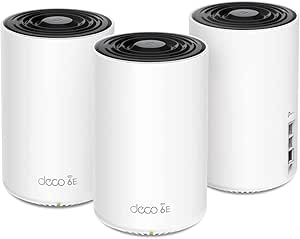 | Best Budget Tri-Band | Wi-Fi standard: Wi-Fi 6E, tri-band | Coverage: Up to 7,200 sq. ft. | Max speed: 5,400 Mbps total (6 GHz: 2,402 / 5 GHz: 2,402 / 2.4 GHz: 574) | VIEW ON AMAZON | See Our Full Breakdown |
| TP-Link Deco 7 BE5000 Dual-Band Wi-Fi 7 Mesh System |  | Best for Expandability | Wi-Fi standard: Wi-Fi 7 | Bands: Dual-band (2.4 GHz and 5 GHz) | Maximum advertised speed: 5,012 Mbps (4,324 Mbps at 5 GHz, 688 Mbps at 2.4 GHz) | VIEW ON AMAZON | See Our Full Breakdown |
| TP-Link Deco X55 AX3000 Wi-Fi 6 Mesh System (3-Pack) |  | Best Value for Big Homes | Wi-Fi standard: Wi-Fi 6 | Wi-Fi speed: AX3000 (2402 Mbps on 5 GHz, 574 Mbps on 2.4 GHz) | Package contents: 3 mesh units | VIEW ON AMAZON | See Our Full Breakdown |
| Tenda AX3000 WiFi 6 Mesh System Nova MX12 (3-Pack) |  | Best Budget Coverage Per Square Foot | Wi-Fi standard: Wi-Fi 6 (802.11ax) | Max speed: 2976 Mbps (AX3000) | Bands: Dual-band (2.4 GHz: 574 Mbps, 5 GHz: 2402 Mbps) | VIEW ON AMAZON | See Our Full Breakdown |
| TP-Link Deco X68 Tri-Band Wi-Fi 6 Mesh System, 2-Pack |  | Best Wireless Backhaul Performance | System type: Tri-band mesh Wi-Fi 6 | Wi-Fi class: AX3600 | Pack size: 2 units | VIEW ON AMAZON | See Our Full Breakdown |
| NETGEAR Orbi 370 Series WiFi 7 Mesh System, 3-Pack |  | Best for Multi-Gig Internet Plans | Wi-Fi standard: Wi-Fi 7 | Bands: Dual-band | Maximum speed: Up to 5 Gbps | VIEW ON AMAZON | See Our Full Breakdown |
| Amazon eero Pro 6E Mesh Wi-Fi System, 3-Pack |  | Best Ecosystem Pick for Smart Homes | Wi-Fi standard: Wi-Fi 6E | Ethernet port: 2.5 Gb | Maximum network speed: Up to 2.3 Gbps | VIEW ON AMAZON | See Our Full Breakdown |
| TP-Link Deco XE75 Pro AXE5400 Tri-Band WiFi 6E Mesh System (3-Pack) | 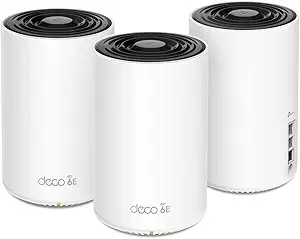 | Best Multi-Gig Value | WiFi Standard: WiFi 6E (AXE5400) | Bands: Tri-Band (6 GHz, 5 GHz, 2.4 GHz) | Coverage: Up to 7,200 sq. ft. | VIEW ON AMAZON | See Our Full Breakdown |
| TP-Link Deco 7 Pro BE10000 Tri-Band Wi-Fi 7 Mesh System (3-Pack) |  | Best Port Density | Wi-Fi Standard: Wi-Fi 7 (BE10000) | Bands: Tri-band (2.4 GHz, 5 GHz, 6 GHz) | Maximum Combined Speed: 10,086 Mbps | VIEW ON AMAZON | See Our Full Breakdown |
| TP-Link Deco BE77 BE17000 Tri-Band Wi-Fi 7 Whole-Home Mesh System |  | Best for Very Large Homes | Wi-Fi Standard: Wi-Fi 7 | Bands: Tri-band | Total Bandwidth: 17 Gbps | VIEW ON AMAZON | See Our Full Breakdown |
| Amazon eero 6+ Mesh WiFi System (3-pack) |  | Best Value for Gigabit Homes | Coverage: Up to 4,500 sq. ft. | Devices Supported: 75+ | Internet Plan Support: Up to 1 Gigabit | VIEW ON AMAZON | See Our Full Breakdown |
| Amazon eero Pro 7 Tri-Band Wi-Fi 7 Mesh Router, 3-Pack |  | Best for Device-Heavy Ecosystem Homes | Wi-Fi Standard: Wi-Fi 7 | Bands: Tri-band | Coverage: Up to 6,000 sq. ft. | VIEW ON AMAZON | See Our Full Breakdown |
| mesh wifi system for large house | Coverage | Wi-Fi standard |
|---|---|---|
| Amazon eero 7 Dual-Band Wi-Fi | Up to 6,000 sq. ft. | Wi-Fi 7 |
| NETGEAR Orbi 770 Series WiFi 7 | — | Wi-Fi 7 |
| TP-Link Deco X55 Pro AX3000 Wh | Up to 6,500 sq. ft. | Wi-Fi 6 (802.11ax) |
| TP-Link Deco AXE5400 Tri-Band | Up to 7,200 sq. ft. | Wi-Fi 6E, tri-band |
| TP-Link Deco 7 BE5000 Dual-Ban | Up to 6,600 sq. ft. | Wi-Fi 7 |
| TP-Link Deco X55 AX3000 Wi-Fi | Up to 6,500 sq ft | Wi-Fi 6 |
| Tenda AX3000 WiFi 6 Mesh Syste | Up to 7,000 sq ft | Wi-Fi 6 (802.11ax) |
| TP-Link Deco X68 Tri-Band Wi-F | Up to 5,500 sq ft | — |
| NETGEAR Orbi 370 Series WiFi 7 | Up to 6,000 sq ft | Wi-Fi 7 |
| Amazon eero Pro 6E Mesh Wi-Fi | Up to 6,000 sq ft | Wi-Fi 6E |
| TP-Link Deco XE75 Pro AXE5400 | Up to 7,200 sq. ft. | — |
| TP-Link Deco 7 Pro BE10000 Tri | Up to 7,600 sq. ft. | Wi-Fi 7 (BE10000) |
| TP-Link Deco BE77 BE17000 Tri- | Up to 8,500 sq. ft. | Wi-Fi 7 |
| Amazon eero 6+ Mesh WiFi Syste | Up to 4,500 sq. ft. | — |
| Amazon eero Pro 7 Tri-Band Wi- | Up to 6,000 sq. ft. | Wi-Fi 7 |
More Details on Our Top Picks
Amazon eero 7 Dual-Band Wi-Fi 7 Mesh Router, 3-Pack
This eero 7 three-pack stands out as my top pick because it balances modern Wi-Fi 7 hardware with the simplest setup and management in this lineup. Coverage of up to 6,000 sq. ft. handles most large two-story homes, and the two 2.5 GbE ports on every router mean you are not sacrificing wired speeds in distant rooms — something the entry-level eero 6+ simply cannot match. Compared with the NETGEAR Orbi 770, the eero gives up raw tri-band throughput but gains a much less cluttered app experience and broader device capacity at 120+ connections. The tradeoff is real: advanced security sits behind the eero Plus subscription, and dual-band backhaul means peak speeds dip when satellites connect wirelessly. For most large-house buyers, though, the balance of price-to-performance and ease of use wins out.
Pros:- Wi-Fi 7 support with wireless speeds up to 1.8 Gbps
- Two auto-sensing 2.5 GbE ports on every router
- Handles 120+ connected devices across up to 6,000 sq. ft.
- Three-year warranty and compatibility with older eero units
Cons:- Advanced security features require a paid eero Plus subscription
- Dual-band design shares backhaul with client traffic, reducing peak wireless speeds
Best for: Owners of large homes with gigabit-plus internet plans who want Wi-Fi 7 performance without a complicated setup
Not ideal for: Buyers who refuse subscription models and want full security features included out of the box
- Wi-Fi standard:Wi-Fi 7
- Band:Dual-band
- Pack size:3 routers
- Coverage:Up to 6,000 sq. ft.
- Supported internet plan speed:Up to 2.5 Gbps
- Ethernet ports:Two auto-sensing 2.5 GbE ports per router
- Device capacity:120+ devices
- Warranty:3 years
Our verdict“The safest all-around choice for a large house — fast, future-proof Wi-Fi 7 with multi-gig ports, provided you can live without bundled security.”
NETGEAR Orbi 770 Series WiFi 7 Mesh System, 3-Pack
When floor space is the enemy, the Orbi 770 makes a strong case with up to 8,000 sq. ft. of tri-band coverage — the widest footprint among the three-pack systems here. The tri-band design gives it a dedicated wireless link between router and satellites, so unlike the dual-band eero 7, distant nodes do not cannibalize client bandwidth. Advertised speeds reach 11 Gbps, though real-world results depend heavily on wall placement and your internet plan, which tops out at 2.5 Gbps compatibility anyway. Compared with the TP-Link Deco XE75 Pro, the Orbi offers newer Wi-Fi 7 silicon but a lower device ceiling of 100 connections. The NETGEAR Armor security is only a 30-day trial, and the system is US-only, which limits its audience.
Pros:- Tri-band Wi-Fi 7 with a dedicated backhaul band for sustained far-node speeds
- Up to 8,000 sq. ft. of coverage from a single 3-pack
- App-guided setup works with standard cable and fiber equipment
- Built-in security features included from day one
Cons:- NETGEAR Armor requires a paid subscription after the 30-day trial
- Device capacity of 100 is lower than several cheaper rivals in this roundup
- US-only regional compatibility
Best for: Owners of very large or multi-story homes (5,000+ sq. ft.) who need one system to blanket every corner
Not ideal for: Households running 100+ smart devices, or buyers outside the US, given the regional restriction
- Wi-Fi standard:Wi-Fi 7
- System type:Tri-band mesh
- Package:3-pack (router and satellites)
- Maximum coverage:Up to 8,000 sq. ft.
- Maximum speed:Up to 11 Gbps
- Device capacity:Up to 100 devices
- Internet plan compatibility:Up to 2.5 Gbps
- Internet provider compatibility:Cable and fiber
Our verdict“The pick when raw square footage matters most — tri-band Wi-Fi 7 coverage that out-reaches the competition, at the cost of a lower device ceiling.”
TP-Link Deco X55 Pro AX3000 Whole Home Wi-Fi 6 Mesh System (3-Pack)
Not everyone needs Wi-Fi 7 yet, and the Deco X55 Pro proves it by delivering large-house essentials at a lower tier of pricing than the eero 7 or Orbi 770. Wi-Fi 6 is mature, widely supported, and honestly sufficient for the streaming, gaming, and video calls most households run. What makes this system better suited to big homes than the cheaper Tenda Nova MX12 is the pair of 2.5G Ethernet ports on every unit, enabling multi-gig wired backhaul — the single biggest performance upgrade you can make to a mesh network. It also leads this lineup on capacity at 150+ devices. The compromises are predictable: no tri-band backhaul over the air, and premium HomeShield security features sit behind a subscription. But the free tier’s parental controls are genuinely useful.
Pros:- Two 2.5G Ethernet ports per unit for multi-gig plans and wired backhaul
- Covers up to 6,500 sq. ft. with seamless roaming
- Supports 150+ connected devices
- Free HomeShield features include parental controls and IoT security scanning
Cons:- Dual-band design limits wireless backhaul speeds compared with tri-band rivals
- Premium HomeShield security requires a paid subscription
Best for: Budget-conscious owners of large homes who want multi-gig wired backhaul and strong device capacity without paying for Wi-Fi 7
Not ideal for: Households with 2 Gbps+ internet plans relying on wireless backhaul — AX3000 dual-band speeds become the bottleneck
- Wi-Fi standard:Wi-Fi 6 (802.11ax)
- Total speed:AX3000
- 5 GHz speed:Up to 2,402 Mbps
- 2.4 GHz speed:Up to 574 Mbps
- Coverage:Up to 6,500 sq. ft.
- Ports per unit:2 x 2.5G Ethernet
- Max devices:150+
- Warranty:2 years
Our verdict“The smart-spender’s choice — Wi-Fi 6 reliability and multi-gig ports for big homes, skipping the Wi-Fi 7 premium.”
TP-Link Deco AXE5400 Tri-Band WiFi 6E Mesh System (Deco XE75 Pro) – 3-Pack (Renewed)
Tri-band mesh usually commands a premium, but this renewed Deco XE75 Pro three-pack makes a dedicated backhaul band attainable for less. The 6 GHz band does double duty: a clean wireless link between units and a low-interference lane for newer phones and laptops, which the dual-band Deco X55 Pro simply cannot offer. At 7,200 sq. ft. of coverage and up to 200 devices, it out-specs the Orbi 770 on paper at a fraction of the price. The catch is the condition — refurbished hardware means shorter recourse if a unit fails, and cosmetic wear is possible. Also, the port layout is lopsided compared with the X55 Pro: only one 2.5 Gbps port plus two gigabit ports per unit, and full HomeShield security still costs extra.
Pros:- Tri-band design with a dedicated 6 GHz band for backhaul and modern devices
- Covers up to 7,200 sq. ft. with support for 200 devices
- 2.5 Gbps port accommodates gigabit-plus internet plans
- Simple Deco app setup with Alexa voice control
Cons:- Renewed condition carries warranty and reliability uncertainty
- Only one 2.5G port per unit, versus two on the Deco X55 Pro
- 6 GHz benefits require Wi-Fi 6E-compatible client devices
Best for: Value hunters with large homes who want tri-band backhaul and 6 GHz support without paying new-retail prices
Not ideal for: Buyers who want brand-new hardware with full warranty peace of mind, or households with mostly older Wi-Fi 5 devices
- Wi-Fi standard:Wi-Fi 6E, tri-band
- Coverage:Up to 7,200 sq. ft.
- Max speed:5,400 Mbps total (6 GHz: 2,402 / 5 GHz: 2,402 / 2.4 GHz: 574)
- Ports per unit:1 x 2.5 Gbps WAN/LAN, 2 x Gigabit LAN
- Devices supported:Up to 200
- Security:TP-Link HomeShield with optional Pro subscription
- Pack size:3-pack
- Condition:Renewed
Our verdict“A savvy way to get tri-band Wi-Fi 6E coverage across a big house on a budget — if refurbished hardware does not bother you.”
TP-Link Deco 7 BE5000 Dual-Band Wi-Fi 7 Mesh System
The Deco 7 earns its spot as the most flexible grow-with-you system in this batch. Because it meshes with any other Deco unit, you can start with this set and add nodes later — a freedom the closed NETGEAR Orbi ecosystem does not give you. You still get current-gen Wi-Fi 7, 2.5G Ethernet, and 150+ device capacity, which beats the Orbi 770’s ceiling while keeping pace with the eero 7’s coverage at 6,600 sq. ft. Where it trails is the dual-band design: like the eero, wireless backhaul shares airtime with your devices, so far nodes lose more speed than they would on a tri-band system. Wired backhaul needs at least two Deco units to activate, and a separate modem is required, so factor that in if you were hoping for an all-in-one box.
Pros:- Wi-Fi 7 support with combined speeds up to 5,012 Mbps
- Meshes with other Deco units for easy future expansion
- 2.5G Ethernet with wired and wireless backhaul options
- AI roaming, VPN support, and 150+ device capacity
Cons:- Dual-band backhaul shares bandwidth with client traffic, limiting far-node speeds
- Requires a separate modem and at least two Deco units for backhaul features
- Advertised speeds and coverage drop with distance and obstacles
Best for: Homeowners who want Wi-Fi 7 today and the option to cheaply expand coverage later by mixing in additional Deco nodes
Not ideal for: Buyers who want a single-box gateway solution, since a separate modem is required
- Wi-Fi standard:Wi-Fi 7
- Bands:Dual-band (2.4 GHz and 5 GHz)
- Maximum advertised speed:5,012 Mbps (4,324 Mbps at 5 GHz, 688 Mbps at 2.4 GHz)
- Coverage:Up to 6,600 sq. ft.
- Device capacity:Over 150 devices
- Ethernet:2.5G Ethernet
- Backhaul:Wired and wireless (requires at least two Deco units)
- Management:Deco app
Our verdict“The best pick for buyers who see their network growing — solid Wi-Fi 7 performance now, expandable Deco coverage later.”
TP-Link Deco X55 AX3000 Wi-Fi 6 Mesh System (3-Pack)
The Deco X55 earns its spot by delivering the two things a large house actually needs — 6,500 sq ft of coverage and three Gigabit ports per unit — at a price point that undercuts tri-band rivals like the Deco X68. That port count matters more than most buyers realize: with nine total Gigabit jacks across the system, you can wire backhaul between units and still have ports left for a NAS, smart TV hub, or desktop PC in multiple rooms. The Tenda Nova MX12 matches it on paper with AX3000 speeds, but the X55’s wired backhaul support is the difference between real-world consistency and best-case numbers. The tradeoff is that dual-band AX3000 is a ceiling, not a starting point — multi-gig internet subscribers will find it limiting.
Pros:- 6,500 sq ft coverage from a three-unit system
- Three Gigabit Ethernet ports per unit for wired backhaul and devices
- Handles up to 150 connected devices
- Supports up to 150 devices with app-guided setup and management
Cons:- Requires a separate modem for most ISPs
- Advertised coverage and device capacity are best-case maximums
Best for: Owners of 4,000–6,000 sq ft homes who want wired backhaul flexibility and broad coverage without paying tri-band prices
Not ideal for: Households with gigabit-plus internet plans or heavy 6 GHz device fleets — the dual-band AX3000 ceiling will bottleneck them
- Wi-Fi standard:Wi-Fi 6
- Wi-Fi speed:AX3000 (2402 Mbps on 5 GHz, 574 Mbps on 2.4 GHz)
- Package contents:3 mesh units
- Coverage:Up to 6,500 sq ft
- Maximum connected devices:Up to 150
- Ethernet ports:3 Gigabit ports per unit
- Backhaul:Wired Ethernet backhaul supported
- Security:TP-Link HomeShield
Our verdict“The most sensible pick for large homes that need solid coverage and Ethernet flexibility at a mid-tier price.”
Tenda AX3000 WiFi 6 Mesh System Nova MX12 (3-Pack)
Tenda’s Nova MX12 plays the value angle harder than anyone here: 7,000 sq ft of claimed coverage from a three-pack that typically costs less than the TP-Link Deco X55, which tops out 500 sq ft lower. For a sprawling single-story home or a long ranch layout, that extra reach is the entire pitch. MU-MIMO and OFDMA keep latency manageable across 160+ devices, which beats the Orbi 370’s 70-device ceiling on paper. But the savings show up in the details: there’s no wired backhaul support, firmware updates are manual, and the MX series won’t mesh with Tenda’s older MW units. This is a system that succeeds when it’s placed well and left alone, not one you tinker with.
Pros:- Up to 7,000 sq ft of coverage from three units
- Supports 160+ devices with MU-MIMO and OFDMA
- AX3000 dual-band Wi-Fi 6 speeds
- Quick setup via the Tenda Wi-Fi app or web GUI
Cons:- No Ethernet backhaul support
- Manual firmware updates required
- Incompatible with Tenda MW series for mesh expansion
Best for: Budget-conscious owners of very large single-story homes who prioritize raw coverage over advanced features
Not ideal for: Tinkers and upgraders — no Ethernet backhaul, manual firmware updates, and no compatibility with Tenda MW-series nodes
- Wi-Fi standard:Wi-Fi 6 (802.11ax)
- Max speed:2976 Mbps (AX3000)
- Bands:Dual-band (2.4 GHz: 574 Mbps, 5 GHz: 2402 Mbps)
- Coverage:Up to 7,000 sq ft
- Devices supported:160+
- Pack size:3-pack
- Technologies:MU-MIMO, OFDMA
- Setup:Tenda Wi-Fi app or web GUI
Our verdict“The most square footage per dollar in this lineup, as long as you accept a no-frills, wireless-only setup.”
TP-Link Deco X68 Tri-Band Wi-Fi 6 Mesh System, 2-Pack
The Deco X68’s dedicated tri-band backhaul is what separates it from the dual-band Deco X55: with a third radio reserved for inter-node traffic, speeds at the far end of the house hold up far better when you can’t run Ethernet between floors. That makes it the stronger choice for two-story homes with plaster walls or finished basements where cable-pulling isn’t an option. The catch is capacity — a two-unit system covering 5,500 sq ft demands near-perfect node placement, and you give up 1,000 sq ft of headroom versus the X55’s three-pack. Note also that the X68 caps out at 1 Gbps internet plans, so multi-gig subscribers should look at the eero Pro 6E with its 2.5 Gb port instead.
Pros:- Tri-band design with dedicated wireless backhaul
- Covers up to 5,500 sq ft with just two units
- Supports up to 150 devices with OFDMA and MU-MIMO
- AI-driven mesh and app-based remote management
Cons:- Limited to internet plans up to 1 Gbps
- Some HomeShield security features require a premium subscription
- Two units leave less placement flexibility than three-pack rivals
Best for: Owners of two-story or multi-wing homes who can’t run Ethernet and need a dedicated wireless backhaul to keep far-room speeds high
Not ideal for: Multi-gig internet subscribers and very sprawling homes — the 1 Gbps ceiling and two-unit limit are real constraints
- System type:Tri-band mesh Wi-Fi 6
- Wi-Fi class:AX3600
- Pack size:2 units
- Coverage:Up to 5,500 sq ft
- Maximum connected devices:Up to 150
- Ethernet ports:2 Gigabit ports per unit
- Internet plan compatibility:Up to 1 Gbps
- Features:OFDMA, MU-MIMO, AI-driven mesh, HomeShield, Alexa guest Wi-Fi
Our verdict“The right pick when wired backhaul is impossible and you need the far corners of the house to stay fast.”
NETGEAR Orbi 370 Series WiFi 7 Mesh System, 3-Pack
Among the Wi-Fi 7 options in this roundup, the Orbi 370 is the practical entry point rather than the flagship — it carries 5 Gbps of Wi-Fi 7 throughput and 2.5 Gbps WAN support without the premium pricing of the Orbi 770 Series. That 2.5 Gbps compatibility is the reason it’s here: most mesh kits in this guide, including the Deco X55 and Deco X68, top out at 1 Gbps, so anyone on a 2-gig fiber plan is paying for speed they can’t use. The compromises are real, though — the 70-device ceiling is the lowest in this lineup despite Wi-Fi 7’s efficiency gains, and the whole security story collapses into a subscription after the 30-day Armor trial unless you stick with basic router protection.
Pros:- Wi-Fi 7 support with speeds up to 5 Gbps
- 2.5 Gbps internet plan compatibility
- Expandable with additional satellites (up to 2,000 sq ft each)
- Backward compatible with WiFi 6 and WiFi 5 devices
Cons:- NETGEAR Armor requires a paid subscription after the 30-day trial
- 70-device capacity is the lowest in this lineup
- Actual coverage and speeds vary heavily with home layout
Best for: Households on 2 Gbps+ fiber plans who want Wi-Fi 7 headroom and plan to add satellites over time
Not ideal for: Smart-home-heavy households with 70+ devices, or buyers who object to subscription-based security
- Wi-Fi standard:Wi-Fi 7
- Bands:Dual-band
- Maximum speed:Up to 5 Gbps
- Coverage:Up to 6,000 sq ft
- Device capacity:Up to 70 devices
- Package contents:Router and two satellites
- Internet plan compatibility:Up to 2.5 Gbps
- Expansion:Additional satellites add up to 2,000 sq ft each
- Security:Advanced Router Protection, automatic firmware updates, 30-day Armor trial
Our verdict“A forward-looking pick for multi-gig subscribers who’d rather buy Wi-Fi 7 headroom now than upgrade in two years.”
Amazon eero Pro 6E Mesh Wi-Fi System, 3-Pack
The eero Pro 6E stands out for two things no other kit here matches: 6 GHz Wi-Fi 6E access for newer laptops and phones, and backward compatibility with every previous eero generation. That second point is quietly powerful — if you already own an older eero node, it becomes another satellite rather than e-waste, which the Deco line supports only within its own ecosystem with more restrictions. The 2.5 Gb Ethernet port also edges out the Deco X68’s 1 Gbps ceiling for wired multi-gig connections. Compared with the tri-band Deco XE75 Pro, though, the eero gives up a dedicated backhaul band, and its 6,000 sq ft rating suits mid-large homes rather than sprawling estates. Advanced parental controls and network insights sit behind a subscription, which adds to lifetime cost.
Pros:- Wi-Fi 6E with dedicated 6 GHz band for compatible devices
- Backward compatible with previous-generation eero devices
- 2.5 Gb Ethernet port for multi-gig wired connections
- TrueMesh technology reduces dead spots and drop-offs
Cons:- Some security and network management features require a paid subscription
- Dual-band design lacks a dedicated backhaul radio versus tri-band rivals
Best for: Alexa-centric smart homes and existing eero owners who want to mix old and new nodes on one network
Not ideal for: Buyers who dislike subscription creep — key security and management features live behind eero Plus
- Wi-Fi standard:Wi-Fi 6E
- Ethernet port:2.5 Gb
- Maximum network speed:Up to 2.3 Gbps
- Maximum wired speed:Up to 1 Gbps
- Maximum wireless speed:Up to 1.6 Gbps
- Coverage:Up to 6,000 sq ft
- Supported devices:100+
- Package quantity:3-pack
- Setup:Managed through the eero app
Our verdict“The smoothest path to whole-home Wi-Fi for smart-home households already living in the Amazon ecosystem.”
TP-Link Deco XE75 Pro AXE5400 Tri-Band WiFi 6E Mesh System (3-Pack)
The Deco XE75 Pro hits a sweet spot the pricier Wi-Fi 7 options in this roundup miss: 2.5 Gbps ports and a dedicated 6 GHz backhaul at a mid-tier position. Compared with the Deco X55 Pro, which caps out at gigabit wired speeds, this system keeps a multi-gig internet plan from being bottlenecked the moment it hits your network. The 7,200 sq. ft. coverage claim is realistic for three units in an open-layout home, though thick interior walls will pull that number down. Compared with the newer Deco 7 Pro, you give up USB and 4×2.5G port density, but the XE75 Pro still handles 200 devices with the same HomeShield foundation. The main tradeoff: HomeShield’s advanced security sits behind a subscription, so the free tier covers basics only.
Pros:- 2.5 Gbps WAN/LAN port per unit supports multi-gig internet without a bottleneck
- Dedicated 6 GHz band keeps mesh backhaul off the congested 5 GHz spectrum
- 7,200 sq. ft. claimed coverage from a 3-pack with AI-driven mesh optimization
- Clean app-based setup that undercuts the complexity of premium rivals
Cons:- Full HomeShield security and parental controls require a paid subscription
- Only one 2.5G port per unit — wired-heavy households will feel port-starved versus the Deco 7 Pro
Best for: Owners of multi-gig fiber plans in 4,000-7,000 sq. ft. homes who want 6 GHz backhaul without paying Wi-Fi 7 prices
Not ideal for: Buyers who want full parental controls and threat protection included — the meaningful features need a paid HomeShield plan
- WiFi Standard:WiFi 6E (AXE5400)
- Bands:Tri-Band (6 GHz, 5 GHz, 2.4 GHz)
- Coverage:Up to 7,200 sq. ft.
- Total Bandwidth:5,400 Mbps
- Ports per Unit:1x 2.5 Gbps WAN/LAN, 2x 1 Gbps LAN
- Max Devices:200
- Security:TP-Link HomeShield (basics free, advanced via subscription)
- Pack Size:3
Our verdict“The smart pick for large homes on multi-gig plans where Wi-Fi 7 speeds are nice-to-have but 2.5G wired throughput is the real requirement.”
TP-Link Deco 7 Pro BE10000 Tri-Band Wi-Fi 7 Mesh System (3-Pack)
Where the XE75 Pro gives you a single 2.5G port per unit, the Deco 7 Pro quadruples down with four 2.5G ports and USB 3.0 on every node — a genuine advantage for home offices, media servers, or anyone wiring NAS and desktop connections back to the mesh. The tri-band Wi-Fi 7 radio brings 10 Gbps of combined throughput and flexible wired-or-wireless backhaul, which matters in sprawling layouts where running cable between floors isn’t practical. Compared with the Deco BE77, it trades the 10 Gbps port for sheer port count, making it the better fit for many wired devices over one very fast uplink. The honest caveat: those headline speeds shrink with distance and walls, so a 7,600 sq. ft. home with masonry construction should not expect the advertised numbers everywhere.
Pros:- Four 2.5G WAN/LAN ports per unit plus USB 3.0 for storage sharing
- Tri-band Wi-Fi 7 with 10 Gbps combined speeds and flexible wired or wireless backhaul
- AI-assisted roaming keeps devices locked to the strongest node as you move
- Built-in VPN client and server support for remote access without extra hardware
Cons:- Real-world throughput falls well short of the 10 Gbps figure with distance and obstacles
- Requires a separate modem, adding cost and another box to the setup
Best for: Wired-heavy households — home offices, gamers, and NAS owners — in large homes who need many fast Ethernet drops
Not ideal for: Buyers on sub-gigabit internet plans — the port density and Wi-Fi 7 headroom will go largely unused
- Wi-Fi Standard:Wi-Fi 7 (BE10000)
- Bands:Tri-band (2.4 GHz, 5 GHz, 6 GHz)
- Maximum Combined Speed:10,086 Mbps
- Coverage:Up to 7,600 sq. ft.
- Ethernet Ports:Four 2.5G WAN/LAN per unit
- USB:USB 3.0
- Backhaul:Wired and wireless
- Device Capacity:Over 200 devices
Our verdict“The connectivity workhorse of this roundup — choose it when the number of fast wired connections matters as much as wireless coverage.”
TP-Link Deco BE77 BE17000 Tri-Band Wi-Fi 7 Whole-Home Mesh System
At 8,500 sq. ft. of claimed coverage, the Deco BE77 out-reaches everything else in this lineup, including the Deco 7 Pro and the eero Pro 7‘s 6,000 sq. ft. figure. The standout is the 10 Gbps WAN/LAN port on each unit — the only single-port-of-that-speed option here — paired with Multi-Link Operation, Wi-Fi 7’s ability to split traffic across bands simultaneously. That combination matters for estate-sized or multi-floor properties where a single uplink has to carry everything. The tradeoff versus the eero Pro 7 is ecosystem: eero’s app and Echo integration are friendlier, while the Deco BE77 demands more deliberate placement to realize its range claims. Note the fine print — backhaul, wired or wireless, needs at least two Deco units, so a single-node deployment wastes the system’s core strength.
Pros:- Largest coverage claim in the roundup at 8,500 sq. ft. across three units
- 10 Gbps WAN/LAN port per unit for future-proof multi-gig fiber
- Multi-Link Operation lets devices use multiple bands simultaneously for stability
- Supports up to 200 devices with mixed 10G/2.5G/1G wired options per node
Cons:- Requires a separate modem like the rest of the Deco lineup
- Backhaul needs at least two units deployed — a single-node setup undermines the design
Best for: Owners of 5,000+ sq. ft. or multi-story homes on very high-speed fiber who need maximum reach and a 10G uplink
Not ideal for: Compact homes or gigabit-and-under plans — this is overspend with headroom you’ll never touch
- Wi-Fi Standard:Wi-Fi 7
- Bands:Tri-band
- Total Bandwidth:17 Gbps
- Coverage:Up to 8,500 sq. ft.
- Ethernet Ports per Unit:10 Gbps WAN/LAN, 2.5 Gbps LAN, 1 Gbps LAN
- USB:USB 3.0
- Device Capacity:Up to 200 devices
- Units Included:3
Our verdict“The reach-and-bandwidth ceiling pick — buy it when your floor plan genuinely demands 8,500 sq. ft. of coverage, not for future-proofing alone.”
Amazon eero 6+ Mesh WiFi System (3-pack)
The eero 6+ is the budget anchor of this roundup, and it earns that spot by doing the basics unusually well. With gigabit support, 160 MHz channels, and 4,500 sq. ft. of coverage, it covers a typical large single-family home where the Deco BE77’s 8,500 sq. ft. would be wasted spend. Its party trick is the built-in Thread and Zigbee smart home hub — something no TP-Link option here matches — which replaces a separate hub for Alexa and smart home devices. The tradeoffs are real: device capacity tops out around 75, well below the 200+ ratings of the Deco XE75 Pro, and the best security and management tools sit behind an eero subscription. Still, TrueMesh routing and automatic updates make it the least fussy system in the lineup to live with day to day.
Pros:- Gigabit-capable Wi-Fi 6 with 160 MHz channels at an accessible price point
- Built-in Thread and Zigbee hub eliminates separate smart home hardware
- TrueMesh routing with automatic firmware and security updates
- Backward compatible with previous eero generations for incremental expansion
Cons:- 75+ device ceiling is half or less of what competing Deco systems support
- Advanced security and network management require a subscription
- Coverage of 4,500 sq. ft. is the smallest footprint in this batch
Best for: Budget-conscious households on gigabit-or-slower plans with heavy smart home usage and moderate device counts
Not ideal for: Tech-saturated homes with 75+ active devices or multi-gig internet plans — capacity and speed ceilings will bite
- Coverage:Up to 4,500 sq. ft.
- Devices Supported:75+
- Internet Plan Support:Up to 1 Gigabit
- WiFi Standard:Wi-Fi 6 (160 MHz channel support)
- Smart Home Hub:Thread and Zigbee compatible
- Pack Size:3-pack
- Setup:eero app
Our verdict“The value pick that trades raw capacity for simplicity and smart home integration — ideal when your home is large but your network demands are moderate.”
Amazon eero Pro 7 Tri-Band Wi-Fi 7 Mesh Router, 3-Pack
The eero Pro 7 solves a problem no TP-Link option here addresses as gracefully: capacity. With support for 600+ devices — triple the Deco 7 Pro’s rating — it’s built for homes bristling with smart bulbs, cameras, sensors, and laptops. The two auto-sensing 5 GbE ports per router and 5 Gbps plan support make it a multi-gig contender too, though its 6,000 sq. ft. coverage trails the Deco BE77 by a wide margin. Its quiet advantage is ecosystem: backward compatibility with earlier eero units and eero Built-in on select Echo devices means existing eero owners can blend generations into one network, something the Deco lineup can’t do across models. The catch mirrors the eero 6+ — meaningful security features live behind the eero Plus subscription — and the three-year warranty, while generous, doesn’t offset that recurring cost question.
Pros:- 600+ device capacity, the highest in this batch by a wide margin
- Two auto-sensing 5 GbE ports per router support plans up to 5 Gbps
- Backward compatible with previous eero generations and select Echo devices
- Three-year warranty, the longest standard coverage among these picks
Cons:- 6,000 sq. ft. coverage trails TP-Link’s larger Deco offerings
- Advanced security and content management gated behind an optional eero Plus subscription
Best for: Smart-home-heavy households and existing eero owners on multi-gig plans with hundreds of connected devices
Not ideal for: Sprawling 7,000+ sq. ft. properties — the Deco BE77 simply covers more ground per dollar of capability
- Wi-Fi Standard:Wi-Fi 7
- Bands:Tri-band
- Coverage:Up to 6,000 sq. ft.
- Supported Internet Plan Speed:Up to 5 Gbps
- Wireless Speed:Up to 3.9 Gbps
- Ethernet Ports:Two auto-sensing 5 GbE ports per router
- Device Capacity:600+
- Warranty:Three years
Our verdict“The capacity king for connected-everything homes — pick it over the Decos when device count and ecosystem integration outweigh raw square footage.”

How We Picked
I evaluated each system through one specific lens: reliable whole-home coverage for houses roughly 4,000 square feet and larger. That meant prioritizing tri-band designs with dedicated wireless backhaul, since large homes are where dual-band systems lose the most speed between nodes. I also weighed Ethernet port count and speed (2.5G ports matter for gigabit plans and wired backhaul), node count relative to claimed coverage (manufacturer figures assume open floor plans, not plaster walls), and how well each app handles placement, parental controls, and firmware updates.
The ranking favors systems that balance performance with practical ownership: setup ease, subscription-free security features, and headroom for future internet speed upgrades. Value picks earned their place by covering large homes competently on mid-tier plans, while premium picks had to prove their extra cost translates into real throughput at range — not just faster spec sheets. Systems with notable drawbacks, like app-only management or renewed-unit warranty risk, are placed and labeled accordingly so you can weigh those tradeoffs yourself.
| mesh wifi system for large house | Wi-Fi standard |
|---|---|
| Amazon eero 7 Dual-Band Wi-Fi | Wi-Fi 7 |
| NETGEAR Orbi 770 Series WiFi 7 | Wi-Fi 7 |
| TP-Link Deco X55 Pro AX3000 Wh | Wi-Fi 6 (802.11ax) |
| TP-Link Deco AXE5400 Tri-Band | Wi-Fi 6E, tri-band |
| TP-Link Deco 7 BE5000 Dual-Ban | Wi-Fi 7 |
| TP-Link Deco X55 AX3000 Wi-Fi | Wi-Fi 6 |
| Tenda AX3000 WiFi 6 Mesh Syste | Wi-Fi 6 (802.11ax) |
| TP-Link Deco X68 Tri-Band Wi-F | — |
| NETGEAR Orbi 370 Series WiFi 7 | Wi-Fi 7 |
| Amazon eero Pro 6E Mesh Wi-Fi | Wi-Fi 6E |
| TP-Link Deco XE75 Pro AXE5400 | — |
| TP-Link Deco 7 Pro BE10000 Tri | Wi-Fi 7 (BE10000) |
| TP-Link Deco BE77 BE17000 Tri- | Wi-Fi 7 |
| Amazon eero 6+ Mesh WiFi Syste | — |
| Amazon eero Pro 7 Tri-Band Wi- | Wi-Fi 7 |
Factors to Consider When Choosing Mesh Wifi System For Large House
Before choosing a specific model, it helps to understand what actually drives mesh performance in a large house — several factors matter more than the Wi-Fi generation printed on the box.Tri-Band vs. Dual-Band Backhaul
The backhaul is the connection between your mesh nodes, and in a large house it’s usually the weak link. Dual-band systems share one radio for both your devices and node-to-node traffic, which can cut real-world speeds roughly in half at the far end of the house. Tri-band systems dedicate a separate radio to backhaul, so the node in your upstairs office delivers nearly full speed. This is why a tri-band Wi-Fi 6 system like the Deco X68 can outperform a dual-band Wi-Fi 7 system in a sprawling layout, despite the older standard. If your home has dense walls, long hallways, or multiple floors, budget for tri-band — it’s the upgrade that actually changes day-to-day performance. Skip it only if you can run Ethernet between nodes, which removes the backhaul bottleneck entirely.
Realistic Coverage vs. Manufacturer Claims
Every box quotes a coverage figure, but those numbers assume open floor plans with line-of-sight between nodes. Plaster-and-lath walls, brick exteriors, metal appliances, and HVAC ductwork can cut effective coverage by 30–50 percent. A system rated for 6,500 square feet might struggle in a 4,000-square-foot older home with solid interior walls. My advice: buy for your actual layout, not your square footage alone, and favor 3-packs over 2-packs when in doubt — extra nodes placed well beat two nodes stretched thin. Also check whether the system supports adding nodes later, since eero and Deco both allow mixing models within their ecosystems while Orbi dedicated satellites are less flexible. Under-buying coverage is the most common and most frustrating mesh mistake.
Matching the System to Your Internet Plan
There’s no reason to pay for a BE17000-class system if your internet plan delivers 300 Mbps — the extra throughput will never reach your devices. As a rule of thumb, match your mesh to roughly 1.5–2x your plan speed, since overhead and distance reduce real throughput. Wi-Fi 6 systems like the Deco X55 or Tenda Nova MX12 handle plans up to about 500 Mbps comfortably. Wi-Fi 6E and entry Wi-Fi 7 cover the 500 Mbps to gigabit range, while tri-band Wi-Fi 7 systems from the Orbi 770 upward make sense for multi-gigabit plans or households with heavy local traffic like NAS transfers and security camera streams. Paying for headroom you’ll use in five years is fine; paying for headroom your ISP will never deliver is wasted money.
Ethernet Ports and Wired Backhaul
Port count and speed vary wildly in this category, and it’s the spec buyers most often regret ignoring. Every 2.5G port is a future-proofing asset — it lets you wire a desktop, console, or smart TV at full gigabit-plus speed, and 2.5G ports on every node enable multi-gigabit wired backhaul if your home has Ethernet runs. Systems like the Deco XE75 Pro and Deco BE77 include 2.5G ports across the board, while some eero models offer only one or two gigabit ports per node. If your house is pre-wired with Ethernet, almost any mesh system becomes dramatically better, and you can safely choose a cheaper dual-band model. If you’re fully wireless, ports matter less but tri-band becomes non-negotiable.
App Ecosystem and Ongoing Costs
Mesh systems are managed almost entirely through their apps, and the experience differs more than the hardware does. eero leans on simplicity and tight Alexa/HomeKit integration, but hides advanced settings that power users want. TP-Link’s Deco app exposes more granular parental controls and QoS without a subscription, which matters for families. NETGEAR’s Orbi app is polished but gates some security features behind recurring fees — factor that into the total cost of ownership. Check whether parental controls, guest networking, and malware protection are included free, because subscription creep can add meaningful cost over a three-to-five-year ownership period. The best app is the one you’ll actually open when something needs fixing.
New vs. Renewed Hardware
Renewed mesh systems can be genuinely good value — tri-band Wi-Fi 6E hardware at dual-band prices — but the tradeoffs deserve honest attention. Warranty coverage on renewed units is typically shorter, and returns can be more complicated if a node fails eight months in. Mesh systems are also always-on hardware, so a renewed unit with worn power adapters or prior firmware quirks needs scrutiny before you scatter it across the house. My guidance: renewed makes sense for a second node added to an existing ecosystem, or for buyers comfortable troubleshooting. For a primary whole-home system in a large house, new hardware with a full warranty is usually worth the premium, since a single failing node takes down coverage for an entire wing of your home.
Frequently Asked Questions
How many mesh nodes do I need for a large house?
For homes between 4,000 and 6,000 square feet, a 3-pack is the right starting point in almost every case. Manufacturer coverage ratings assume open layouts, so real homes with interior walls, multiple floors, or brick construction typically need 30–50 percent more node capacity than the box suggests. A good rule is one node per 1,500–2,000 square feet of realistic coverage, placed so each node has a strong signal to the next. Two-packs like the Deco X68 work in rectangular single-story homes up to about 4,000 square feet, but stretching them further creates dead zones at the edges. If you’re torn, buy the 3-pack — an under-covered mesh performs worse than a well-placed smaller one, and extra nodes can always be added later within the same ecosystem.
Is Wi-Fi 7 worth it for a large house, or should I save money with Wi-Fi 6?
It depends on your internet plan more than your house size. If you’re on a plan under 500 Mbps, a Wi-Fi 6 system like the Deco X55 or Tenda Nova MX12 will saturate your connection for years and save you real money. Wi-Fi 7 earns its premium when you have a gigabit-plus plan, many simultaneous 4K streams, or heavy local traffic like NAS transfers and camera systems. One caution: cheap dual-band Wi-Fi 7 systems can actually perform worse in large homes than tri-band Wi-Fi 6 systems, because the Wi-Fi 7 badge doesn’t fix the shared-backhaul bottleneck. The standard matters less than the band configuration — a tri-band Wi-Fi 6E system often beats a dual-band Wi-Fi 7 system at the far end of a big house. Buy the band layout first, the generation second.
Should I use wired Ethernet backhaul between mesh nodes?
If your house has Ethernet runs between floors or rooms, absolutely use them. Wired backhaul removes the node-to-node bottleneck entirely, meaning even affordable dual-band systems can deliver full speed at the far corners of your home. It also frees up the wireless backhaul radio (on tri-band systems) to serve devices, effectively boosting total network capacity. Check port speeds before committing — 2.5G ports on systems like the Deco XE75 Pro and BE77 let multi-gigabit plans pass through wired nodes without clipping. If you can’t run Ethernet, don’t despair: modern tri-band wireless backhaul is excellent, and placement matters more than cabling. Place nodes where they have a strong signal to each other, not hidden in closets at the house’s far ends.
Are eero, Deco, and Orbi systems compatible with each other?
No — mesh ecosystems are closed, and this shapes your long-term buying decision. An eero network only accepts eero nodes, Deco only accepts Deco, and Orbi routers pair with their matching satellites. Within each brand you have flexibility: eero lets you mix generations (a Pro 6E network can add standard eero 6+ nodes), and Deco supports mixing many Wi-Fi 6 and 6E models. This matters for large houses because you’ll likely expand coverage over time, and your first purchase locks you into that ecosystem’s app, features, and pricing. If you start with a 2-pack and later need a third node, you’re buying within the same family. Choose the ecosystem whose app and subscription model you like now, because switching later means replacing everything.
Do I need a separate router with a mesh system?
No — every system in this roundup replaces your router entirely. The primary node connects directly to your modem and handles routing, DHCP, firewall, and WiFi, while the other nodes extend that single network seamlessly. You can and should put your old router into bridge mode or remove it, since running two routers in sequence causes double-NAT problems that break gaming, VPNs, and some smart home devices. One caveat: if your ISP provides a combination modem-router gateway (common with cable and fiber providers), you’ll need to enable bridge mode in its settings first. Beyond that, setup is a matter of plugging in the primary node, running the app, and placing the satellites around your house.
Conclusion
For most large homes, the NETGEAR Orbi 770 Series 3-Pack is my best overall pick — its tri-band Wi-Fi 7 design, strong app experience, and proven large-home coverage handle multi-story layouts without compromise. The TP-Link Deco X55 is the best value choice, covering big houses capably on plans up to 500 Mbps while skipping the Wi-Fi 7 tax. At the premium end, the TP-Link Deco 7 Pro BE10000 and Deco BE77 make sense for multi-gigabit plans and households that push serious local traffic. Beginners should start with eero — the eero 6+ or eero 7 offer the simplest setup and least intimidating app in the lineup. For specific needs: the Deco XE75 Pro renewed 2-pack suits budget-savvy tinkerers wanting tri-band 6E hardware cheap, the Deco X68 2-pack fits smaller large homes around 4,000 square feet, and homes with Ethernet wiring can save money with dual-band models like the Deco X55 Pro wired backhaul. Whatever you choose, prioritize tri-band backhaul and honest coverage math over spec-sheet bragging rights — that’s what separates a mesh system that disappears into the background from one you’re constantly rebooting.
Halloween Picks

MGparty 14.5 ft Halloween Inflatable Walk-In Pumpkin House with LED Lights

12-Foot Inflatable Pumpkin Halloween Archway with LED Lights

Jenaai 5.3-Foot Motion-Activated Halloween Animatronic Skeleton
As an affiliate, we earn on qualifying purchases.