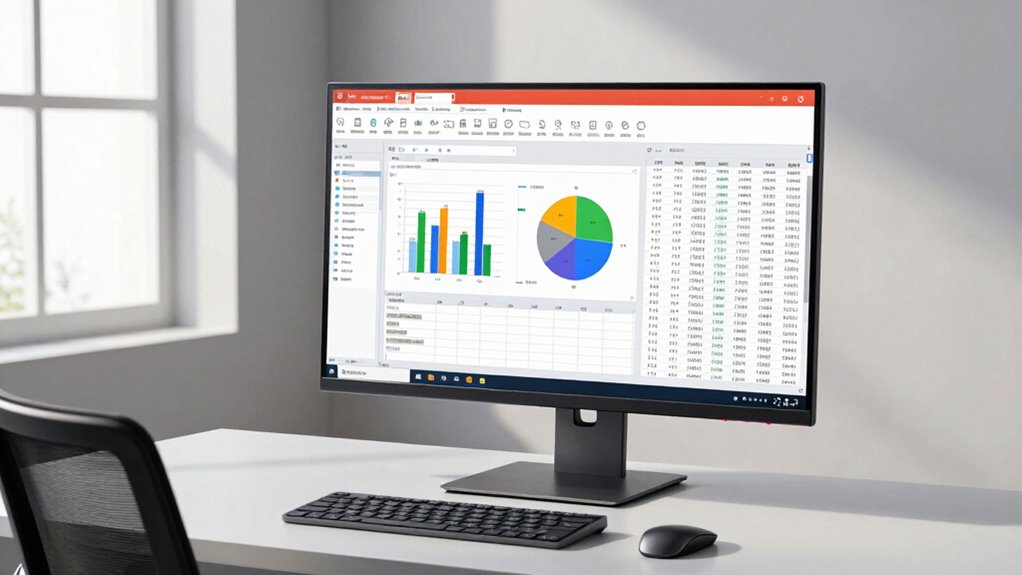

For a 32-inch 4K monitor for spreadsheets, I’d put the Samsung ViewFinity S8 S80UD first for its IPS display, height-adjustable stand, USB-C connection, and built-in KVM. The Dell UltraSharp U3226QER is the premium choice for a more connected workspace, while the ASUS VP327Q is a simpler option for buyers who want a large 4K screen without prioritizing hub features. The main tradeoffs are connectivity and ergonomic flexibility versus a simpler setup, along with choosing between IPS and VA panels. I compare all 13 options by how well their screen, stand, and connections suit long sessions with dense rows and columns. Read on for the full breakdown and a guide to choosing the right fit for your desk.

Get gifts for the two of you delivered free with Prime
- Fast, free delivery on millions of items
- Prime Video, Amazon Music and more included
- Member-only deals all year
Key Takeaways
- The Samsung ViewFinity S8 S80UD leads for office flexibility: USB-C, a height-adjustable stand, and KVM features can reduce desk clutter for people switching between computers.
- The Dell UltraSharp U3226QER is the premium productivity option: Thunderbolt hub connectivity and a 120Hz refresh rate suit a more demanding setup, though many spreadsheet users may not need its expanded capabilities.
- Not every 32-inch 4K monitor offers the same ergonomic setup: stand adjustability varies, so check whether the screen can reach a comfortable viewing height before prioritizing extras such as HDR.
- Refresh rates above 60Hz appear across several models: they may make scrolling feel smoother, but they do not replace the value of readable text, a suitable viewing distance, or useful connectivity.
- Several listings have limited detail or niche positioning: the ZZA curved gaming model emphasizes high refresh, while the DJiEX and Sceptre options call for closer checks of ports, stand features, and warranty details.
| ASUS VP327Q 32-Inch 4K UHD Computer Monitor |  | Best for Eye-Comfort-Focused Spreadsheet Work | Screen size: 31.5 inches | Resolution: 3840 × 2160 (4K UHD) | Panel type: IPS | VIEW ON AMAZON | See Our Full Breakdown |
| Samsung ViewFinity S7 32-Inch 4K UHD IPS Monitor (S71H) |  | Best for Straightforward 4K Spreadsheet Setups | Screen size: 32 inches | Resolution: 3840 × 2160 (4K UHD) | Display type: IPS | VIEW ON AMAZON | See Our Full Breakdown |
| Samsung 32″ ViewFinity S8 (S80UD) 4K UHD IPS HDR10 Monitor with USB-C, Height-Adjustable Stand, Built-in KVM Switch, Intelligent Eye Care |  | Best for Multi-Computer Spreadsheet Work | Screen size: 32 inches | Resolution: 3840 × 2160 (4K UHD) | Panel type: IPS LCD | VIEW ON AMAZON | See Our Full Breakdown |
| Dell UltraSharp 32 U3226QER 4K Thunderbolt Hub Monitor, 120 Hz |  | Best Premium Spreadsheet Hub | Screen size: 31.5 inches | Resolution: 3840 × 2160 (4K UHD) | Panel type: IPS Black | VIEW ON AMAZON | See Our Full Breakdown |
| Dell 32-inch 4K UHD Monitor (3840 x 2160), 120Hz, VA Panel, AMD FreeSync Premium, sRGB 99%, Integrated Speakers, Height/Tilt Adjustable |  | Best for Smooth Scrolling and Built-In Audio | Screen size: 32 inches | Resolution: 3840 × 2160 (4K UHD) | Panel type: VA | VIEW ON AMAZON | See Our Full Breakdown |
| LG 32UR550K-B 31.5-Inch 4K UHD HDR Monitor |  | Best Ergonomic Stand for Spreadsheet Work | Screen size: 31.5 inches | Resolution: 3840 × 2160 (4K UHD) | Panel: LED VA | VIEW ON AMAZON | See Our Full Breakdown |
| Dell 32 Plus 4K Monitor (S3225QS), 31.5-Inch VA, 120Hz, FreeSync Premium |  | Best for Smooth Scrolling | Screen size: 31.5 inches | Resolution: 3840 × 2160 (4K UHD) | Panel: VA | VIEW ON AMAZON | See Our Full Breakdown |
| Sceptre U325W-UPT 32-Inch 4K UHD Monitor |  | Best for Multiple Computer Connections | Screen size: 32 inches | Resolution: 3840 × 2160 (4K UHD) | Display technology: IPS LCD | VIEW ON AMAZON | See Our Full Breakdown |
| LG UltraFine 32-inch 4K UHD Monitor, 60Hz, HDR10 |  | Best for Reader-Focused Comfort Features | Screen size: 32 inches | Resolution: 3840 × 2160 (4K UHD) | Panel: VA LED | VIEW ON AMAZON | See Our Full Breakdown |
| ZZA 32-Inch 4K Curved Gaming Monitor, 165Hz, VA Panel |  | Best for Spreadsheet Work and Gaming | Screen size: 32 inches | Resolution: 3840 × 2160 (4K UHD) | Panel: VA | VIEW ON AMAZON | See Our Full Breakdown |
| BenQ MA320UP 32-Inch 4K Monitor for MacBook |  | Best for MacBook Spreadsheet Work | Screen size: 31.99 inches | Resolution: 3840 × 2160 (4K UHD) | Panel and refresh rate: IPS LED; 60Hz | VIEW ON AMAZON | See Our Full Breakdown |
| DJiEX 32-Inch 4K UHD IPS Monitor |  | Best for Multi-Input Home Offices | Screen size: 32 inches | Resolution: 3840 × 2160 (4K UHD) | Panel and refresh rate: IPS; 60Hz | VIEW ON AMAZON | See Our Full Breakdown |
| Samsung 32-inch ViewFinity S7 4K UHD Monitor |  | Best for High-Contrast Spreadsheet Viewing | Screen size: 32 inches | Resolution: 3840 × 2160 (4K UHD) | Panel and refresh rate: VA; 60Hz | VIEW ON AMAZON | See Our Full Breakdown |
| inch 4k monitor for spreadsheet | Screen size | Resolution | Brightness | Refresh rate |
|---|---|---|---|---|
| ASUS VP327Q 32-Inch 4K UHD Com | 31.5 inches | 3840 × 2160 (4K UHD) | — | 60 Hz |
| Samsung ViewFinity S7 32-Inch | 32 inches | 3840 × 2160 (4K UHD) | 300 cd/m² | 60 Hz |
| Samsung 32" ViewFinity S8 | 32 inches | 3840 × 2160 (4K UHD) | 350 cd/m² | 60 Hz |
| Dell UltraSharp 32 U3226QER 4K | 31.5 inches | 3840 × 2160 (4K UHD) | — | 120 Hz |
| Dell 32-inch 4K UHD Monitor | 32 inches | 3840 × 2160 (4K UHD) | 300 cd/m² | 120 Hz |
| LG 32UR550K-B 31.5-Inch 4K UHD | 31.5 inches | 3840 × 2160 (4K UHD) | 250 cd/m² | 60 Hz |
| Dell 32 Plus 4K Monitor | 31.5 inches | 3840 × 2160 (4K UHD) | 300 cd/m² | Up to 120 Hz |
| Sceptre U325W-UPT 32-Inch 4K U | 32 inches | 3840 × 2160 (4K UHD) | 350 | Up to 70 Hz |
| LG UltraFine 32-inch 4K UHD Mo | 32 inches | 3840 × 2160 (4K UHD) | 250 cd/m² | 60 Hz |
| ZZA 32-Inch 4K Curved Gaming M | 32 inches | 3840 × 2160 (4K UHD) | 300 cd/m² | Listed as 165 Hz; product information also states 160 Hz |
| BenQ MA320UP 32-Inch 4K Monito | 31.99 inches | 3840 × 2160 (4K UHD) | 400 nits | — |
| DJiEX 32-Inch 4K UHD IPS Monit | 32 inches | 3840 × 2160 (4K UHD) | 300 cd | — |
| Samsung 32-inch ViewFinity S7 | 32 inches | 3840 × 2160 (4K UHD) | 300 cd/m² | — |
More Details on Our Top Picks
ASUS VP327Q 32-Inch 4K UHD Computer Monitor
For long spreadsheet sessions, I’d choose the ASUS VP327Q when viewing comfort and flexible connections matter more than desk-docking features. Its 31.5-inch 4K IPS panel gives you room to keep several columns visible while retaining wide viewing angles, and ASUS Eye Care adds flicker-free and low-blue-light options for extended work. The two HDMI ports and DisplayPort also make it easier to leave multiple sources connected than on the Samsung ViewFinity S8, which lists just one HDMI input but adds USB-C docking and a KVM switch. The ASUS tradeoff is a 60 Hz refresh rate and no listed USB hub, so it’s less suited to a desk built around one-cable laptop docking. Its HDR10 and Adaptive-Sync are useful extras, but spreadsheet buyers should prioritize its screen space and eye-care tools.
Pros:- 4K resolution on a 31.5-inch IPS panel provides space for dense worksheets and wide viewing angles.
- Flicker-free and low-blue-light eye-care features support long work sessions.
- Two HDMI ports plus DisplayPort offer useful flexibility for multiple devices.
- VESA compatibility allows use with a monitor arm.
Cons:- 60 Hz refresh rate lacks the smoother desktop motion offered by the Dell U3226QER at 120 Hz.
- No USB hub or USB-C connection is listed for laptop docking or peripherals.
- Built-in speakers are a basic convenience rather than a complete audio setup.
Best for: Spreadsheet users who spend long hours at a desk, want wide IPS viewing angles, and connect more than one video source.
Not ideal for: Laptop users seeking one-cable charging and peripheral connections, or buyers who want a refresh rate above 60 Hz.
- Screen size:31.5 inches
- Resolution:3840 × 2160 (4K UHD)
- Panel type:IPS
- Refresh rate:60 Hz
- Color gamut:99% sRGB
- HDR support:HDR10
- Video inputs:2 × HDMI, 1 × DisplayPort
- Audio:Built-in stereo speakers
- Mounting:VESA compatible
Our verdict“Choose the ASUS VP327Q if you want a spacious 4K IPS workspace with eye-care features and several video inputs, but not USB-C docking.”
Samsung ViewFinity S7 32-Inch 4K UHD IPS Monitor (S71H)
The Samsung ViewFinity S7 is a straightforward choice when the main goal is a large, sharp workspace without paying for advanced docking features you may not use. Its 32-inch 4K IPS display and matte finish suit dense sheets, while the 178-degree viewing angle helps keep the image consistent when you shift position. Eye Saver Mode is a welcome addition for long workdays. Compared with the Samsung ViewFinity S8, though, this S7 lacks the listed USB-C power delivery, KVM, and adjustable stand features that make switching between computers or positioning the screen easier. It also runs at 60 Hz and has only one HDMI input in the listed ports, so it’s a simpler desk display rather than a hub. I’d pick it for a fixed setup where sharpness and basic comfort outweigh expandability.
Pros:- 32-inch 4K resolution supports detailed worksheets with room for multiple columns.
- IPS viewing angles help preserve image consistency across the screen.
- Matte finish can help limit reflections in typical office lighting.
- Eye Saver Mode offers a viewing-comfort option for extended work.
Cons:- 60 Hz refresh rate is less fluid than the Dell U3226QER and Dell 32-inch 120 Hz model.
- The listed connections include only one HDMI input and no USB-C docking.
- The listed specifications do not identify a built-in USB hub or an adjustable stand.
Best for: Home-office buyers who want a matte 32-inch 4K IPS screen for spreadsheets and use a simple, mostly fixed computer setup.
Not ideal for: People who regularly switch between two computers, need USB-C laptop charging, or want a 120 Hz display.
- Screen size:32 inches
- Resolution:3840 × 2160 (4K UHD)
- Display type:IPS
- Refresh rate:60 Hz
- Brightness:300 cd/m²
- Contrast ratio:1000:1
- Screen finish:Matte
- HDR:HDR10
- Listed video ports:1 × HDMI, DisplayPort
Our verdict“Pick the ViewFinity S7 for a no-frills 32-inch 4K IPS spreadsheet display, and choose the S8 if you need docking, KVM, or greater stand flexibility.”
Samsung 32″ ViewFinity S8 (S80UD) 4K UHD IPS HDR10 Monitor with USB-C, Height-Adjustable Stand, Built-in KVM Switch, Intelligent Eye Care
If spreadsheets are split between a work laptop and a desktop, the ViewFinity S8 earns its place through workflow features rather than a higher refresh rate. Its built-in KVM lets one keyboard and mouse control two computers, while USB-C supplies up to 90 W of power and data over a single cable. That reduces desk clutter in a way the more basic ViewFinity S7 does not. The 32-inch 4K IPS panel provides a large, wide-angle worksheet area, and the height-adjustable, swiveling stand helps set the screen position to your desk. The compromise is a 60 Hz panel, so it won’t feel as fluid as Dell’s 120 Hz options, and its single HDMI input limits direct video connections. For spreadsheet-heavy work across devices, its KVM and docking make more practical difference than gaming-focused speed.
Pros:- Built-in KVM allows one keyboard and mouse to control two computers.
- USB-C provides up to 90 W power delivery alongside data in a single cable.
- Height, tilt, and swivel adjustments help tailor screen placement for long spreadsheet sessions.
- Three USB 3.0 ports and Ethernet add desk connectivity beyond the video inputs.
Cons:- 60 Hz refresh rate is below the 120 Hz Dell U3226QER and Dell 32-inch monitor.
- Only one HDMI input is listed, limiting direct connections for multiple video sources.
- No built-in speakers are specified.
Best for: Analysts, consultants, and hybrid workers who regularly switch between a USB-C laptop and a second computer at one desk.
Not ideal for: Buyers with only one computer who do not need docking or KVM, or users prioritizing 120 Hz motion and multiple HDMI inputs.
- Screen size:32 inches
- Resolution:3840 × 2160 (4K UHD)
- Panel type:IPS LCD
- Refresh rate:60 Hz
- Brightness:350 cd/m²
- USB-C power delivery:Up to 90 W
- USB ports:3 × USB 3.0
- Built-in KVM:Yes
- Stand adjustment:Height, tilt, and 90° swivel
Our verdict“Choose the ViewFinity S8 if you move between two computers and want KVM, USB-C charging, and an adjustable 4K workspace in one monitor.”
Dell UltraSharp 32 U3226QER 4K Thunderbolt Hub Monitor, 120 Hz
The Dell UltraSharp U3226QER is the most capable desk hub here for buyers who want a large spreadsheet workspace and a single-cable setup. Its 31.5-inch 4K IPS Black panel pairs a stated 3000:1 contrast ratio with 120 Hz, so text and grid movement get a more fluid presentation than on the 60 Hz ASUS VP327Q or Samsung ViewFinity S8. Thunderbolt 4 carries video, data, and up to 140 W of power, while the built-in KVM and Ethernet suit a desk shared across computers. The tradeoff is scale and specialization: this is a substantial monitor, and its color coverage and Delta E specification may be more useful to creative professionals than spreadsheet-only buyers. Its 20.6-pound weight also makes repositioning less convenient. I’d choose it when the premium connectivity and adjustable stand will serve a broader work setup.
Pros:- 120 Hz refresh rate makes scrolling and desktop motion smoother than on the 60 Hz ASUS and Samsung S8.
- IPS Black panel and 3000:1 contrast ratio provide deeper stated contrast than the S8’s 1000:1 specification.
- Thunderbolt 4 supplies video, data, and up to 140 W of power through one connection.
- Built-in KVM, Ethernet, and ergonomic stand adjustments support a versatile work desk.
Cons:- Its 31.5-inch footprint and 20.6-pound weight call for a sturdy, spacious desk.
- The hub and wide color coverage may be more capability than spreadsheet-only users need.
- A 5 ms response time does not make it the clearest choice for buyers focused on fast-action gaming.
Best for: Professionals who keep multiple computers and peripherals at one desk and want a 4K spreadsheet screen with Thunderbolt docking, KVM, and Ethernet.
Not ideal for: Spreadsheet users seeking a simple, lightweight display or those with limited desk space who will not use its hub and color features.
- Screen size:31.5 inches
- Resolution:3840 × 2160 (4K UHD)
- Panel type:IPS Black
- Refresh rate:120 Hz
- Contrast ratio:3000:1
- Color coverage:99% Display P3
- Thunderbolt power delivery:Up to 140 W
- Connectivity:DisplayPort, HDMI, Thunderbolt 4, USB, Ethernet
- Weight:20.6 pounds
Our verdict“Choose the U3226QER when you want a premium 4K spreadsheet display that can also serve as a high-power Thunderbolt hub for a multi-device workstation.”
Dell 32-inch 4K UHD Monitor (3840 x 2160), 120Hz, VA Panel, AMD FreeSync Premium, sRGB 99%, Integrated Speakers, Height/Tilt Adjustable
The Dell 32-inch 4K monitor offers a practical middle ground for spreadsheet users who want smoother scrolling without moving to the more elaborate UltraSharp hub. Its 120 Hz refresh rate can make cursor movement and long-sheet navigation feel more fluid than on the 60 Hz Samsung ViewFinity S7, and the 99% sRGB coverage suits everyday office visuals. The VA panel, height-adjustable stand, and integrated 2 × 5 W speakers make this a self-contained desk display. Compared with the Dell U3226QER, however, it lacks the listed Thunderbolt 4, KVM, and Ethernet hub features, so it is a weaker fit for a multi-computer workstation. Its stated 300 cd/m² brightness is also modest for very bright rooms, and VA viewing behavior may not match IPS if several people view the screen from off-center positions.
Pros:- 120 Hz refresh rate offers smoother scrolling than the 60 Hz Samsung ViewFinity S7.
- 4K resolution gives a large worksheet clear text and room for many columns.
- Integrated 2 × 5 W speakers reduce the need for separate basic desktop audio.
- Height adjustment and tilt help position the screen for extended desk work.
Cons:- VA panel may show less consistent viewing from off-center positions than the IPS models in this lineup.
- At 300 cd/m², the listed brightness may be limiting in very bright workspaces.
- No USB-C docking, KVM, or Ethernet is listed, unlike the Dell U3226QER.
Best for: Home-office spreadsheet users who value smoother scrolling, built-in speakers, and height adjustment but do not need a Thunderbolt docking hub.
Not ideal for: Multi-computer desk users who need KVM or Ethernet, and buyers who prioritize IPS viewing angles or stronger brightness for a sunlit room.
- Screen size:32 inches
- Resolution:3840 × 2160 (4K UHD)
- Panel type:VA
- Refresh rate:120 Hz
- Contrast ratio:1500:1
- Brightness:300 cd/m²
- Color gamut:99% sRGB
- Connectivity:2 × HDMI 2.1, 1 × DisplayPort 1.4
- Audio:Integrated 2 × 5 W speakers
Our verdict“Choose this Dell if you want a 120 Hz 4K spreadsheet display with speakers and ergonomic adjustment, but do not need a full workstation hub.”
LG 32UR550K-B 31.5-Inch 4K UHD HDR Monitor
The LG 32UR550K-B earns its place for the stand: height, tilt, and pivot adjustment make it easier to set a large screen at a comfortable position for long spreadsheet sessions. Its 31.5-inch 4K panel provides room for wide tables and several windows, while the VA panel’s listed 3000:1 contrast can help dark text and gridlines stand out. Compared with the LG UltraFine 32-inch, this model offers more flexible stand movement and a wider stated DCI-P3 gamut; the UltraFine instead lists Reader Mode and Flicker Safe. HDR10 and gaming features add versatility, though they matter less to spreadsheet work than positioning does. The tradeoffs are a 60 Hz refresh rate and 250 cd/m² brightness, which may feel limiting in bright rooms or for buyers prioritizing smoother motion.
Pros:- 4K resolution on a 31.5-inch screen gives detailed room for wide worksheets
- Stand adjusts for height, tilt, and pivot
- Matte finish and 3000:1 listed contrast suit text-heavy desk work
- DisplayPort and HDMI connectivity, plus built-in speakers
Cons:- 60 Hz refresh rate is less fluid than the Dell 32 Plus’s up-to-120 Hz specification
- 250 cd/m² brightness may be restrictive in bright workspaces
- HDR10 and gaming features add less value for spreadsheet-focused buyers
Best for: Spreadsheet users who want a large 4K workspace and need height, tilt, and pivot adjustment to fit their desk setup.
Not ideal for: People working in bright rooms or seeking a high-refresh display, since brightness is listed at 250 cd/m² and refresh rate is 60 Hz.
- Screen size:31.5 inches
- Resolution:3840 × 2160 (4K UHD)
- Panel:LED VA
- Refresh rate:60 Hz
- Brightness:250 cd/m²
- Contrast ratio:3000:1
- Stand adjustments:Height, tilt, and pivot
- Connectivity:DisplayPort and HDMI
Our verdict“Choose the LG 32UR550K-B if ergonomic screen positioning matters more to your spreadsheet setup than high brightness or refresh rate.”
Dell 32 Plus 4K Monitor (S3225QS), 31.5-Inch VA, 120Hz, FreeSync Premium
The Dell 32 Plus S3225QS is the spreadsheet pick for readers who want more fluid scrolling and cursor movement than a standard 60 Hz 4K screen provides. Its up-to-120Hz refresh rate is the standout difference from the LG 32UR550K-B and LG UltraFine, both listed at 60 Hz; this can make moving through long sheets feel smoother, though it does not add worksheet space. Dell also lists 300 cd/m² brightness, a matte anti-glare finish, ComfortView Plus, and broad color coverage. For office work, those comfort and surface details are more relevant than FreeSync Premium. The listing has conflicting response-time and contrast figures, so I would not choose it on those claims. Its 19.3-pound weight and gaming-led refresh features may be unnecessary for a fixed spreadsheet station.
Pros:- Up-to-120Hz refresh rate can make scrolling and pointer movement appear smoother
- 31.5-inch 4K resolution supports detailed, broad worksheets
- Matte anti-glare screen and ComfortView Plus suit extended desk sessions
- Built-in speakers and DisplayPort and HDMI connections
Cons:- Listing gives conflicting response-time and contrast-ratio figures
- FreeSync Premium and high refresh rate may be unnecessary for basic spreadsheet use
- At 19.3 pounds, it is heavier than the listed LG 32UR550K-B
Best for: Spreadsheet users who frequently scroll through long workbooks and want a higher refresh rate along with a large 4K workspace.
Not ideal for: Buyers who want a straightforward office monitor without gaming-oriented features, or who need fully consistent published response-time and contrast specifications.
- Screen size:31.5 inches
- Resolution:3840 × 2160 (4K UHD)
- Panel:VA
- Refresh rate:Up to 120 Hz
- Brightness:300 cd/m²
- Color coverage:99% sRGB, 95% DCI-P3
- Eye-care feature:ComfortView Plus
- Connectivity:DisplayPort and HDMI
Our verdict“Pick the Dell 32 Plus S3225QS if smooth scrolling is a priority and you are comfortable with inconsistencies in its listed specifications.”
Sceptre U325W-UPT 32-Inch 4K UHD Monitor
The Sceptre U325W-UPT suits spreadsheet users who switch between several computers or devices: two DisplayPort and two HDMI inputs provide more connection options than the two-port descriptions for the LG 32UR550K-B and LG UltraFine. Its 32-inch IPS screen and 4K resolution give a broad, detailed canvas, while the stated 350 brightness and 178-degree viewing angle support flexible desk placement. The refresh rate reaches 70 Hz, a modest step above the 60 Hz LG models but well below the Dell 32 Plus’s up-to-120Hz specification. That makes this more of a practical multi-device workspace than a smooth-motion pick. The supplied data does not specify stand adjustment, and the 7 ms response time is less suited to fast gaming; spreadsheet buyers should weigh the connection flexibility against those limitations.
Pros:- Four video inputs: two DisplayPort and two HDMI
- 32-inch IPS display with 4K resolution
- Listed brightness of 350 and 178-degree viewing angles
- Built-in speakers and 100 × 100 mm VESA mounting pattern
Cons:- 7 ms response time is slower than the gaming-focused ZZA’s stated specifications
- Refresh rate reaches only 70 Hz, below the Dell 32 Plus’s up-to-120Hz rate
- Provided product data does not specify stand adjustments
Best for: People who routinely connect multiple work computers, docks, or other devices to one 32-inch 4K spreadsheet display.
Not ideal for: Buyers who need a height-adjustable stand, high refresh rate, or a monitor primarily for fast gaming.
- Screen size:32 inches
- Resolution:3840 × 2160 (4K UHD)
- Display technology:IPS LCD
- Refresh rate:Up to 70 Hz
- Brightness:350
- Response time:7 ms
- Video inputs:2 DisplayPort and 2 HDMI
- VESA mount:100 × 100 mm
Our verdict“Choose the Sceptre U325W-UPT when connecting several devices matters more than a highly adjustable stand or fast refresh rate.”
LG UltraFine 32-inch 4K UHD Monitor, 60Hz, HDR10
The LG UltraFine 32-inch takes a simpler office-first approach, with Reader Mode and Flicker Safe called out for people who spend much of the day reading cells and text. Its 32-inch 4K VA display and matte surface make a large, detailed worksheet easy to lay out, while 99% sRGB coverage is ample for routine office visuals. Compared with the LG 32UR550K-B, this model has a slightly larger stated screen and adds DisplayPort 1.4, but its stand only tilts rather than offering the other LG’s height and pivot adjustments. Both list 60 Hz and 250 cd/m² brightness, so neither is the better fit for fast scrolling or a bright room. HDR10 is present, but it is not the main reason to choose this monitor for spreadsheet work.
Pros:- 32-inch 4K display provides room for detailed spreadsheets
- Reader Mode and Flicker Safe are aimed at extended viewing
- Matte finish and up-to-99% sRGB coverage
- HDMI, DisplayPort 1.4, and headphone input
Cons:- Stand supports tilt adjustment only
- 60 Hz refresh rate offers less fluid scrolling than the Dell 32 Plus
- 250 cd/m² brightness may be limiting in bright rooms
Best for: Office users who prioritize reading comfort features and want a 32-inch 4K screen for long sessions with text-heavy worksheets.
Not ideal for: Buyers who need an adjustable-height or pivoting stand, higher brightness, or a refresh rate above 60 Hz.
- Screen size:32 inches
- Resolution:3840 × 2160 (4K UHD)
- Panel:VA LED
- Refresh rate:60 Hz
- Brightness:250 cd/m²
- Contrast ratio:3000:1
- Color gamut:Up to 99% sRGB
- Stand adjustment:Tilt
- Connectivity:HDMI, DisplayPort 1.4, and headphone input
Our verdict“Choose the LG UltraFine if reading-oriented features matter more than the broader stand adjustment offered by the LG 32UR550K-B.”
ZZA 32-Inch 4K Curved Gaming Monitor, 165Hz, VA Panel
The ZZA Z32K is the outlier here: it pairs a 32-inch 4K screen with a 1500R curve and listed 165Hz refresh rate, making it the clearest choice for someone who also plays fast-paced games after work. For spreadsheets, 4K resolution gives the same broad worksheet advantage as the Sceptre U325W-UPT, while the curve may suit a centered, close desk setup. Its dual HDMI 2.1 ports and DisplayPort 1.4 offer flexible connections, and FreeSync targets smoother gaming. Compared with the Dell 32 Plus, the ZZA lists a much higher maximum refresh rate, but the source information conflicts between 160Hz and 165Hz. The curved shape, LED lighting, and gaming emphasis may be wasted for office-only use, and the built-in speakers may not replace dedicated audio.
Pros:- 4K resolution on a 32-inch VA panel
- 1500R curved screen and high listed refresh rate suit gaming alongside office work
- Dual HDMI 2.1 ports and DisplayPort 1.4
- FreeSync, built-in speakers, and VESA mounting support
Cons:- Product information conflicts between 160Hz and 165Hz refresh rates
- Curved gaming design may be unnecessary for spreadsheet-focused desks
- Built-in speakers may not satisfy buyers who need stronger audio
Best for: People who need a large 4K spreadsheet screen but also want a high-refresh curved monitor for gaming.
Not ideal for: Spreadsheet-only buyers seeking a flat, office-focused display or anyone who needs certainty about the exact maximum refresh rate.
- Screen size:32 inches
- Resolution:3840 × 2160 (4K UHD)
- Panel:VA
- Curvature:1500R
- Refresh rate:Listed as 165 Hz; product information also states 160 Hz
- Brightness:300 cd/m²
- Adaptive sync:AMD FreeSync
- Connectivity:Dual HDMI 2.1 and DisplayPort 1.4
- VESA mount:75 × 75 mm
Our verdict“Pick the ZZA Z32K if gaming is a real part of your routine; for spreadsheet-only work, the Sceptre or LG options are more office-focused.”
BenQ MA320UP 32-Inch 4K Monitor for MacBook
For a MacBook-centered spreadsheet setup, the MA320UP pairs a 32-inch 4K workspace with Mac color tuning and keyboard controls for brightness and volume. Its 90W USB-C power delivery can charge a MacBook through the monitor, reducing desk cables while keeping a single-cable connection practical. The adjustable stand also offers more positioning options than the listed DJiEX, including pivot for portrait-oriented documents. Compared with the Samsung ViewFinity S7 VA model, this BenQ emphasizes Mac integration and wide P3 color rather than higher listed contrast. That distinction matters more for color-sensitive work than for ordinary grids. The compromises are a glossy finish, which can reflect bright windows, and a standard 60Hz refresh rate; spreadsheet users who want a matte screen or smoother gaming should look elsewhere.
Pros:- 4K resolution gives spreadsheets room for more rows, columns, and side-by-side windows.
- USB-C supplies up to 90W to a MacBook while connecting the display.
- MacBook keyboard controls can adjust monitor brightness and volume.
- Height, tilt, swivel, and pivot adjustments support flexible desk positioning.
Cons:- Glossy screen finish can show reflections in bright rooms.
- 60Hz refresh rate is less suited to high-refresh gaming than some other 32-inch options in the roundup.
- Mac-oriented features add less value for buyers using a non-Mac computer.
Best for: MacBook Pro and MacBook Air users who want a large 4K spreadsheet workspace, one-cable charging, and brightness and volume controls from the laptop keyboard.
Not ideal for: People working opposite bright windows or buyers who prioritize a matte display, high refresh rate, or broad color workflow beyond the stated Mac-focused features.
- Screen size:31.99 inches
- Resolution:3840 × 2160 (4K UHD)
- Panel and refresh rate:IPS LED; 60Hz
- Color gamut:P3 wide color gamut
- Brightness:400 nits
- Ports:2 HDMI, 2 USB-C
- USB-C power delivery:Up to 90W for MacBook; 15W for iPad or iPhone
- Stand adjustment:Height, tilt, swivel, and pivot
- Screen finish:Glossy
Our verdict“Choose the MA320UP if MacBook integration and a flexible, charge-through 4K workspace matter more than a matte screen or faster refresh.”
DJiEX 32-Inch 4K UHD IPS Monitor
The DJiEX is a straightforward choice for a home office that needs a large 4K canvas and several ways to connect desktop computers or other devices. Its two HDMI and two DisplayPort inputs give it more listed video connections than the Samsung ViewFinity S7, which has one HDMI and DisplayPort. For spreadsheets, the IPS panel and 178-degree viewing angle help keep the image consistent when the screen is viewed from off-center, while the matte finish is a practical alternative to the BenQ MA320UP’s glossy surface. It also includes FreeSync and Low Blue Light viewing features. The limits are clear: it has no USB-C input listed, so USB-C laptops need a compatible adapter, and its 60Hz refresh rate is modest for gaming. The brightness and contrast figures are also presented inconsistently in the supplied data.
Pros:- 4K resolution on a 32-inch screen offers ample space for large worksheets and multiple windows.
- Two HDMI and two DisplayPort inputs accommodate several connected devices.
- Matte IPS display provides wide viewing angles for shared or off-center viewing.
- Includes FreeSync, Low Blue Light viewing, and a 75 × 75 mm VESA mount pattern.
Cons:- USB-C laptops require a separate compatible adapter for video connection.
- 60Hz refresh rate is limited for high-refresh gaming.
- Supplied contrast specifications conflict, listing both 4000:1 and 1300:1.
Best for: Home-office users who switch among several HDMI- or DisplayPort-equipped devices and want a matte 32-inch 4K screen for spreadsheets and everyday tasks.
Not ideal for: Laptop users who expect a single USB-C cable to carry video and power, or buyers seeking a high-refresh gaming display or clearly specified contrast performance.
- Screen size:32 inches
- Resolution:3840 × 2160 (4K UHD)
- Panel and refresh rate:IPS; 60Hz
- Color coverage:97% sRGB
- Brightness:300 cd
- Inputs:2 HDMI, 2 DisplayPort
- Adaptive sync:FreeSync
- VESA mount:75 × 75 mm
- Screen finish:Matte
Our verdict“Pick the DJiEX if you need multiple conventional video inputs and a matte IPS screen, but skip it if USB-C laptop docking is a priority.”
Samsung 32-inch ViewFinity S7 4K UHD Monitor
The ViewFinity S7’s VA panel and 3000:1 listed contrast ratio make it the contrast-focused option among these three, while its matte 32-inch 4K screen keeps a practical focus on office work. The panel can give dark text and interface elements stronger separation than the IPS-based DJiEX, though shoppers who prioritize viewing-angle consistency may prefer that IPS alternative. Samsung also lists TÜV-certified eye comfort features and Display Manager for screen setup and adjustments, useful additions for a desk used through long work sessions. HDR10 is included, but this is still a 300 cd/m², 60Hz monitor rather than a high-refresh or high-brightness upgrade. Connectivity is simpler than the DJiEX: it offers one HDMI port and DisplayPort, so frequent device switching may call for an external switch. Its one-year warranty is shorter than the BenQ’s three years.
Pros:- 4K resolution provides detailed text and room for extensive worksheets on a 32-inch display.
- VA panel has a listed 3000:1 contrast ratio for pronounced separation between light and dark content.
- Matte finish and TÜV-certified eye comfort features suit office-focused use.
- Includes both HDMI and DisplayPort connections, plus Samsung Display Manager.
Cons:- Only one HDMI port is listed, fewer than the DJiEX’s two HDMI inputs.
- 60Hz refresh rate does not suit buyers seeking high-refresh gaming.
- One-year warranty is shorter than the BenQ MA320UP’s listed three-year warranty.
Best for: Spreadsheet users who prefer a matte screen and higher listed VA contrast, and who connect one primary computer through HDMI or DisplayPort.
Not ideal for: Buyers who frequently switch among multiple HDMI devices, want USB-C laptop docking, or need a faster refresh rate or longer listed warranty.
- Screen size:32 inches
- Resolution:3840 × 2160 (4K UHD)
- Panel and refresh rate:VA; 60Hz
- Brightness:300 cd/m²
- Contrast ratio:3000:1
- HDR:HDR10
- Ports:1 HDMI, 1 DisplayPort
- Screen finish:Matte
- Warranty:1 year
Our verdict“Choose the ViewFinity S7 for a matte, contrast-focused spreadsheet display with basic HDMI and DisplayPort connectivity, not for extensive device switching.”

How We Picked
I ranked these monitors around the everyday demands of spreadsheet work: reading dense text, comparing cells across a wide canvas, and keeping long work sessions comfortable. I gave more weight to 4K resolution, panel type, stand adjustability, and practical connections than to gaming features or HDR claims, which matter less to many office users. USB-C and KVM features earned extra credit when they could simplify a multi-device desk, while refresh rate was treated as a useful secondary benefit rather than the deciding factor.
The ordering reflects the balance of those factors, not a claim that every buyer needs the most feature-rich monitor. The ViewFinity S8 ranks first for its combination of office-oriented features; Dell’s UltraSharp earns the premium slot for its hub capabilities. Simpler models sit lower when they offer fewer stated workflow advantages, and niche or less fully specified options rank behind models with clearer office-focused feature sets. I also account for buyer fit: a gaming-oriented screen or Mac-focused display may make more sense for a specific setup than its general spreadsheet ranking suggests.
Factors to Consider When Choosing 32 Inch 4k Monitor For Spreadsheets
For spreadsheet work, a 32-inch 4K monitor is only a good fit if its pixel density, placement, and connections work for your routine. I’d choose around how you read and arrange sheets, not from headline features alone.
Check text size at your normal viewing distance
A 32-inch 4K screen gives you room for wide tables while retaining more detail than a lower-resolution display of similar size. But the amount of visible worksheet depends on operating-system scaling: higher scaling makes text easier to read while showing fewer rows and columns. Before buying, check how your computer handles 4K scaling and whether the applications you use display cleanly at your preferred text size. A monitor that shows more cells is not helpful if you find yourself leaning forward to read them. If possible, measure your desk depth and plan to sit far enough back to scan the screen comfortably. Give legibility priority over maximizing the number of visible cells.
Treat panel type as a workflow choice
IPS models, including several ViewFinity options and the Samsung S80UD, are a sensible starting point when you want consistent color and viewing angles across a wide screen. VA models such as the Dell S3225QS and curved ZZA prioritize a different mix of contrast and, in some cases, higher refresh rates. For static sheets, color depth and contrast may matter less than clear text and stable viewing from your usual position. Curvature can suit a wide display viewed from close range, but it may feel unnecessary if you often share the screen or work with fixed-layout documents. Do not assume an HDR label improves spreadsheet readability; it is rarely the feature that should decide an office purchase. Choose the panel that fits your room, viewing habits, and non-work use.
Match the stand to your desk and posture
At 32 inches, screen height and viewing distance can affect comfort more than they do on a smaller monitor. A height-adjustable stand, such as the one specified for the Samsung S80UD, can make it easier to align the display with your seated posture. If a model only offers tilt, check whether its panel will sit at the right height on your desk; a separate monitor arm may be needed. That arm adds cost and requires a compatible mounting pattern and a desk that can support it. Also account for the monitor’s footprint, since a large stand can crowd a compact workspace. Set the top of the visible screen near a comfortable eye level rather than assuming a taller display should sit high.
Decide whether USB-C or a hub will simplify your setup
A USB-C monitor can reduce cable clutter by connecting a laptop through one cable, but not every USB-C port carries video or supplies enough power for a given computer. Check the monitor’s connection specifications and your laptop’s requirements before counting on a one-cable setup. The Samsung S80UD adds a KVM switch for users who share a keyboard and mouse between computers, while the Dell UltraSharp U3226QER is positioned around Thunderbolt hub connectivity. Those features can make a tidy desk easier to manage, but they add little if you use one desktop and already have a dock. Count the ports you need for accessories and external displays, not just the main video input. Paying for a hub makes most sense when it can replace equipment you already use.
Choose refresh rate for feel, not spreadsheet accuracy
A higher refresh rate can make pointer movement and scrolling look smoother, and several Dell options in this group list 120Hz. That can be pleasant during long sessions, but it does not make cell contents more accurate or replace 4K resolution. The ZZA’s 165Hz specification points more strongly toward gaming than office work, so spreadsheet users should weigh its other features before focusing on that number. Check that your computer and connection can output the resolution and refresh rate you want at the same time. If your work is mostly static sheets, it may be smarter to favor a more adjustable stand or better device connectivity. Consider refresh rate a tie-breaker after the features that shape daily use.
Verify the details that a product title cannot settle
Long product names can list headline features without answering practical questions about port versions, stand range, or included cables. Before committing, check the manufacturer’s current specification page for the exact model code; names such as ViewFinity S7 can refer to listings that need careful identification. Confirm the warranty, return terms, mounting compatibility, and whether the monitor supports the inputs your computer actually has. For lesser-known listings such as DJiEX, or models whose descriptions focus on gaming, this verification deserves extra attention. Do not treat an HDR label, an integrated speaker, or a curved panel as a substitute for clear support information. A few minutes checking the exact SKU can prevent buying a screen that needs an adapter or stand upgrade to fit your desk.
Frequently Asked Questions
Is 32 inches too large for spreadsheets on a typical desk?
Not automatically, but desk depth and viewing distance matter. A 32-inch screen can show broad worksheets while keeping 4K detail, yet sitting too close may make it tiring to scan edge to edge. Measure the space from your eyes to the monitor and check whether the stand leaves room for your keyboard and other desk items. If your desk is shallow, a smaller display or a monitor arm may make placement easier. Scaling also changes how much of the sheet fits onscreen, so plan around readable text rather than the maximum number of visible cells.
Will a 32-inch 4K monitor show more spreadsheet cells than a 1440p monitor?
It can, particularly when your computer uses scaling that leaves more of the 4K desktop available for content. The actual number of visible rows and columns depends on your operating system, spreadsheet application, zoom level, and text-size setting. A 4K display also has finer detail, which may make small text look sharper, but that does not mean you should work with text that feels too small. Compare screens at the scaling you expect to use, not only by resolution. A comfortable view is more useful than squeezing the most cells onto the screen.
Should I choose USB-C if I use a laptop for spreadsheets?
USB-C is useful when it can carry your laptop’s video signal and supply enough power, since one cable may handle the monitor connection and charging. Those capabilities vary by monitor and laptop, so check the exact port specifications rather than relying on the connector shape. If you already use a dock that provides the connections and charging you need, a monitor hub may add little value. The Samsung S80UD’s KVM feature is most relevant when you also switch between computers and want to share peripherals. For a single laptop, compare the total setup against a simpler monitor plus your existing dock.
Does a 120Hz or 165Hz display help with spreadsheet work?
A higher refresh rate can make scrolling, pointer movement, and window motion appear smoother, but spreadsheet content does not gain extra detail from it. Several Dell models offer 120Hz, while the ZZA is specified at 165Hz and leans toward gaming use. Your computer and cable also need to support the resolution and refresh rate together. If you mainly work with static sheets, an adjustable stand or convenient laptop connection may matter more. Choose a faster panel when you also value that smoother motion in other tasks or games.
Is an IPS monitor a better spreadsheet choice than a VA monitor?
Neither panel type is automatically best for every spreadsheet user. IPS models are a strong fit if you often view the screen from different angles or want color to stay more consistent across the panel. VA choices may suit people who value stronger contrast or are also choosing a display for entertainment, though panel behavior varies by model. For everyday sheets, prioritize text clarity, viewing comfort, and stand position over the panel label alone. If you regularly share your screen with someone beside you, viewing-angle consistency may deserve more weight.
Conclusion
For most spreadsheet-focused buyers, my best overall pick is the Samsung ViewFinity S8 S80UD: it combines an IPS panel with USB-C, an adjustable stand, and KVM features in an office-oriented package. The best premium choice is the Dell UltraSharp U3226QER for people who can use its Thunderbolt hub connections and 120Hz refresh rate. For best value, I’d start by comparing the ASUS VP327Q, LG 32UR550K-B, and Sceptre U325W-UPT against your required ports and ergonomic needs rather than paying for features you will not use. The best beginner-friendly route is a straightforward 4K model with clear specifications and a stand that suits your desk; the ASUS is a sensible starting point if its connections meet your needs. For MacBook users, the BenQ MA320UP is the specialist option to investigate, while the ZZA makes more sense for someone who wants a curved screen and gaming-focused refresh rate alongside spreadsheets. Choose the model that fits your computer, posture, and daily workflow—not the one with the longest feature list.
Halloween Picks

Govee Outdoor Halloween Projector Light with 3D Effects

12.2 ft Halloween Inflatable Outdoor Decoration – Giant Pumpkin

3 ft. Halloween Groundbreaker Skeleton for Outdoor Decoration
As an affiliate, we earn on qualifying purchases.