For most homes, I’d start with the TP-Link Deco BE63: its tri-band design gives busy households more room for simultaneous traffic than the dual-band picks. The Amazon eero 7 three-pack stands out for broad stated coverage and straightforward setup, while the NETGEAR Orbi 770 is the premium choice for larger homes that need extensive reach. The main tradeoffs are dual-band value versus tri-band capacity, the number of nodes, and whether your internet plan and devices can use the extra speed. I compare all 13 systems by those practical differences, along with setup, wired connections, and fit for different home layouts. Read on for the full breakdown and a recommendation matched to your needs.

Get gifts for the two of you delivered free with Prime
- Fast, free delivery on millions of items
- Prime Video, Amazon Music and more included
- Member-only deals all year
Key Takeaways
- Tri-band systems lead for crowded networks: the Deco BE63, Deco BE10000, Deco BE67, eero Pro 7, and Orbi 770 are the stronger candidates when many devices compete for airtime.
- Node count changes the coverage equation: three-packs such as eero 7, Orbi 370, and Deco BE23 suit homes with more rooms to reach, while two-packs can be a better fit for smaller layouts.
- Wi-Fi 7 does not automatically mean tri-band: several Deco BE23, BE25, BE5000, and eero 7 options are dual-band, so buyers should not assume every Wi-Fi 7 kit has a dedicated extra band for mesh traffic.
- The Orbi lineup splits by scale: Orbi 370 offers a more restrained system choice, while Orbi 770 is the coverage-focused pick for buyers who need a larger stated footprint.
- Buying for the internet plan matters: eero 7 supports plans up to 2.5 Gbps, but a faster mesh system brings little benefit if the modem, wired ports, client devices, or service plan cannot make use of it.
| Amazon eero 7 dual-band mesh Wi-Fi 7 router, 3-pack |  | Best for Simple Whole-Home Coverage | Wi-Fi standard: Wi-Fi 7 (IEEE 802.11a/b/g/n/ac/ax/be) | Band design: Dual-band | Stated wireless speed: Up to 1.8 Gbps | VIEW ON AMAZON | See Our Full Breakdown |
| TP-Link Deco 7 Pro BE63 Tri-Band Wi-Fi 7 Mesh System, 2-Pack |  | Best for Wired Flexibility | Model: Deco 7 Pro BE63 | Wi-Fi standard: Wi-Fi 7 (802.11be) | Band design: Tri-band | VIEW ON AMAZON | See Our Full Breakdown |
| TP-Link Deco 7 BE23 Wi-Fi 7 Dual-Band Mesh System, 2-Pack |  | Best Dual-Band Value | Model: Deco 7 BE23 | Wi-Fi standard: Wi-Fi 7 | Band design: Dual-band, 2.4 GHz and 5 GHz | VIEW ON AMAZON | See Our Full Breakdown |
| NETGEAR Orbi 370 Series WiFi 7 Mesh System, 3-Pack |  | Best for Straightforward Large-Home Coverage | System: Router and two satellites | Wi-Fi generation: Wi-Fi 7 | Band design: Dual-band | VIEW ON AMAZON | See Our Full Breakdown |
| NETGEAR Orbi 770 Series WiFi 7 Mesh System, 3-Pack |  | Best Premium Coverage | System: Router and two satellites | Wi-Fi generation: Wi-Fi 7 | Band design: Tri-band | VIEW ON AMAZON | See Our Full Breakdown |
| TP-Link Deco BE25 Dual-Band Wi-Fi 7 Mesh System, 2-Pack |  | Best for Device-Dense Homes | Wi-Fi standard: Wi-Fi 7 (802.11be) | Bands: Dual-band | Maximum data rate: Up to 5 Gbps | VIEW ON AMAZON | See Our Full Breakdown |
| NETGEAR Orbi 370 Series WiFi 7 Mesh System, 2-Pack |  | Best for Guided Setup | Wi-Fi generation: Wi-Fi 7 (802.11be) | Bands: Dual-band | Maximum data rate: Up to 5 Gbps | VIEW ON AMAZON | See Our Full Breakdown |
| TP-Link Deco 7 BE5000 Wi-Fi 7 Dual-Band Mesh System |  | Best for Broad Two-Node Coverage | Wi-Fi standard: Wi-Fi 7 (802.11be) | Bands: Dual-band | Maximum data rate: Up to 5 Gbps | VIEW ON AMAZON | See Our Full Breakdown |
| TP-Link Deco 7 BE23 Dual-Band BE3600 WiFi 7 Mesh Wi-Fi System, 3-Pack |  | Best Three-Node Value | Wi-Fi standard: Wi-Fi 7 (802.11be) | Bands: Dual-band | Maximum data rate: Up to 3.6 Gbps | VIEW ON AMAZON | See Our Full Breakdown |
| Amazon eero 7 Dual-Band Mesh Wi-Fi 7 Router, 2-Pack |  | Best for Smart-Home Integration | Wi-Fi standard: Wi-Fi 7 (IEEE 802.11a/b/g/n/ac/ax/be) | Bands: Dual-band | Wireless speed: Up to 1.8 Gbps | VIEW ON AMAZON | See Our Full Breakdown |
| TP-Link Deco 7 Pro BE10000 Tri-Band Wi-Fi 7 Whole-Home Mesh System |  | Best for Large, Device-Dense Homes | System: Tri-band Wi-Fi 7 mesh, 3-pack | Maximum combined speed: Up to 10 Gbps | Band speeds: 6 GHz: up to 5,188 Mbps; 5 GHz: up to 4,324 Mbps; 2.4 GHz: up to 574 Mbps | VIEW ON AMAZON | See Our Full Breakdown |
| eero Pro 7 Tri-Band Mesh Wi-Fi 7 Router – 3-Pack |  | Best for Simple, High-Capacity Coverage | System: Tri-band Wi-Fi 7 mesh, 3-pack | Coverage: Up to 6,000 sq. ft. | Supported internet speed: Up to 5 Gbps | VIEW ON AMAZON | See Our Full Breakdown |
| TP-Link Deco 7 Pro BE67 Tri-Band Wi-Fi 7 Mesh System |  | Best Single-Node Upgrade with Expansion Potential | Package: One Deco BE67 unit | Wi-Fi: Tri-band Wi-Fi 7 | Maximum total data rate: Up to 14 Gbps | VIEW ON AMAZON | See Our Full Breakdown |
| mesh wifi 7 | Device capacity | Coverage | Wi-Fi standard | Ethernet |
|---|---|---|---|---|
| Amazon eero 7 dual-band mesh W | 120+ devices with three units | Up to 6,000 sq. ft. with three units | Wi-Fi 7 (IEEE 802.11a/b/g/n/ac/ax/be) | Two auto-sensing 2.5 GbE ports per unit |
| TP-Link Deco 7 Pro BE63 Tri-Ba | More than 200 devices | Up to 5,800 sq. ft. | Wi-Fi 7 (802.11be) | Four 2.5 Gbps WAN/LAN ports per unit |
| TP-Link Deco 7 BE23 Wi-Fi 7 Du | Up to 150 devices | Up to 4,500 sq. ft. with two units | Wi-Fi 7 | Two 2.5 Gbps WAN/LAN ports per unit |
| NETGEAR Orbi 370 Series WiFi 7 | Up to 70 devices | Up to 6,000 sq. ft. | — | — |
| NETGEAR Orbi 770 Series WiFi 7 | Up to 100 devices | Up to 8,000 sq. ft. | — | — |
| TP-Link Deco BE25 Dual-Band Wi | Over 150 devices | Up to 4,600 sq. ft. | Wi-Fi 7 (802.11be) | Two 2.5 Gbps WAN/LAN ports per unit |
| NETGEAR Orbi 370 Series WiFi 7 | Up to 70 devices | Up to 4,000 sq. ft. | — | — |
| TP-Link Deco 7 BE5000 Wi-Fi 7 | Over 150 devices | Up to 6,600 sq. ft. | Wi-Fi 7 (802.11be) | Two 2.5 Gbps WAN/LAN ports per unit |
| TP-Link Deco 7 BE23 Dual-Band | Up to 150 devices | Up to 6,500 sq. ft. | Wi-Fi 7 (802.11be) | Two 2.5 Gbps WAN/LAN ports per unit |
| Amazon eero 7 Dual-Band Mesh W | 120+ devices | Up to 4,000 sq. ft. | Wi-Fi 7 (IEEE 802.11a/b/g/n/ac/ax/be) | Two auto-sensing 2.5 GbE ports per router |
| TP-Link Deco 7 Pro BE10000 Tri | Over 200 devices | Up to 7,600 sq. ft. | — | — |
| eero Pro 7 Tri-Band Mesh Wi-Fi | More than 600 devices | Up to 6,000 sq. ft. | — | — |
| TP-Link Deco 7 Pro BE67 Tri-Ba | Up to 200 devices | — | — | — |
More Details on Our Top Picks
Amazon eero 7 dual-band mesh Wi-Fi 7 router, 3-pack
I’d pick the eero 7 three-pack for buyers who want Wi-Fi 7 coverage spread across a home without taking on a complex feature set. Its stated coverage reaches up to 6,000 sq. ft., and eero’s TrueMesh, TrueRoam, and TrueChannel software is designed to steer devices toward a reliable connection as they move around. Compared with the TP-Link Deco 7 Pro BE63, this is a simpler dual-band system with lower stated throughput and fewer Ethernet ports, so it is less suited to households seeking maximum wired flexibility or heavy multi-device bandwidth. The tradeoff is a streamlined setup that still supports internet plans up to 2.5 Gbps, plus two 2.5 GbE ports per unit. Smart-home support for Matter, Thread, and Zigbee adds value, but some security and control features require an optional subscription.
Pros:- Three units are rated to cover up to 6,000 sq. ft.
- Two auto-sensing 2.5 GbE ports on each router support fast wired connections.
- TrueMesh, TrueRoam, and TrueChannel are designed to manage roaming and channel selection.
- Includes Matter, Thread, and Zigbee controller support for compatible smart-home devices.
Cons:- Dual-band design has less band capacity than tri-band systems such as the TP-Link Deco 7 Pro BE63.
- Wireless speeds are stated up to 1.8 Gbps, limiting its appeal for buyers seeking higher mesh throughput.
- Advanced security, ad blocking, and parental controls are tied to an optional eero Plus subscription.
Best for: Households seeking easy-to-manage Wi-Fi 7 coverage across a large home, with existing eero devices or compatible smart-home equipment.
Not ideal for: Power users who want tri-band mesh, the highest stated combined speeds, or advanced security features without an optional subscription.
- Wi-Fi standard:Wi-Fi 7 (IEEE 802.11a/b/g/n/ac/ax/be)
- Band design:Dual-band
- Stated wireless speed:Up to 1.8 Gbps
- Coverage:Up to 6,000 sq. ft. with three units
- Device capacity:120+ devices with three units
- Ethernet:Two auto-sensing 2.5 GbE ports per unit
- Smart-home support:Matter, Thread, Zigbee controller, and Bluetooth Low Energy 5.0
- Warranty:Three-year limited warranty
Our verdict“Choose the eero 7 three-pack for straightforward, broad Wi-Fi 7 coverage and smart-home support, but pick a tri-band system if bandwidth headroom is your priority.”
TP-Link Deco 7 Pro BE63 Tri-Band Wi-Fi 7 Mesh System, 2-Pack
The Deco 7 Pro BE63 is the strongest fit here for buyers who want a feature-rich mesh with plenty of wired connections. Its tri-band Wi-Fi 7 design and stated combined speed of up to 10 Gbps give it more bandwidth capacity on paper than the dual-band Deco 7 BE23. Four 2.5 Gbps WAN/LAN ports per unit also make it easier to connect several wired devices or build around wired backhaul, while VPN support adds useful network options. Coverage is rated up to 5,800 sq. ft., slightly below the three-unit eero 7 system’s stated figure, and this is a two-pack. The main tradeoff is that its feature set may be more than a basic household needs; buyers who want a simpler dual-band setup can choose the Deco 7 BE23, though they give up tri-band capacity and some port flexibility.
Pros:- Tri-band Wi-Fi 7 with stated combined speeds up to 10 Gbps.
- Four 2.5 Gbps WAN/LAN ports per unit support wired devices and backhaul.
- Supports wired and wireless backhaul, VPN client and server functions, and access point mode.
- Rated for up to 5,800 sq. ft. and more than 200 devices.
Cons:- Coverage rating is lower than the 6,000 sq. ft. stated for the three-pack eero 7.
- A separate modem is required for most internet providers.
- Two-unit backhaul requires at least two Deco units, and actual wireless performance varies with the home and device placement.
Best for: Households with multiple wired devices, a fast broadband plan, or a preference for VPN and network-management features.
Not ideal for: Buyers seeking the simplest setup or broadest stated coverage per system, or those who do not need tri-band bandwidth and extensive Ethernet.
- Model:Deco 7 Pro BE63
- Wi-Fi standard:Wi-Fi 7 (802.11be)
- Band design:Tri-band
- Maximum combined speed:Up to 10 Gbps
- Coverage:Up to 5,800 sq. ft.
- Device capacity:More than 200 devices
- Ethernet:Four 2.5 Gbps WAN/LAN ports per unit
- USB:USB 3.0
- Network features:Wired and wireless backhaul, VPN client and server support, HomeShield
Our verdict“Choose the Deco 7 Pro BE63 if you want tri-band Wi-Fi 7 and unusually flexible 2.5 Gbps wired connectivity in a two-unit mesh.”
TP-Link Deco 7 BE23 Wi-Fi 7 Dual-Band Mesh System, 2-Pack
The Deco 7 BE23 two-pack makes the most sense for buyers who want Wi-Fi 7 and fast wired ports without stepping up to a tri-band system. It is rated to cover up to 4,500 sq. ft. and support up to 150 devices, with two 2.5 Gbps WAN/LAN ports on each unit. That port count is a practical advantage over the eero 7’s simpler approach for homes with wired computers, consoles, or a NAS. Against the Deco 7 Pro BE63, however, the BE23 is dual-band and has a lower stated maximum speed, so it offers less bandwidth headroom when many devices are active or mesh traffic is competing with client traffic. Wired backhaul can help in homes with Ethernet runs. Buyers also need to account for a separate modem where their provider requires one.
Pros:- Two 2.5 Gbps WAN/LAN ports on each unit.
- Rated to cover up to 4,500 sq. ft. and support up to 150 devices.
- Supports wired and wireless backhaul.
- Includes WPA3, HomeShield features, VPN support, and a private IoT network.
Cons:- Dual-band design has less capacity than the tri-band Deco 7 Pro BE63.
- Stated maximum speed of 3.6 Gbps is lower than the BE63’s combined speed rating.
- Most internet providers require a separate modem.
Best for: Households wanting a Wi-Fi 7 mesh with 2.5 Gbps ports and wired-backhaul support, but without the extra capacity of a tri-band model.
Not ideal for: Large, high-demand households that need tri-band capacity or coverage beyond the two-pack’s stated 4,500 sq. ft.
- Model:Deco 7 BE23
- Wi-Fi standard:Wi-Fi 7
- Band design:Dual-band, 2.4 GHz and 5 GHz
- Maximum speed:Up to 3.6 Gbps
- Coverage:Up to 4,500 sq. ft. with two units
- Device capacity:Up to 150 devices
- Ethernet:Two 2.5 Gbps WAN/LAN ports per unit
- Backhaul:Wired and wireless
- Security:WPA3, HomeShield, and private IoT network
Our verdict“Choose the Deco 7 BE23 for dual-band Wi-Fi 7 with useful 2.5 Gbps ports, but move to the BE63 if your home needs more bandwidth capacity.”
NETGEAR Orbi 370 Series WiFi 7 Mesh System, 3-Pack
The Orbi 370 three-pack is aimed at buyers who value a router-and-satellite layout and broad stated coverage over a long list of advanced features. Its dual-band system is rated for up to 6,000 sq. ft., supports up to 70 devices, and offers speeds up to 5 Gbps. Compared with the NETGEAR Orbi 770, it gives up tri-band operation, higher stated throughput, and the larger 8,000 sq. ft. coverage rating, but may suit households that do not need that extra capacity. It also trails the eero 7’s stated device support, though the Orbi listing specifies ten ports across the system and a 2.5 Gbps LAN port. Setup runs through the Orbi app. Security features include automatic firmware updates, while Armor protection requires a separate subscription after its trial.
Pros:- Three-unit system is rated for coverage up to 6,000 sq. ft.
- Up to 5 Gbps stated speed and support for up to 70 devices.
- Ten ports across the system, including 2.5 Gbps LAN connectivity.
- App-guided setup and expansion with additional Orbi 370 Series satellites.
Cons:- Dual-band design offers less capacity than the tri-band Orbi 770.
- NETGEAR Armor requires a separate subscription after the 30-day trial.
- Made for use in the US only, and coverage depends on home layout and satellite placement.
Best for: Households that want a three-unit Wi-Fi 7 mesh for a large home, app-guided setup, and room to expand with compatible satellites.
Not ideal for: Homes with more than 70 connected devices, buyers outside the US, or users seeking tri-band backhaul and higher throughput.
- System:Router and two satellites
- Wi-Fi generation:Wi-Fi 7
- Band design:Dual-band
- Maximum data rate:Up to 5 Gbps
- Coverage:Up to 6,000 sq. ft.
- Device capacity:Up to 70 devices
- Ports:10 ports total; includes 2.5 Gbps LAN connectivity
- Security:WPA3, WPA2-PSK, automatic firmware updates, and 30-day NETGEAR Armor trial
- Expansion:Additional Orbi 370 Series satellite adds up to 2,000 sq. ft.
Our verdict“Choose the Orbi 370 three-pack for app-guided Wi-Fi 7 coverage across a large US home, but select the Orbi 770 for tri-band capacity and a higher coverage rating.”
NETGEAR Orbi 770 Series WiFi 7 Mesh System, 3-Pack
For homes where coverage area and concurrent use matter most, I’d put the Orbi 770 three-pack ahead of the other options in this batch. Its tri-band Wi-Fi 7 design is rated for up to 8,000 sq. ft. and up to 100 devices, with a stated maximum speed of 11 Gbps. NETGEAR’s enhanced backhaul is intended to keep router-to-satellite traffic from competing as heavily with devices, a useful distinction from dual-band systems such as the Orbi 370 and eero 7. The tradeoff is that its internet compatibility is listed for plans up to 2.5 Gbps, so the headline wireless rate does not mean it can deliver an internet connection at that speed over a faster plan. Armor protection also requires a separate subscription after the trial, and this model is for US use only.
Pros:- Tri-band Wi-Fi 7 system rated for coverage up to 8,000 sq. ft.
- Stated speeds up to 11 Gbps and support for up to 100 devices.
- Enhanced backhaul is designed to preserve capacity between router and satellites.
- Expandable with an additional Orbi 770 Series satellite for more coverage.
Cons:- Internet plan compatibility is listed up to 2.5 Gbps despite the higher wireless speed rating.
- NETGEAR Armor requires a separate subscription after its 30-day trial.
- Made for use in the US only, and actual coverage depends on home layout and placement.
Best for: Large or multi-storey households with many connected devices, demanding streaming or gaming use, and a need for tri-band mesh coverage.
Not ideal for: Smaller homes, buyers with internet plans faster than 2.5 Gbps who want the mesh to match that service, or households outside the US.
- System:Router and two satellites
- Wi-Fi generation:Wi-Fi 7
- Band design:Tri-band
- Maximum data rate:Up to 11 Gbps
- Coverage:Up to 8,000 sq. ft.
- Device capacity:Up to 100 devices
- Internet plan compatibility:Plans up to 2.5 Gbps
- Security:Advanced Router Protection, automatic firmware updates, and 30-day NETGEAR Armor trial
- Expansion:Additional Orbi 770 Series satellite adds up to 2,750 sq. ft.
Our verdict“Choose the Orbi 770 three-pack for tri-band Wi-Fi 7 across a large, device-heavy home, but its higher wireless rating is unnecessary for many smaller households.”
TP-Link Deco BE25 Dual-Band Wi-Fi 7 Mesh System, 2-Pack
The Deco BE25 is a strong fit for homes with many connected devices that need broad mesh coverage without moving to a more complex tri-band setup. Its two 2.5 Gbps ports per unit allow wired backhaul or fast connections for compatible devices, while the stated capacity of over 150 devices suits busy households. Compared with the Deco 7 BE23 3-pack, this two-unit kit has a higher advertised 5 GHz rate, but includes fewer nodes; the BE23 may be the more practical choice for spreading coverage across a larger or more divided home. AI-assisted roaming and app management simplify routine setup, though the coverage and speed figures depend on placement and building materials. I would skip it if you need a modem included: this system requires one separately.
Pros:- Supports over 150 connected devices
- Two 2.5 Gbps WAN/LAN ports on each unit
- Supports wired and wireless backhaul
- AI-assisted roaming and app-based setup
Cons:- A separate modem is required
- Two nodes may be less suitable than a three-pack for homes with difficult coverage gaps
- Advertised speeds and coverage vary with obstacles and network conditions
Best for: Households with more than 150 connected devices, a modem already in place, and a two-node layout that can cover their home.
Not ideal for: Buyers needing three mesh nodes for a sprawling or heavily divided home, or anyone looking for a modem-router bundle.
- Wi-Fi standard:Wi-Fi 7 (802.11be)
- Bands:Dual-band
- Maximum data rate:Up to 5 Gbps
- Coverage:Up to 4,600 sq. ft.
- Device capacity:Over 150 devices
- Ethernet:Two 2.5 Gbps WAN/LAN ports per unit
- Mesh system size:2-pack
- Setup and control:Deco app
Our verdict“Choose the BE25 if you want a two-node Wi-Fi 7 mesh with multi-gigabit ports and capacity for a device-heavy household.”
NETGEAR Orbi 370 Series WiFi 7 Mesh System, 2-Pack
The Orbi 370 makes sense for buyers who want a straightforward router-and-satellite Wi-Fi 7 kit rather than a mesh system built around extensive tuning. Its Orbi app-guided setup, support for Wi-Fi 5 and Wi-Fi 6 devices, and coverage claim of up to 4,000 square feet make it a practical fit for mixed-generation households. Compared with the TP-Link Deco BE25, it supports up to 70 devices rather than over 150, so I would favor the Deco for a crowded smart-home network. The Orbi offers a 2.5 Gbps LAN port and security features, but NETGEAR Armor becomes subscription-based after its 30-day trial. Coverage also depends on satellite placement, and this model is specified for US use only, limiting its appeal to buyers elsewhere.
Pros:- Router-and-satellite kit covers up to 4,000 sq. ft.
- Supports Wi-Fi 5 and Wi-Fi 6 devices alongside Wi-Fi 7
- App-guided setup and WPA2/WPA3 security
- A 2.5 Gbps LAN port supports a multi-gigabit wired connection
Cons:- Supports up to 70 devices, fewer than the TP-Link Deco BE25
- NETGEAR Armor requires a subscription after the 30-day trial
- Designed for use in the US only
Best for: US households seeking app-guided installation for a Wi-Fi 7 router and satellite, with a moderate number of connected devices.
Not ideal for: Homes with more than 70 connected devices, buyers outside the US, or anyone who wants ongoing Armor features without a subscription.
- Wi-Fi generation:Wi-Fi 7 (802.11be)
- Bands:Dual-band
- Maximum data rate:Up to 5 Gbps
- Coverage:Up to 4,000 sq. ft.
- Device capacity:Up to 70 devices
- LAN port bandwidth:2,500 Mbps
- Package:Router and satellite, 2-pack
- Setup and control:NETGEAR Orbi app
Our verdict“Pick the Orbi 370 if app-guided setup and mixed-generation compatibility matter more than high device capacity or subscription-free security extras.”
TP-Link Deco 7 BE5000 Wi-Fi 7 Dual-Band Mesh System
The Deco 7 BE5000 stands out for its up to 6,600-square-foot coverage claim in a dual-band Wi-Fi 7 system, making it a compelling option when a two-node setup needs to reach farther than the BE25’s stated 4,600 square feet. Both Deco models support over 150 devices and offer two 2.5 Gbps WAN/LAN ports per unit, but this model adds VPN support and claims the larger coverage area. That reach does not remove the usual mesh limitation: walls and node placement can reduce real coverage, and a dual-band design may not suit buyers seeking a dedicated third band. It also needs a separate modem. I would choose this over the Deco 7 BE23 3-pack for a wide, relatively open layout, but lean toward three nodes when coverage depends on reaching multiple separated rooms.
Pros:- Advertised coverage up to 6,600 sq. ft.
- Supports over 150 devices
- Two 2.5 Gbps WAN/LAN ports per unit
- Includes VPN support and AI-assisted roaming
Cons:- Requires a separate modem
- Dual-band design lacks a dedicated third band
- Actual coverage and speed depend on obstacles and placement
Best for: Households with a wide, relatively open floor plan that want two mesh units, VPN support, and capacity for many devices.
Not ideal for: Buyers who need three strategically placed nodes for separated rooms, want a tri-band system, or need a modem included.
- Wi-Fi standard:Wi-Fi 7 (802.11be)
- Bands:Dual-band
- Maximum data rate:Up to 5 Gbps
- Coverage:Up to 6,600 sq. ft.
- Device capacity:Over 150 devices
- 5 GHz speed:Up to 4,324 Mbps
- Ethernet:Two 2.5 Gbps WAN/LAN ports per unit
- Modem:Required separately
Our verdict“Choose the Deco 7 BE5000 when broad stated coverage from two dual-band nodes matters more than a third band or a three-node layout.”
TP-Link Deco 7 BE23 Dual-Band BE3600 WiFi 7 Mesh Wi-Fi System, 3-Pack
The Deco BE23 is the lineup’s practical choice when three nodes matter more than peak wireless throughput. Its stated 3.6 Gbps maximum is below the BE25 and BE5000’s 5 Gbps claims, but the three-pack covers up to 6,500 square feet and gives buyers more placement options for long or segmented homes. Each unit has two 2.5 Gbps WAN/LAN ports, and the system supports wired backhaul, MLO, AI roaming, and VPN client and server functions. Compared with the Deco 7 BE5000, it trades a higher advertised data rate for an extra node in the package, which may help address dead zones more directly than adding speed at a single location. A separate modem is generally needed, and the coverage claim is not a guarantee through dense walls.
Pros:- Three nodes offer flexible placement across a divided home
- Advertised coverage up to 6,500 sq. ft. and support for 150 devices
- Two 2.5 Gbps WAN/LAN ports per unit
- Supports MLO, wired and wireless backhaul, and VPN client/server features
Cons:- Maximum stated data rate of 3.6 Gbps is lower than the Deco BE25 and BE5000
- A separate modem is required for most internet providers
- Coverage and performance can fall with obstacles and poor node placement
Best for: Households with a long or divided floor plan that need three mesh nodes, wired backhaul options, and support for many devices.
Not ideal for: Buyers prioritizing the highest listed Wi-Fi 7 rate, or those whose home is well served by two nodes and would benefit more from the BE5000’s higher stated rate.
- Wi-Fi standard:Wi-Fi 7 (802.11be)
- Bands:Dual-band
- Maximum data rate:Up to 3.6 Gbps
- 5 GHz speed:Up to 2,882 Mbps
- 2.4 GHz speed:Up to 688 Mbps
- Coverage:Up to 6,500 sq. ft.
- Device capacity:Up to 150 devices
- Ethernet:Two 2.5 Gbps WAN/LAN ports per unit
- Mesh system size:3-pack
Our verdict“Choose the BE23 three-pack if spreading three nodes through a divided home is more useful than the higher advertised rate of a two-node alternative.”
Amazon eero 7 Dual-Band Mesh Wi-Fi 7 Router, 2-Pack
The eero 7 is the clearest fit here for buyers who want a mesh system that also connects smart-home devices. Its support for Thread, Zigbee, Matter, and Alexa can reduce the need for separate hubs, while two auto-sensing 2.5 GbE ports on each router provide flexible wired connections. Its wireless speed claim of up to 1.8 Gbps is more modest than the 5 Gbps claims for the TP-Link Deco BE25 and NETGEAR Orbi 370, so I would not choose it for the highest stated Wi-Fi throughput. Coverage reaches up to 4,000 square feet, and capacity exceeds 120 devices. Advanced security and other eero Plus features require an optional subscription; setup also calls for a supported iOS or Android device and active internet service.
Pros:- Thread, Zigbee, Matter, and Alexa support for smart-home devices
- Two auto-sensing 2.5 GbE ports per router
- Coverage up to 4,000 sq. ft. and support for 120+ devices
- Three-year limited warranty
Cons:- Listed wireless speed of up to 1.8 Gbps is lower than the Deco BE25 and Orbi 370 claims
- Advanced security and other eero Plus features require an optional subscription
- Setup requires a supported iOS or Android device and internet service
Best for: Smart-home households that want built-in Thread, Zigbee, Matter, and Alexa support alongside a two-router Wi-Fi 7 mesh.
Not ideal for: Buyers prioritizing the highest listed wireless speed, or anyone unwilling to use a supported mobile device for setup or pay for optional eero Plus features.
- Wi-Fi standard:Wi-Fi 7 (IEEE 802.11a/b/g/n/ac/ax/be)
- Bands:Dual-band
- Wireless speed:Up to 1.8 Gbps
- Coverage:Up to 4,000 sq. ft.
- Supported internet plan speed:Up to 2.5 Gbps
- Device capacity:120+ devices
- Ethernet:Two auto-sensing 2.5 GbE ports per router
- Smart-home features:Thread, Zigbee, Bluetooth Low Energy 5.0, Alexa, and Matter
- Warranty:3-year limited warranty
Our verdict“Pick the eero 7 if smart-home protocol support is a priority and its lower listed wireless speed suits your network needs.”
TP-Link Deco 7 Pro BE10000 Tri-Band Wi-Fi 7 Whole-Home Mesh System
I’d choose the Deco 7 Pro BE10000 three-pack when broad coverage and several wired connections matter as much as Wi-Fi 7. Its stated reach of up to 7,600 sq. ft. and capacity for more than 200 devices suit sprawling homes with busy networks, while the 10 Gbps port and four 2.5 Gbps ports offer more wired flexibility than the eero Pro 7’s two 5 GbE ports per unit. Tri-band operation and wired or wireless backhaul give the system options for linking nodes, but backhaul benefits depend on using at least two Deco units.
The tradeoff is that this three-unit package may be more system than a smaller household needs, and the listed coverage is not a guarantee through walls or across every floor. Unlike a single-unit Deco BE67, this package supplies multiple nodes from the start; however, you’ll still need a separate modem for most internet providers. I’d pick it over simpler dual-band mesh kits when multi-gig wired devices and broad whole-home coverage are priorities.
Pros:- Three units and up to 7,600 sq. ft. of stated coverage suit larger homes.
- Tri-band Wi-Fi 7 supports both 5 GHz and 6 GHz connections.
- One 10 Gbps and four 2.5 Gbps WAN/LAN ports provide extensive multi-gig wired options.
- Supports wired and wireless backhaul, plus app setup, roaming, and HomeShield features.
Cons:- A separate modem is required for most internet providers.
- Wired or wireless mesh backhaul requires at least two Deco units.
- Actual coverage and throughput vary with distance, obstructions, and network conditions.
Best for: Households with a large floor plan, many connected devices, and several multi-gig wired devices that can make use of the three-node system.
Not ideal for: People in smaller homes or apartments who need only one access point, or buyers who want a package that includes a modem.
- System:Tri-band Wi-Fi 7 mesh, 3-pack
- Maximum combined speed:Up to 10 Gbps
- Band speeds:6 GHz: up to 5,188 Mbps; 5 GHz: up to 4,324 Mbps; 2.4 GHz: up to 574 Mbps
- Coverage:Up to 7,600 sq. ft.
- Device capacity:Over 200 devices
- Ethernet ports:Four 2.5 Gbps WAN/LAN ports and one 10 Gbps WAN/LAN port
- USB:USB 3.0
- Backhaul:Wired and wireless
- Compatibility:802.11be, 802.11ac, 802.11ax, and 802.11g; modem required for most ISPs
Our verdict“Choose this three-pack for a large, device-heavy home where broad mesh coverage and plentiful multi-gig Ethernet matter more than a compact setup.”
eero Pro 7 Tri-Band Mesh Wi-Fi 7 Router – 3-Pack
The eero Pro 7 three-pack is a strong fit for buyers who want a high-capacity Wi-Fi 7 mesh system without focusing on a long list of port types. It covers up to 6,000 sq. ft. and is listed to support more than 600 devices, a larger device count than the Deco 7 Pro BE10000’s stated capacity. That headroom can help homes or small businesses with many connected devices, while two auto-sensing 5 GbE ports per unit give wired equipment a clear multi-gig upgrade path.
Compared with the Deco 7 Pro BE10000, eero offers fewer specified Ethernet speeds and less stated coverage, but its TrueMesh software and three-year warranty may appeal to buyers who value a straightforward system. The main caveat is that some advanced security features require an optional eero Plus subscription. Its capacity can also be excessive for a small home, where a two-unit or dual-band kit may be a more fitting choice.
Pros:- Three units provide stated coverage of up to 6,000 sq. ft.
- Listed capacity of more than 600 devices suits especially busy networks.
- Two auto-sensing 5 GbE ports per unit support multi-gig wired connections.
- TrueMesh software and a three-year warranty are included.
Cons:- Some advanced security features require an optional eero Plus subscription.
- The stated device capacity may be unnecessary for typical small-home networks.
- Provides fewer port-speed options than the Deco 7 Pro BE10000, which includes 10 Gbps and 2.5 Gbps ports.
Best for: Families or small businesses with many connected devices, multiple floors, and internet service up to 5 Gbps who prefer a managed mesh setup.
Not ideal for: Small-home users with modest internet needs, or buyers who want advanced security features without an optional subscription.
- System:Tri-band Wi-Fi 7 mesh, 3-pack
- Coverage:Up to 6,000 sq. ft.
- Supported internet speed:Up to 5 Gbps
- Device capacity:More than 600 devices
- Ethernet ports:Two auto-sensing 5 GbE ports per unit
- Mesh software:TrueMesh
- Warranty:3 years
- Security:Optional eero Plus subscription
Our verdict“Pick the eero Pro 7 three-pack for high-capacity, broad coverage with 5 GbE ports, provided you’re comfortable with optional subscription-based security.”
TP-Link Deco 7 Pro BE67 Tri-Band Wi-Fi 7 Mesh System
The Deco 7 Pro BE67 stands apart from the two three-packs here because the listing describes a single-unit system. That makes it a more targeted starting point for someone replacing a router or planning to add compatible Deco nodes later, rather than a ready-made whole-home package like the Deco 7 Pro BE10000 or eero Pro 7. Its claimed 14 Gbps combined bandwidth and 8,647 Mbps maximum on 6 GHz are the highest listed figures among these three products, while the 10 Gbps, 2.5 Gbps, and 1 Gbps ports cover several wired-device needs.
Those headline figures don’t make it the safer choice for broad coverage: the product details and description differ on the coverage claim, and a single unit may not reach every room in a large home. Its stated capacity of up to 200 devices is also below eero’s 600-plus figure. I’d choose the BE67 for a strong single-node starting point with multi-gig ports, not as a guaranteed one-box replacement for a multi-node mesh.
Pros:- Tri-band Wi-Fi 7 with a listed combined data rate of up to 14 Gbps.
- Includes 10 Gbps, 2.5 Gbps, and 1 Gbps WAN/LAN ports.
- USB 3.0, app setup, AI-driven roaming, and HomeShield security are listed.
- A single unit can suit buyers who want to start with one router and expand later.
Cons:- The package lists one unit, so broader mesh coverage may require additional nodes.
- Coverage claims differ between the product description and specification details.
- Its listed capacity of up to 200 devices is lower than the eero Pro 7’s stated 600-plus.
Best for: Buyers replacing a router in a smaller or open-plan home who want Wi-Fi 7, multiple port speeds, and the option to expand with additional Deco units.
Not ideal for: People seeking a complete multi-node mesh package immediately, or shoppers who need a consistent, clearly stated coverage figure for a large or divided home.
- Package:One Deco BE67 unit
- Wi-Fi:Tri-band Wi-Fi 7
- Maximum total data rate:Up to 14 Gbps
- Band speeds:6 GHz: up to 8,647 Mbps; 5 GHz: up to 4,324 Mbps; 2.4 GHz: up to 688 Mbps
- Advertised coverage:Up to 6,000 sq. ft.; listing claims differ
- Device capacity:Up to 200 devices
- Ports:10 Gbps, 2.5 Gbps, and 1 Gbps WAN/LAN; USB 3.0
- Security:WPA-PSK, WPA2-PSK, WPA3, and TP-Link HomeShield
- Dimensions:4.23 × 4.23 × 6.93 inches
Our verdict“Choose the BE67 as a single-node Wi-Fi 7 upgrade with expansion potential, but select a multi-pack if you need whole-home coverage from the outset.”
How We Picked
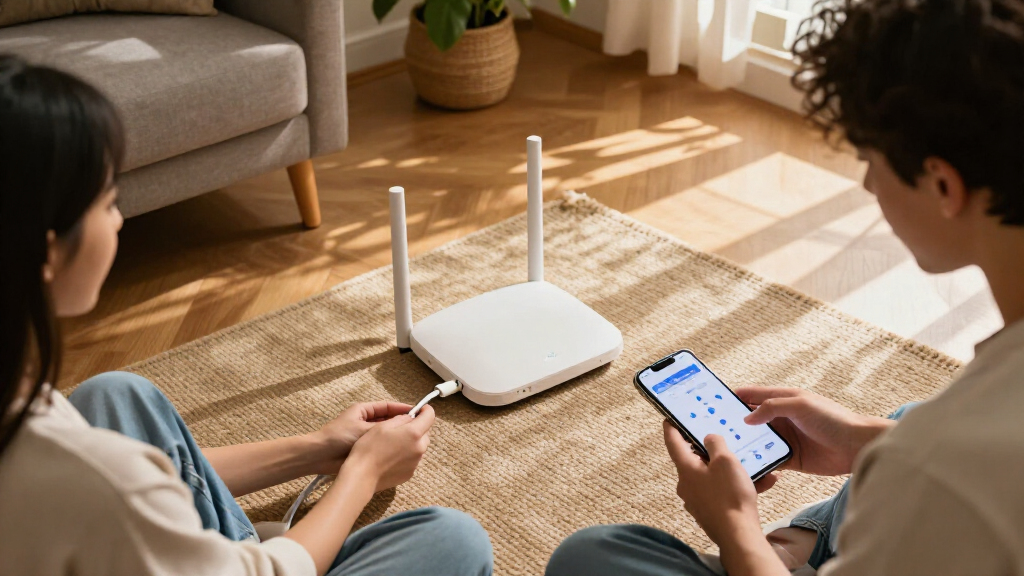
I ranked these mesh Wi-Fi 7 systems by how well their design matches common home needs, rather than treating the highest headline specification as an automatic win. I weighed band configuration, stated coverage, node count, support for faster internet plans, and the likely value of those capabilities in a real home. A tri-band system can make more sense for a crowded network or wireless links between nodes; a dual-band kit may be the more sensible fit when the home is smaller or the connection is less demanding.
I also considered setup and day-to-day usability, the practical value of wired connections, and how clearly each option serves a distinct buyer. The ranking favors balanced choices first, then systems that trade simplicity, coverage, or capacity for a more specific use. Because the supplied product details do not establish comparable speed tests, prices, or full port layouts, I do not treat those as verified ranking advantages; check the current manufacturer specifications and your home layout before buying.
| mesh wifi 7 | Wi-Fi standard | Ethernet |
|---|---|---|
| Amazon eero 7 dual-band mesh W | Wi-Fi 7 (IEEE 802.11a/b/g/n/ac/ax/be) | Two auto-sensing 2.5 GbE ports per unit |
| TP-Link Deco 7 Pro BE63 Tri-Ba | Wi-Fi 7 (802.11be) | Four 2.5 Gbps WAN/LAN ports per unit |
| TP-Link Deco 7 BE23 Wi-Fi 7 Du | Wi-Fi 7 | Two 2.5 Gbps WAN/LAN ports per unit |
| NETGEAR Orbi 370 Series WiFi 7 | — | — |
| NETGEAR Orbi 770 Series WiFi 7 | — | — |
| TP-Link Deco BE25 Dual-Band Wi | Wi-Fi 7 (802.11be) | Two 2.5 Gbps WAN/LAN ports per unit |
| NETGEAR Orbi 370 Series WiFi 7 | — | — |
| TP-Link Deco 7 BE5000 Wi-Fi 7 | Wi-Fi 7 (802.11be) | Two 2.5 Gbps WAN/LAN ports per unit |
| TP-Link Deco 7 BE23 Dual-Band | Wi-Fi 7 (802.11be) | Two 2.5 Gbps WAN/LAN ports per unit |
| Amazon eero 7 Dual-Band Mesh W | Wi-Fi 7 (IEEE 802.11a/b/g/n/ac/ax/be) | Two auto-sensing 2.5 GbE ports per router |
| TP-Link Deco 7 Pro BE10000 Tri | — | — |
| eero Pro 7 Tri-Band Mesh Wi-Fi | — | — |
| TP-Link Deco 7 Pro BE67 Tri-Ba | — | — |
Factors to Consider When Choosing Mesh Wifi 7
Choosing mesh Wi-Fi 7 is less about picking the biggest number and more about matching the system to the home, connection, and devices you actually have. These factors can help prevent paying for capacity that goes unused or buying too few nodes to cover the rooms that matter.
Choose Node Count Around Your Floor Plan
Start with the shape of the home, not just its square footage. Long layouts, multiple floors, dense walls, and detached workspaces can make coverage harder than a larger but open floor plan. A three-pack offers more placement flexibility, but adding nodes too close together can create overlap without fixing a weak link between floors or through masonry. A two-pack may be enough when the main router can sit near the center of a compact home. Treat advertised coverage as a guide, not a guarantee, and check whether the kit can be expanded before relying on future add-ons.
Decide Whether Tri-Band Is Worth the Extra Capacity
Tri-band can help when many devices are active at once or when mesh nodes communicate wirelessly across a busy network. It is not an automatic speed boost for every phone or laptop, and walls or poor node placement can still limit performance. Dual-band models can be a sensible choice for lighter use, especially if you can connect nodes with Ethernet. A common mistake is paying for extra radio capacity while leaving the nodes separated by several walls. Choose tri-band for a real congestion or backhaul need, not simply because the label sounds more advanced.
Match the System to Your Internet Plan and Devices
Compare the router’s supported connection speeds with the service plan, modem, and wired equipment in your home. A system designed for multi-gig internet cannot deliver that experience if the modem or service tops out below it. Your client devices matter too: older phones and laptops will not gain Wi-Fi 7 capabilities just because the mesh system supports them. At the same time, a new system can still be useful for handling more devices or planning for future upgrades. Pay for speed headroom when it has a plausible use, rather than assuming every household needs the highest tier.
Look at Wired Connections Before Buying
Ethernet can improve the link between mesh nodes and reduce the amount of wireless capacity used to relay traffic. This can make a dual-band system more attractive in a home with existing cabling, while a tri-band design may be more useful when nodes must connect wirelessly. Check the specific model’s port speeds and count rather than relying on the Wi-Fi generation alone. Also think about where wired devices such as a desktop, television, or network storage will sit. If you plan to use wired backhaul, confirm the system supports your intended setup and that the cable route is practical.
Weigh Coverage Claims Against Placement and Building Materials
Stated coverage figures are useful for comparing a maker’s intended scale, but they do not account for every building. Concrete, brick, metal-backed insulation, and crowded neighboring networks can cut the signal reaching distant rooms. Put the main unit where it can serve both the modem and the rest of the home, then position satellites between that unit and weak areas rather than at the dead zone itself. A larger coverage rating is not a substitute for sensible placement. If a difficult room matters most, prioritize a system that lets you add or reposition nodes over choosing by the maximum figure alone.
Check the App, Account, and Ongoing Management Needs
Mesh systems often rely on a phone app for setup, network controls, and updates, so the management experience can affect daily use as much as radio specifications. Before choosing, check what features are available without a paid plan, what account requirements apply, and how the system handles guest access and parental controls. A simple app can suit a household that wants a quick setup, while advanced network controls may matter more to someone managing work devices or smart-home equipment. Do not assume every feature is included just because it appears in an app menu. Confirm current software and subscription details from the manufacturer before purchase.
Frequently Asked Questions
Should I choose a two-pack or a three-pack for my home?
Choose by the number of areas that need reliable service and the obstacles between them, not by home size alone. A two-pack is often a better starting point for a compact, open layout, while a three-pack gives more placement options across floors or long floor plans. Extra nodes cannot fix a poor connection to the main unit if they are placed too far away. Check whether the system supports adding another compatible node if you want room to expand later. If possible, map the modem location and the rooms where you need stable service before deciding.
Is tri-band mesh worth choosing over dual-band Wi-Fi 7?
Tri-band is most useful when several people and devices are active at once or when mesh nodes must communicate wirelessly. It may help preserve capacity for device traffic, but it does not guarantee better coverage through difficult walls. Dual-band can be a better fit for a smaller household, lighter use, or a home with Ethernet between nodes. The key question is whether your network needs the extra capacity or can benefit from wired backhaul instead. Compare the system’s band design with your layout and usage rather than treating tri-band as a universal upgrade.
Will a Wi-Fi 7 mesh system make my older devices faster?
Older devices generally will not gain Wi-Fi 7-specific capabilities unless their own wireless hardware supports them. They can still connect to a Wi-Fi 7 network, and a newer mesh system may improve the network’s ability to serve multiple devices or extend coverage. The actual benefit depends on the device, signal conditions, and internet connection. If most of your equipment is older and your service plan is modest, a high-capacity system may be more than you need today. Consider whether you are buying for current coverage problems, planned device upgrades, or both.
Can I use Ethernet to connect mesh nodes, and does that change which system I should buy?
Many mesh setups support wired backhaul, but support and port capabilities vary by model, so verify the exact system before purchasing. Ethernet between nodes can reduce reliance on wireless links and may make a dual-band kit a stronger fit. It is especially useful when the nodes are far apart or separated by dense building materials. If your home has no practical cable route, tri-band capacity may be more helpful for wireless node links. Include cabling, port speeds, and device connections in the decision, not just the Wi-Fi generation.
Should I buy the system with the largest advertised coverage area?
Not automatically. Coverage claims are estimates, and wall materials, floor layout, interference, and node placement can change the result substantially. A system with a larger stated footprint may suit a large home, but a smaller kit placed well can serve a compact layout more reliably. Also check whether the coverage claim refers to a particular pack size, since the node count affects the comparison. If you have a persistent dead zone, favor flexible placement or expansion over choosing by a single coverage figure.
Conclusion
For the most balanced mix of capacity and home-wide use, I’d choose the TP-Link Deco BE63 as best overall. The best value direction is a dual-band Deco such as the BE23 or BE25 when your home is smaller, your usage is moderate, or you can use wired backhaul; among the listed options, the BE23 three-pack suits buyers who need more node flexibility. For best premium, the Orbi 770 is the coverage-focused choice, while the Deco BE10000, BE67, and eero Pro 7 deserve a look when tri-band capacity is the priority. The best for beginners is the eero 7 three-pack for buyers who want a straightforward setup and broad stated coverage. For a specific need, choose the eero 7 if your plan is up to 2.5 Gbps and you want a clearly stated plan target, or the Orbi 370 two-pack if a smaller kit better matches your layout. Match the node count and band design to your home before paying for capacity you cannot use.